
A 502 Bad Gateway error means one server tried to fetch your page from another server and got back a broken or empty answer. Visitors can try a few quick checks. The real fix almost always sits with the site owner, and the server logs tell us which of a handful of causes is to blame.
Last updated: October 30, 2026
What does 502 Bad Gateway mean?
The official definition lives in RFC 9110, the current HTTP standard. A 502 means the server answering you was acting as a gateway or proxy. It “received an invalid response from an inbound server” while trying to complete the request.
In plain terms, think of a restaurant. You order from the waiter, who takes the order to the kitchen. The kitchen shouts back gibberish, or the cook slams the door shut. The waiter can’t serve you, so they come back and say “bad gateway.” The waiter is fine. The kitchen is the problem.
On a website, the waiter is usually one of these:
- A reverse proxy such as Nginx, Apache with mod_proxy, Caddy or Traefik
- A CDN or security layer such as Cloudflare or Amazon CloudFront
- A load balancer such as an AWS Application Load Balancer (ALB)
The kitchen is the upstream service that builds the page: PHP-FPM for WordPress, a Node.js or Python app, a Lambda function, or another origin server.
How HTTP proxies and gateways pass requests
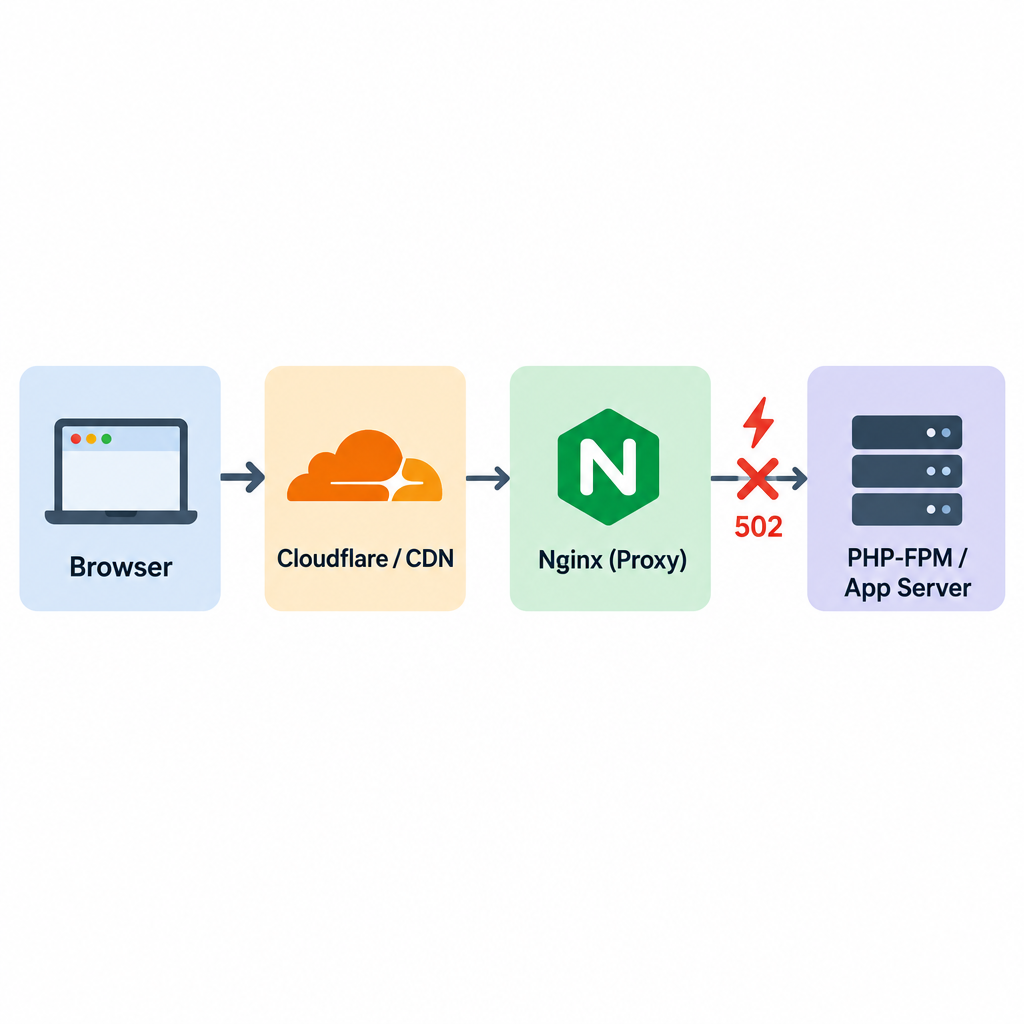
Most modern sites have at least two layers. A typical WordPress stack looks like this:
- Your browser connects to Cloudflare.
- Cloudflare forwards the request to Nginx on your web host.
- Nginx hands PHP requests to PHP-FPM over a socket.
- PHP-FPM runs WordPress, queries MySQL and returns HTML.
A 502 appears when any hop in that chain gets a response it can’t use. That includes a refused connection, a connection that closes halfway through, or headers too large or malformed to parse. Each layer can generate its own 502. So the first job is always to work out which layer is complaining.
The three fastest fixes for visitors
If you’re visiting someone else’s site, there is little you can repair. These three checks take under a minute and solve the cases that really are on your side:
- Reload after 30 to 60 seconds. Many 502s come from a server restarting or a deploy in progress. They clear on their own.
- Try another browser or a private window. This rules out a cached error page or a broken extension.
- Check the site from another network. Switch from Wi-Fi to mobile data. If it loads there, the issue is a stale DNS record or your ISP’s route. Flushing your DNS cache helps here. Our guide to what DNS is and how the domain name system works explains why records go stale.
If the site fails everywhere, it’s down for everyone. Wait, or tell the owner.
Err 502, err:502 and other names for the same error
The same status shows up under different labels, which is why people search for it in so many ways:
| What you see | Where it appears | What it means |
|---|---|---|
| 502 Bad Gateway | Nginx, Apache, most servers | Standard HTTP 502 |
| HTTP ERROR 502 | Google Chrome, Edge | Server returned 502 with little or no body |
| Error 502 Bad gateway (Cloudflare page) | Sites behind Cloudflare | 502 at Cloudflare or passed through from origin |
| HTTP Error 502.3 – Bad Gateway | Microsoft IIS | IIS substatus, often a forwarding or timeout failure |
| ERR 502 / err 502 | Apps, game launchers, APIs | Usually the same HTTP 502 from a backend |
| Err:502 | LibreOffice Calc | Not HTTP. “Invalid argument” in a formula |
That last row trips people up. If you see Err:502 in a LibreOffice spreadsheet cell, nothing is wrong with any server. A function got an argument it can’t accept, such as a square root of a negative number. Fix the formula and the error goes away.
Common causes of a 502 Bad Gateway
From the sites we build and run, the same causes come up again and again. Roughly in order of how often we hit them:
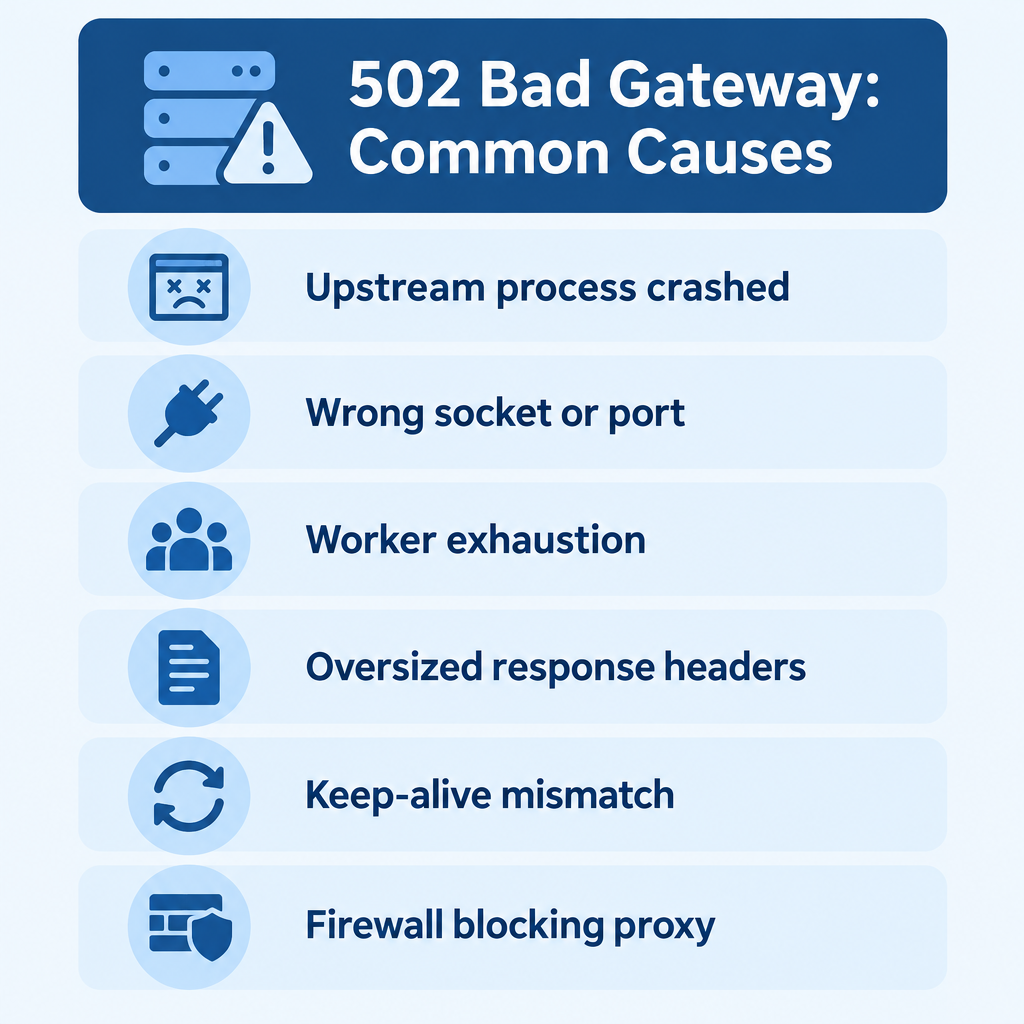
- The upstream process is down. PHP-FPM crashed, a Node app exited, or a container restarted and hasn’t come back.
- Wrong socket or port. Nginx points at
php8.2-fpm.sockafter an upgrade moved PHP to 8.3. - Worker exhaustion. Every PHP-FPM child or Gunicorn worker is busy, so new requests get refused.
- Workers killed mid-request. A timeout or the out-of-memory killer ends a process before it answers.
- Oversized response headers. Big cookies from login or SSO flows overflow the proxy’s header buffer.
- Keep-alive mismatch. A load balancer reuses a connection the backend already closed.
- Malformed responses. A serverless function returns the wrong JSON shape.
- Firewall or network rules. A security group, iptables rule or host firewall blocks the proxy from reaching the origin.
- A plugin or theme fatal error that kills the PHP process outright instead of returning a clean 500.
If your site throws 500 errors instead of 502s, the app is answering but failing internally. That’s a different path, which we cover in our guide to fixing a 500 Internal Server Error in WordPress.
What you need before you start
Gather these before touching anything:
- A full backup of files and database, taken before any config change
- SSH or terminal access to the server, or your host’s control panel if you’re on shared hosting
- Read access to logs: the Nginx or Apache error log, the PHP-FPM log, and your app’s log
- Your CDN or load balancer dashboard (Cloudflare, AWS console) if you use one
- The exact time the error started, so you can match it to log entries and recent deploys
- The origin server’s IP address, so you can test it while bypassing the CDN
Security note
Never paste raw error logs into public forums or AI chat tools without scrubbing them. They often contain session tokens, file paths and database names that help an attacker.
How to diagnose a 502 Bad Gateway
Guessing wastes hours. We follow the same order every time.
Diagnose the failing layer
- Note who generated the error page: Cloudflare-branded, plain Nginx, or your host’s branded page.
- Test the origin directly, bypassing the CDN, with curl and the origin IP.
- Test the upstream app on its local port or socket from the server itself.
- Read the last 50 lines of the proxy error log at the time of the failure.
- Check whether the upstream service is running and how many workers are busy.
- Compare the start time with recent deploys, updates and traffic spikes.
A Cloudflare-branded 502 page that mentions Cloudflare points to a problem at Cloudflare. An unbranded or plain Nginx page means your origin produced the 502 and Cloudflare passed it on. That one detail saves a lot of time.
To bypass the CDN, use curl with --resolve. Replace the IP with your origin’s address:
curl -sv --resolve example.com:443:203.0.113.10 https://example.com/ -o /dev/null
Then test the upstream from the server itself:
# Node, Python or other app on a local port
curl -I http://127.0.0.1:3000/

# Is PHP-FPM running?
sudo systemctl status php8.3-fpm

# What does Nginx say?
sudo tail -n 50 /var/log/nginx/error.log
The Nginx error log is the single most useful source. Here is what the common messages mean:
| Nginx error log message | What it means | Where to look |
|---|---|---|
connect() to unix:/run/php/php8.x-fpm.sock failed (2: No such file or directory) |
Socket path is wrong or PHP-FPM isn’t running | Fix 1 and 2 |
connect() failed (111: Connection refused) while connecting to upstream |
Nothing is listening on that port | Fix 1 and 2 |
connect() to unix:... failed (11: Resource temporarily unavailable) |
Socket backlog full, workers exhausted | Fix 3 |
upstream prematurely closed connection while reading response header |
Worker died or was killed mid-request | Fix 3 and 4 |
recv() failed (104: Connection reset by peer) |
Backend dropped the connection | Fix 4 and 6 |
upstream sent too big header while reading response header |
Headers bigger than the buffer | Fix 5 |
no live upstreams while connecting to upstream |
Every server in the upstream group is marked failed | Fix 1 and 7 |
For PHP sites, also check the PHP-FPM log. On Debian and Ubuntu it’s usually /var/log/php8.3-fpm.log. A line like server reached pm.max_children setting (5), consider raising it settles the question on the spot.
How to fix a 502 Bad Gateway
Work through these fixes in order. Back up first, and change one thing at a time so you know what worked.
1. Restart the upstream service
If the app or PHP-FPM has crashed, a restart brings the site back while you find the root cause.
sudo systemctl restart php8.3-fpm
sudo systemctl reload nginx
For Docker, run docker ps to see whether the app container is up. Then check docker logs <container> for the crash reason. A restart is a bandage. If the 502 returns within hours, keep going.
2. Fix socket and port mismatches
This is the classic cause after a PHP upgrade. Nginx still points at the old socket, which no longer exists. List what’s there:
ls -l /run/php/
Then make sure your Nginx config matches:
location ~ .php$ {
    include snippets/fastcgi-php.conf;
    fastcgi_pass unix:/run/php/php8.3-fpm.sock;
}
Test before reloading. A typo in the config will take the whole site down:
sudo nginx -t && sudo systemctl reload nginx
Node and Python apps have the same failure in another form. The proxy expects port 3000 while the app listens on 8080, or the app binds to 127.0.0.1 inside a container where the proxy can’t reach it.
3. Add more workers, sized to your RAM
The default www.conf pool on Debian and Ubuntu ships with pm.max_children = 5. That’s far too low for a busy WooCommerce store. Once all five children are busy, extra requests queue up and then fail.
Measure average memory per PHP process first:
ps -ylC php-fpm8.3 --sort:rss
Divide the RAM you can spare for PHP by that average. If you have 2 GB for PHP and each child uses about 80 MB, around 24 children is a safe ceiling. Then edit /etc/php/8.3/fpm/pool.d/www.conf:
pm = dynamic
pm.max_children = 24
pm.start_servers = 6
pm.min_spare_servers = 4
pm.max_spare_servers = 8
pm.max_requests = 500
Don’t set the number higher than your RAM allows. Too many children trigger the out-of-memory killer, and that brings the 502s right back. Gunicorn follows the same logic: the --workers flag defaults to 1, so set it on purpose.
Builder tip
Set pm.max_requests to a few hundred. Recycling PHP children regularly stops slow memory leaks in plugins from building up into crashes.
4. Align timeouts across every layer
Each layer has its own timeout. When an inner layer gives up first, or a worker gets killed mid-request, the outer layer reports a 502. When an outer layer gives up first, you usually see a 504. Neither is a real fix for a slow page. Matching the timeouts does stop random failures on long tasks such as imports and report exports.
Here are the defaults we check most often:
| Layer | Setting | Default |
|---|---|---|
| Nginx (proxy) | proxy_read_timeout |
60 seconds |
| Nginx (FastCGI) | fastcgi_read_timeout |
60 seconds |
| Apache 2.4 | Timeout (and ProxyTimeout, which inherits it) |
60 seconds |
| PHP | max_execution_time |
30 seconds |
| PHP-FPM | request_terminate_timeout |
0 (disabled) |
| Gunicorn | --timeout |
30 seconds |
| AWS ALB | Idle timeout | 60 seconds |
| Amazon CloudFront | Origin response timeout | 30 seconds |
| Cloudflare (Free to Business) | Proxy read timeout | 100 seconds |
The rule we follow: each inner layer should time out slightly before the layer outside it. The app can then return a clean error instead of being cut off mid-response. For an admin import that needs 120 seconds, raise the limits only on that route:
location /wp-admin/admin-ajax.php {
    fastcgi_read_timeout 120s;
    include snippets/fastcgi-php.conf;
    fastcgi_pass unix:/run/php/php8.3-fpm.sock;
}
A better long-term answer is moving slow work to a background queue such as Action Scheduler, cron or a job worker.
5. Enlarge proxy buffers for big headers
If the log says upstream sent too big header, raise the buffer sizes. Nginx’s defaults are 4k or 8k depending on the platform. That’s easy to exceed once a site sets several large cookies.
# For proxy_pass setups
proxy_buffer_size 16k;
proxy_buffers 8 16k;
proxy_busy_buffers_size 32k;

# For PHP-FPM
fastcgi_buffer_size 32k;
fastcgi_buffers 16 16k;
The next section explains why login pages are the usual trigger.
6. Match keep-alive to your load balancer
This one is subtle and very common behind AWS load balancers. Node.js’s HTTP server closes idle keep-alive connections after 5 seconds by default. The ALB keeps connections open for 60 seconds. Every so often, the ALB sends a request down a connection Node has just closed, and the visitor gets a 502.
Make the backend wait longer than the load balancer:
const server = app.listen(3000);
server.keepAliveTimeout = 65000; // longer than the ALB's 60 s idle timeout
server.headersTimeout = 66000;   // must exceed keepAliveTimeout
Gunicorn has the same trap. Its --keep-alive default is 2 seconds, so raise it above the load balancer’s idle timeout when it sits behind an ALB.
7. Check firewalls, security groups and SSL to the origin
If the proxy can’t open a connection, nothing else matters. Check these:
- Cloud security groups allow traffic from the proxy or load balancer to the app port.
- The host firewall (ufw, firewalld or iptables) isn’t blocking it.
- If your origin only accepts traffic from your CDN, the allow list includes the CDN’s current IP ranges.
- The origin’s TLS certificate is valid and uses protocols and ciphers the CDN accepts. CloudFront returns a 502 when it can’t complete the TLS handshake with your origin.
Behind Cloudflare, origin connection problems often show up as 52x codes instead. A 521 means the origin refused the connection, 522 a connection timeout, and 526 an invalid origin certificate. These codes are actually more helpful than a bare 502 because they name the failure.
8. Rule out WordPress plugins and themes
A plugin that hits a PHP fatal error, loops forever or eats all available memory can kill the PHP-FPM child. Nginx then sees a dropped connection and returns a 502. Back up, then deactivate everything with WP-CLI:
wp plugin deactivate --all
No SSH? Rename wp-content/plugins to plugins-off over SFTP. If the site recovers, rename it back and reactivate plugins one at a time until the error returns. Do the same with the theme by switching to a default one such as Twenty Twenty-Five. Check wp-content/debug.log with WP_DEBUG_LOG turned on for the exact fatal error.
9. Fix malformed serverless responses
On AWS API Gateway with a Lambda proxy integration, the function must return a specific shape. Anything else gives a 502 with the message “Malformed Lambda proxy response.” The most common mistake is returning an object as body when it must be a string:
export const handler = async () => {
  return {
    statusCode: 200,
    headers: { "Content-Type": "application/json" },
    body: JSON.stringify({ ok: true }) // must be a string
  };
};
Unhandled exceptions and functions that run out of memory produce 502s too. Check CloudWatch Logs for the function. Sites built on a headless CMS run into this often, because the front end calls APIs and serverless functions on every page render. Our explainer on what a headless CMS is and how it actually works covers that architecture.
502 and authentication flows
Login, checkout and single sign-on pages throw 502s far more often than the rest of a site. The cause is nearly always header size.
During an OAuth or SAML login, the app sets several cookies at once: a session ID, CSRF tokens, and sometimes a full encoded token. OpenID Connect ID tokens with group claims can run to several kilobytes on their own. Add WooCommerce cart cookies and analytics cookies, and the response headers blow past Nginx’s 4k or 8k buffer.
What makes this confusing is the pattern. The homepage loads, anonymous visitors are fine, and the error only hits after someone signs in. It may only affect users who belong to many groups.
What we do:
- Confirm it in the log with the
too big headermessage. - Raise
proxy_buffer_sizeorfastcgi_buffer_sizeas shown in fix 5. - Trim the cookies at the source. Store the session server-side and keep only a short session ID in the cookie.
- Check any extra hop such as an auth proxy (oauth2-proxy, for example) or an ingress controller. Each one has its own buffer limit.
502 vs 503 vs 504: quick comparison
These three codes get mixed up constantly. The difference tells us where to look:
| Code | Name | What happened | Typical first check |
|---|---|---|---|
| 502 | Bad Gateway | Proxy got an invalid or no response from upstream | Is the upstream running and reachable? |
| 503 | Service Unavailable | Server is overloaded or deliberately offline | Maintenance mode, rate limits, capacity |
| 504 | Gateway Timeout | Proxy waited too long for upstream to answer | Slow queries, long scripts, timeouts |
A short way to remember it: 502 means the kitchen gave a bad answer, 504 means it gave no answer in time, and 503 means it put up a “closed” sign. If you see a mix of 502s and 504s during traffic spikes, worker exhaustion (fix 3) is the likely root.
Common mistakes when fixing a 502
These mistakes cost the most time:
- Clearing caches over and over. Your browser cache rarely causes a 502. Fix the server.
- Raising every timeout to 600 seconds. This hides slow code and lets stuck requests pile up until the server falls over.
- Setting
pm.max_childrento 200 on a 2 GB server. The OOM killer then terminates workers and the 502s get worse. - Editing Nginx config without running
nginx -t. One missing semicolon and the reload fails. - Blaming the CDN without testing the origin directly. The curl
--resolvetest settles it in seconds. - Updating plugins on a live store without a backup. Always back up first, ideally on a staging copy.
- Restarting and moving on. If the cause isn’t found, the 502 returns, usually at peak traffic.
Expected result
Once the right fix is in place:
curl -I https://yourdomain.comreturnsHTTP/2 200(or a 301 or 302 redirect where expected).- The Nginx error log stops logging new upstream errors.
- The PHP-FPM log no longer shows
max_childrenwarnings under normal load. - Load balancer metrics such as
HTTPCode_ELB_5XX_Counton AWS drop back to near zero. - Logged-in users and checkout pages work as reliably as the homepage.
Give it a full traffic cycle, ideally a busy day, before calling it solved. Intermittent 502s love to hide.
Prevention best practices
What we put in place on every site we manage:
- Uptime monitoring with alerts on 5xx responses, so we hear about a 502 before customers do.
- Process supervision. systemd
Restart=on-failure, Docker restart policies or PM2 bring crashed apps back automatically. - Health checks on load balancers that hit a real endpoint, not just a static file.
- Capacity headroom. Size workers to RAM and review after traffic grows or new plugins arrive.
- Staging first. Test PHP upgrades and plugin updates on a copy so socket paths and fatal errors surface there.
- Background jobs for imports, exports, image processing and emails instead of long web requests.
- Centralised logs. Shipping logs from proxy, app and database to one place makes correlation fast.
- A host that fits the workload. Cheap shared plans with tight process limits produce chronic 502s on busy stores. Our comparison of the best web hosting providers for every budget covers which plans give PHP room to breathe.
FAQ
Is a 502 Bad Gateway error my fault?
Almost never, if you’re a visitor. It’s a server-side failure between two systems you don’t control. The only visitor-side causes are a stale DNS record or a misbehaving local proxy or VPN, which the three quick fixes above rule out.
How do I fix 502 Bad Gateway on my own site?
Find which layer produced it, then read the proxy’s error log. The log message points to the fix. Most cases come down to a stopped upstream service, a wrong socket or port, too few workers, oversized headers or mismatched timeouts.
What does ERR 502 mean in an app or game launcher?
It’s usually the same HTTP 502 passed through by the app. The service’s backend is having trouble and there’s nothing to fix on your device. Check the provider’s status page and try again later.
Can 502 errors hurt my SEO?
Short blips don’t. Google treats 5xx errors as a signal to slow its crawling. If URLs keep returning server errors over a longer period, Google can drop them from its index. Fix recurring 502s quickly and monitor Search Console’s crawl stats.
How long does a 502 error last?
Restarts and deploys cause 502s that clear within seconds to a few minutes. Anything lasting longer than that has a real cause that won’t fix itself, such as a crashed service, a config mismatch or exhausted resources.
Why do I only get a 502 after logging in?
That pattern almost always means the response headers are too big for the proxy’s buffer. Login flows set large cookies. Raise the proxy or FastCGI buffer sizes and slim down what goes into the cookies.