
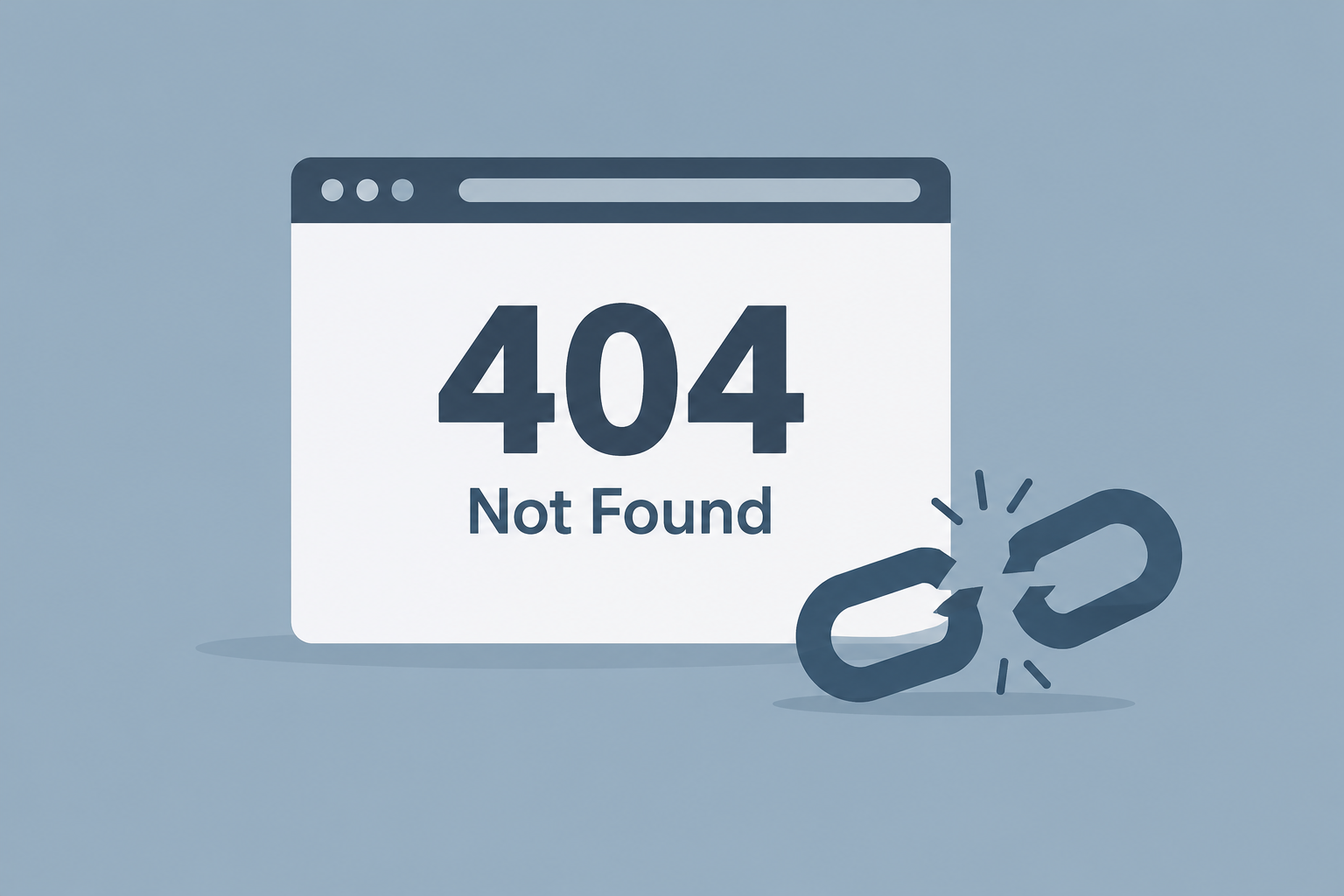
A 404 HTTP code means the server received the request but found nothing at that URL. It is a client error in the 4xx class, and it says nothing about whether the page is gone for good. Below we cover what triggers it, how to check for it, and how to fix it on WordPress, Shopify, Apache, Nginx and headless stacks.
Last updated: October 30, 2026
What the 404 HTTP code actually means
The HTTP standard defines the 404 status in RFC 9110, published by the IETF in June 2022. The definition is short. The origin server did not find a current representation for the target resource, or it is not willing to disclose that one exists.
Two parts of that definition matter in practice.
First, a 404 does not say why nothing was found. The page might have been deleted, moved, mistyped or never created. It also does not say whether the problem is temporary. A URL that returns 404 today can return 200 tomorrow.
Second, a server may use 404 on purpose to hide a resource. A request for a private file can get a 404 instead of a 403 Forbidden. That way the server does not confirm the file exists. GitHub documents this behaviour for its REST API: some requests that need authentication return 404 rather than 403, so private repositories are not leaked.
What “Not Found” is doing in the message
The words “Not Found” are the reason phrase. In HTTP/1.1 the server sends it on the status line, as in HTTP/1.1 404 Not Found. HTTP/2 and HTTP/3 dropped reason phrases entirely. Those protocols send only the number. So when your browser shows “404 Not Found”, the text usually comes from the page body or from the browser itself.
That is why the same error shows up in so many forms:
- “Not Found. The requested URL was not found on this server.” This is Apache’s default error body.
- “404 Not Found” with “nginx” underneath. This is Nginx’s default page.
- “HTTP Error 404” comes from IIS and some older tools.
- “This page could not be found” is the default 404 page in Next.js.
- “Page not found” is the default document title for a WordPress 404.
People search for all of these as “notfound 404”, “http not found 404” or “404 not found code”. They all describe the same status number.
Where the number comes from
There is a popular story that the code is named after a room 404 at CERN, where the web was invented. No evidence supports it. The number follows the scheme of the status classes. The first digit, 4, marks a client error. The remaining digits identify which client error. Early HTTP drafts already grouped codes this way.
Where 404 sits among HTTP status codes
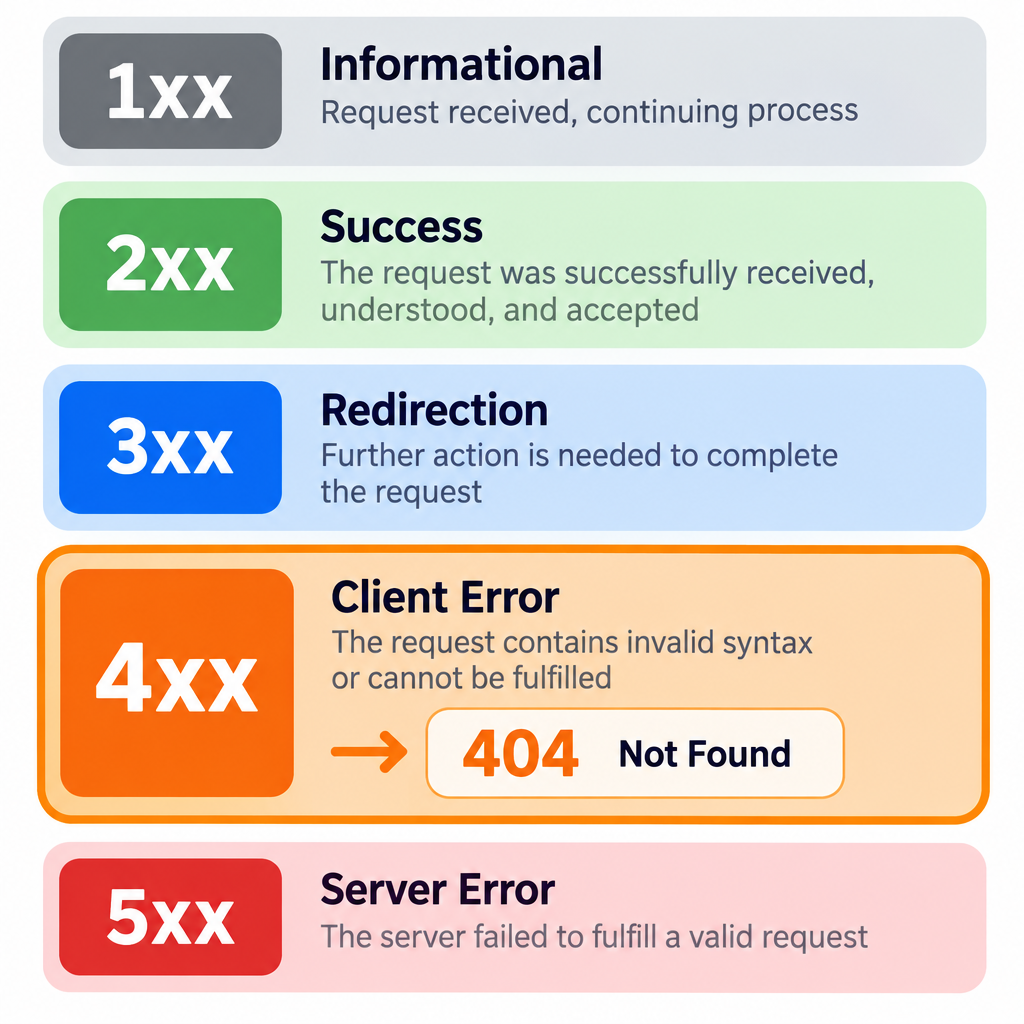
Every HTTP response carries a three-digit status code. The first digit tells you the class. The other two narrow it down.
| Class | Meaning | Common examples |
|---|---|---|
| 1xx | Informational, request received and continuing | 100 Continue, 103 Early Hints |
| 2xx | Success | 200 OK, 201 Created, 204 No Content |
| 3xx | Redirection, further action needed | 301 Moved Permanently, 302 Found, 304 Not Modified, 308 Permanent Redirect |
| 4xx | Client error, the request cannot be fulfilled as sent | 400, 401, 403, 404, 410, 429 |
| 5xx | Server error, a valid request failed on the server | 500, 502, 503, 504 |
The class matters for diagnosis. A 404 points at the URL, the link or the routing. A 5xx code points at the server or application. If you are seeing 500 errors or a 502 bad gateway instead, the problem is somewhere else and the fixes below will not help.
The 4xx codes that get confused with 404
These are the client errors we see mixed up with 404 most often. Section numbers refer to RFC 9110 unless noted.
| Code | Name | Defined in | What it tells the client | Use it when |
|---|---|---|---|---|
| 400 | Bad Request | RFC 9110, 15.5.1 | The request itself is malformed | Syntax or validation failure |
| 401 | Unauthorized | RFC 9110, 15.5.2 | Valid credentials are missing | Login required |
| 403 | Forbidden | RFC 9110, 15.5.4 | Understood, but refused | Logged in, no permission |
| 404 | Not Found | RFC 9110, 15.5.5 | Nothing at this URL, or not saying | Default for missing content |
| 405 | Method Not Allowed | RFC 9110, 15.5.6 | Resource exists, wrong method | POST sent to a GET-only URL |
| 410 | Gone | RFC 9110, 15.5.11 | Removed on purpose, permanently | Content retired for good |
| 429 | Too Many Requests | RFC 6585 | Rate limit hit | Throttling bots or API clients |
| 451 | Unavailable For Legal Reasons | RFC 7725 | Blocked for legal reasons | Court order, regional block |
The 405 row deserves a note for developers. If the resource exists but the method is wrong, 405 is the honest answer. It should come with an Allow header listing the methods that work. Returning 404 there sends API consumers looking for a missing record that is actually fine.
What a 404 looks like on the wire
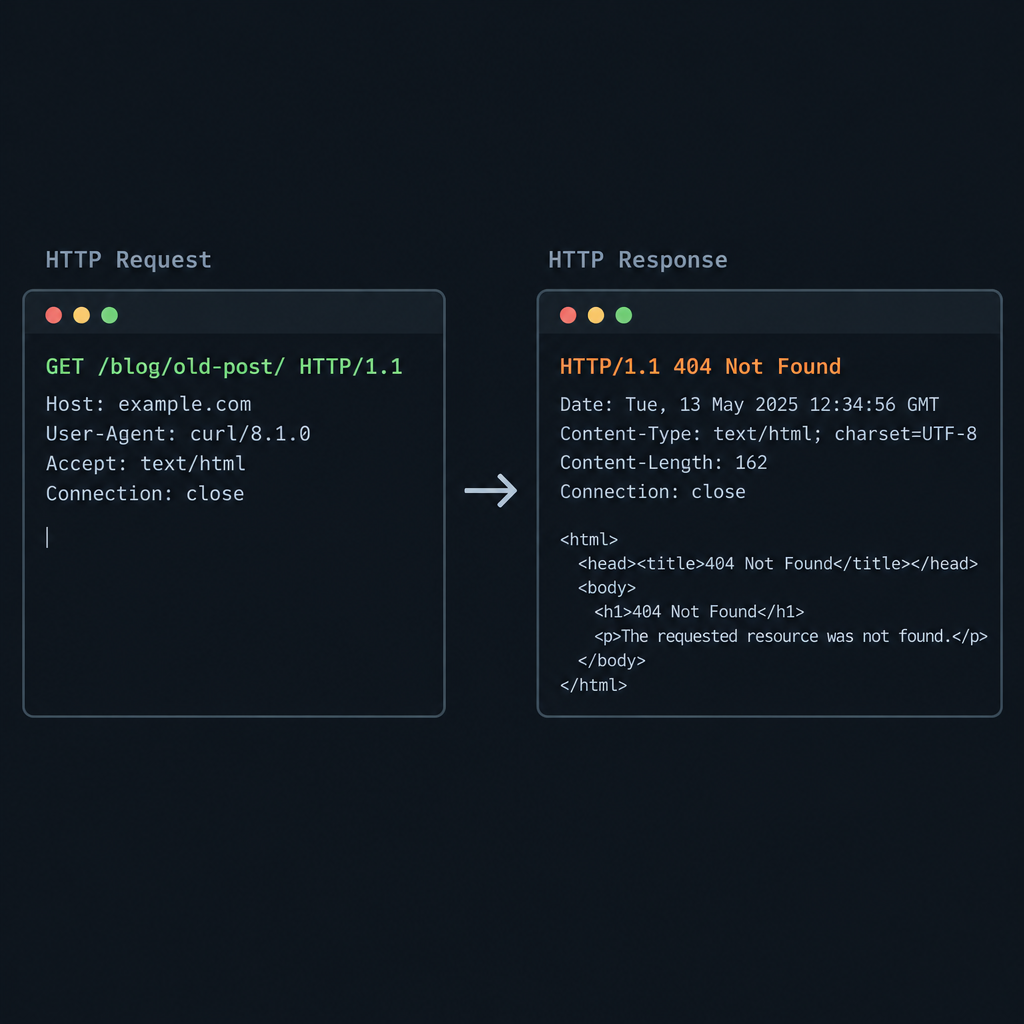
Here is a minimal request and response over HTTP/1.1:
GET /blog/old-post/ HTTP/1.1
Host: example.com
User-Agent: curl/8.5.0
Accept: */*
HTTP/1.1 404 Not Found
Date: Fri, 30 Oct 2026 09:12:44 GMT
Content-Type: text/html; charset=UTF-8
Content-Length: 5120
Cache-Control: no-cache

<!doctype html>
<html>
<head><title>Page not found - Example</title></head>
<body>...</body>
</html>
The body can be anything. A server is free to send a full, branded HTML document with a 404 status. What it must not do is send that page with a 200 status. We cover that trap in the soft 404 section.
Common causes of a 404 Not Found error
Most 404s come from a short list of causes. Knowing which one you have saves a lot of guessing.
- The content was deleted. Someone removed a post, product or file and nothing replaced it.
- The URL changed. A slug was edited, a category renamed or a permalink structure switched. Old links still point to the old address.
- A typo in a link. Internal links, menus, emails and other sites can all carry broken URLs.
- A site migration or rebuild. Moving platforms almost always changes URL patterns. Sites rebuilt with an AI website builder or a new theme often get a fresh URL structure that nobody mapped back to the old one.
- Broken rewrite rules. The CMS is fine, but the server is not passing pretty URLs to it. In WordPress this shows up as every page except the homepage returning 404.
- Case and trailing slash mismatches. Linux servers treat
/Aboutand/aboutas different paths. - Missing assets. Images, scripts, fonts and stylesheets can 404 even when the page itself loads fine.
- Expired or unpublished content. Drafts, scheduled posts, private pages and out-of-stock products removed by a plugin.
- Bots probing for files. Requests for
/wp-login.phpon a non-WordPress site,/.env, or old exploit paths. These 404s are correct and need no fix.
How to check the HTTP status code of a page
What you see in the browser can mislead you. A page that looks like an error can return 200. A page that looks normal can return 404 and get dropped from search. Always check the real status.
In the browser
Every major browser has developer tools with a Network panel.
Check a status code in Chrome, Edge or Firefox
- Open the page and press F12 (Cmd+Option+I on a Mac).
- Switch to the Network tab.
- Reload the page so requests are recorded.
- Click the first request in the list, the HTML document.
- Read the Status Code under the Headers section.
Tick “Preserve log” (Chrome) or “Persist Logs” (Firefox) if you want to follow redirect chains. Without it, the panel clears on each navigation.
With curl
On the command line, curl gives a clean answer. To print only the status code:
curl -s -o /dev/null -w "%{http_code}n" https://example.com/blog/old-post/
To see the full headers and follow every redirect hop:
curl -sIL https://example.com/blog/old-post/
The -I flag sends a HEAD request. A few servers and plugins handle HEAD differently from GET. If the results look odd, drop -I and use the first command, which sends a normal GET.
Checking many URLs at once
For a whole site, use a crawler. Screaming Frog SEO Spider crawls up to 500 URLs in its free version and lists every response code it finds, including 404s on images and scripts. Its “Inlinks” view shows which pages link to each broken URL, which is the part you need to fix.
Server access logs are the other source of truth. They record every request, including ones from people who arrived from other sites. On a typical Apache or Nginx combined log format, this pulls the 20 most requested 404 paths:
awk '$9 == 404 {print $7}' /var/log/nginx/access.log | sort | uniq -c | sort -rn | head -20
Field 9 is the status and field 7 is the requested path in that format. Adjust the field numbers if your host uses a custom log format.
Finding 404 pages in Search Console, Bing and GA4
Crawlers show you broken links on your own pages. Search engines and analytics show you the 404s real visitors and bots hit, including those caused by links on other websites.
Google Search Console
Go to Indexing > Pages. In the “Why pages aren’t indexed” table, look for two rows:
- Not found (404): URLs Google requested that returned a real 404.
- Soft 404: URLs that returned 200 but looked like error pages to Google.
Click a row to see example URLs. Use the URL Inspection tool on any of them to see the last crawl date and the referring page Google found, when it reports one. After fixing, click “Validate fix” so Google rechecks the batch.
A long “Not found (404)” list is not automatically a problem. Google’s own documentation says 404s are a normal part of the web and do not hurt a site’s rankings. What matters is whether any of those URLs should be working.
Bing Webmaster Tools
Bing reports crawl errors too. Site Explorer lets you filter URLs by HTTP code, which is a quick way to see 4xx responses grouped by folder. If you have not added your site yet, setting up Bing Webmaster Tools takes a few minutes and gives a second view of how crawlers see your URLs.
Google Analytics 4
GA4 does not record status codes. It records page views, and your 404 page is a page. So we find 404s by their page title.
On WordPress the default 404 title starts with “Page not found”. Most themes keep it. To find the broken URLs:
- Go to Explore and start a Free form exploration.
- Add the dimensions Page title, Page path and screen class and Page referrer.
- Add the metric Views.
- Filter Page title to contain “Page not found” (or whatever your 404 title says).
The referrer column tells you where visitors clicked from. That points straight at the broken link, often on a page you control.
Builder tip
Give your 404 template a unique, fixed title such as “Page not found” in every language version. A consistent title makes 404 views easy to filter in any analytics tool.
How to fix 404 errors: 9 fixes that cover almost every case
Start by deciding what the URL should do. That choice drives everything else.
| Situation | Correct response | Why |
|---|---|---|
| Content moved to a new URL | 301 (or 308) redirect to the new URL | Visitors and link value follow the move |
| Close replacement exists | 301 redirect to the replacement | Only if it truly answers the same need |
| Deleted by mistake | Restore it, return 200 | Nothing else is as good as the original |
| Removed on purpose, no replacement | 410 Gone, or leave as 404 | Tells crawlers to stop asking |
| Never existed (typos, bot probes) | 404 | The correct, honest answer |
| Private or restricted | 401, 403, or 404 to hide existence | Depends on whether you want to reveal it |
| Temporarily offline | 503 with Retry-After | A 404 would drop the page from indexes |
Back up first
Redirect rules, .htaccess edits and Nginx config changes can take a whole site offline. Take a full backup of files and database, and keep a copy of any config file before you edit it.
1. Fix internal links at the source
A redirect is a patch. If your own menu, footer or post links to a dead URL, change the link. Internal links that hop through redirects waste crawl budget and add a little latency on every click.
Run a crawl, export the broken links with their source pages, and edit each source. In WordPress, a search-and-replace across the database can fix a renamed path in one pass. Run it on a staging copy first and back up before running it live.
2. Redirect moved content with a 301
When a page has a new home, send a permanent redirect. On Apache, in .htaccess:
Redirect 301 /blog/old-post/ https://example.com/blog/new-post/
On Nginx, inside the server block:
location = /blog/old-post/ {
    return 301 https://example.com/blog/new-post/;
}
Redirect each old URL to its closest equivalent. Sending every dead URL to the homepage is a common shortcut, and Google treats mass redirects to the homepage as soft 404s anyway. It also frustrates visitors who wanted something specific.
3. Restore content that was deleted by mistake
Check the trash first. WordPress keeps trashed posts for 30 days by default before deleting them permanently. Shopify archives products rather than deleting them unless you delete them outright. If the content is gone from the CMS, your backup is the next stop.
4. Flush rewrite rules in WordPress
If every page except the homepage returns 404, the rewrite rules are usually broken. The fix takes ten seconds.
Go to Settings > Permalinks and click Save Changes without changing anything. That regenerates WordPress’s rewrite rules and, on Apache, rewrites the .htaccess block if the file is writable.
If it still fails, check that the default WordPress block is present in .htaccess:
# BEGIN WordPress
<IfModule mod_rewrite.c>
RewriteEngine On
RewriteRule .* - [E=HTTP_AUTHORIZATION:%{HTTP:Authorization}]
RewriteBase /
RewriteRule ^index.php$ - [L]
RewriteCond %{REQUEST_FILENAME} !-f
RewriteCond %{REQUEST_FILENAME} !-d
RewriteRule . /index.php [L]
</IfModule>
# END WordPress
Also confirm that Apache has mod_rewrite enabled and that AllowOverride permits .htaccess rules for the site’s directory. On many fresh VPS installs, AllowOverride None is the default and silently ignores the file.
5. Fix server routing on Nginx
Nginx ignores .htaccess. For WordPress and most PHP CMSs, the location / block needs a try_files line that hands unknown paths to index.php:
location / {
    try_files $uri $uri/ /index.php?$args;
}
Without it, Nginx looks for a real file at /blog/my-post/, finds none, and returns its own 404 page. Test the config with nginx -t before reloading.
6. Handle case and trailing slash mismatches
Pick one URL format and enforce it with redirects. WordPress already adds or removes trailing slashes to match your permalink setting. Static hosts and custom apps often do not.
Uppercase letters are trickier. If old campaigns used /Summer-Sale/ and the page lives at /summer-sale/, add a specific redirect for the known variants. Avoid blanket lowercase rules on sites that host case-sensitive files.
7. Repair missing images and assets
Asset 404s rarely show up in Search Console, but they break layouts and slow pages. Common causes are a changed upload path after migration, a CDN that was not purged, or a format conversion. Converting files from PNG or JPEG to WebP changes the file extension, and every hard-coded reference to the old name breaks.
The Network panel in your browser lists every failed asset in red. Filter by status code to see only the 404s.
8. Return 410 for content that is gone for good
When you retire content with no replacement, a 410 Gone states that clearly. On Apache:
Redirect gone /products/discontinued-widget/
On Nginx:
location = /products/discontinued-widget/ {
    return 410;
}
9. Leave correct 404s alone, and make the 404 page useful
Some 404s are right. Bots probing /.env or /xmlrpc.php on a non-WordPress site should get a 404. Random typos should too. Redirecting them creates noise and can turn into a soft 404 problem.
For human visitors who land on a real 404, a good error page keeps them on the site. We cover how to build one below.
Platform guide: where to manage 404s and redirects
Every platform handles this a little differently. This table reflects the built-in options and widely used plugins as of October 2026.
| Platform | Custom 404 page | Redirects | Notes |
|---|---|---|---|
| WordPress (classic theme) | 404.php in the theme |
Redirection plugin, Rank Math, Yoast SEO Premium | Changed post slugs redirect automatically |
| WordPress (block theme) | Appearance > Editor > Templates > Page: 404 | Same plugins | Edit the template visually, no PHP needed |
| WooCommerce | Uses the WordPress 404 template | Same plugins | Changing the product base in Settings > Permalinks changes every product URL |
| Shopify | templates/404.json in Online Store 2.0 themes |
URL redirects screen in the admin, CSV import supported | Offers to create a redirect when you change a product handle |
| Apache | ErrorDocument 404 /404.html |
Redirect, RedirectMatch, mod_rewrite |
Use a local path, never a full URL |
| Nginx | error_page 404 /404.html; |
return 301 or rewrite |
Reload after nginx -t passes |
| Netlify | 404.html at the site root |
_redirects file or netlify.toml |
Supports status codes per rule |
| Vercel / Next.js | not-found.js (App Router) |
redirects in next.config.js or vercel.json |
permanent: true sends a 308 |
| GitHub Pages | 404.html at the repo root |
No server-side redirects | Served with a real 404 status |
A few platform details trip people up.
WordPress guesses URLs. When a request 404s, WordPress tries to find a post with a similar slug and redirects to it. This is handled by redirect_guess_404_permalink(). It sometimes sends visitors to the wrong page. Since WordPress 5.5 you can switch it off with a filter:
add_filter( 'do_redirect_guess_404_permalink', '__return_false' );
WordPress remembers old slugs for posts. Edit a published post’s slug and WordPress stores the old one, then redirects requests for it. This covers posts. Do not rely on it for pages or for a full permalink structure change.
Redirect plugins can log 404s. The Redirection plugin and Rank Math’s 404 Monitor both record 404 hits inside the dashboard. Turn logging off or set a retention limit once you have what you need. Large log tables bloat the database on busy sites.
Building a custom 404 page that still returns 404
A custom 404 page should help people and still send the 404 status. Getting both right is easy to miss.
What to put on it
- A plain statement that the page was not found.
- A search box.
- Links to the main sections, top categories or best-selling products.
- A way to report the broken link, if you have the capacity to act on reports.
- Your normal header and footer, so the visitor knows they are on the right site.
Skip jokes that make the visitor work harder. Keep the page light, because some 404s come from bots hammering many URLs.
Server configuration
On Apache:
ErrorDocument 404 /404.html
Apache gotcha
If ErrorDocument points to a full URL such as https://example.com/404.html, Apache sends a redirect instead of a 404. Search engines then see a redirect to a page that returns 200. Always use a local path.
On Nginx:
error_page 404 /404.html;

location = /404.html {
    internal;
}
The internal directive stops people from requesting /404.html directly and getting a 200.
Forcing a 404 from WordPress code
Sometimes a template decides, after a query, that there is nothing to show. A custom post type archive filtered by an invalid parameter is a common example. To send a proper 404 from a theme or plugin:
global $wp_query;
$wp_query->set_404();
status_header( 404 );
nocache_headers();
include get_query_template( '404' );
exit;
This sets the query state, sends the header, stops caching and loads the theme’s 404 template.
Soft 404s: the error that looks like a success
A soft 404 is a page that tells people “not found” but sends a 200 OK status. Google detects these by reading the content. It then treats the URL as an error anyway, and lists it as “Soft 404” in Search Console.
Soft 404s cause three problems:
- Crawlers keep requesting the URL because the status claims it is fine.
- Thin “no results” pages can end up indexed under your brand.
- Monitoring tools that check status codes miss the failure entirely.
Common sources we see on CMS sites:
- Empty search and tag pages that return 200 with “No posts found”.
- Out-of-stock product pages stripped down to almost nothing.
- Redirecting every dead URL to the homepage.
- JavaScript apps that render “Not found” in the browser after the server already sent 200.
Why headless and JavaScript sites are prone to them
In a headless CMS setup, the CMS stores content and a separate frontend renders it. The frontend asks the CMS API for a slug. If the API returns nothing, the frontend must turn that into a real 404 response. Many projects forget. The page renders a friendly message, the server sends 200, and Google flags a soft 404.
Single-page apps are worse. The server sends the same index.html with a 200 for every path, then the app decides in the browser. If you need a CMS explained from the ground up, the key point is that a traditional CMS handles this routing on the server for you. A headless build makes it your job.
The fix is to decide on the server. In the Next.js App Router:
import { notFound } from 'next/navigation';

export default async function PostPage({ params }) {
  const { slug } = await params;
  const post = await getPostFromCms(slug);
  if (!post) {
    notFound();
  }
  return <Article post={post} />;
}
Calling notFound() renders the nearest not-found.js file and sends a 404 status. Nuxt does the same with throw createError({ statusCode: 404 }). For a pure client-side app with no server rendering, the fallback is to redirect to a dedicated URL that the server serves with a 404 status, or to add a noindex robots meta tag on the error view.
404 vs 410: which one to use
This is the question we get asked most after “how do I fix it”.
A 404 says the server found nothing. It makes no promise about the future.
A 410 Gone says the resource was there, was removed deliberately, and will not come back. RFC 9110 describes 410 as primarily for limited-time content and for webmasters who want to signal that remote links should be removed.
For search engines the gap is small. Google has said it treats 404 and 410 almost the same, with 410 a slightly stronger signal that the URL is gone. Both lead to removal from the index after recrawling. Neither carries a penalty.
Our practical rule:
- Use 410 for content you removed on purpose and want crawlers to forget, such as expired listings, discontinued products with no successor, or spam URLs from a hacked site after cleanup.
- Use 404 for everything else that does not exist.
- Use 301 whenever a real replacement exists.
Where 403 and 451 fit
A 403 Forbidden says the resource may exist but you may not have it. Use it when hiding the existence of the resource does not matter, such as a logged-in user hitting an admin page they lack the role for.
A 451 Unavailable For Legal Reasons, defined in RFC 7725, is for content blocked by legal demands. It is more transparent than a 404 or 403, because it tells the visitor that a legal reason is involved.
Using the 404 status in APIs
APIs need clear status codes even more than websites, because the client is code that branches on the number.
The conventions most REST APIs follow:
GET /products/123where product 123 does not exist: 404.GET /products?color=purplewith no matches: 200 with an empty array. The collection exists. It just has no members matching the filter.DELETE /products/123on an already deleted record: 404 is common. Some APIs return 204 to make deletes idempotent. Pick one and document it.- Unknown endpoint, such as
/prodcuts: 404. - Valid endpoint, unsupported method: 405 with an
Allowheader. - Record exists but belongs to another tenant: 404 if revealing its existence is a risk, otherwise 403.
Send a machine-readable body with the error. RFC 9457, published in July 2023, defines the Problem Details format and replaces the older RFC 7807. An Express example:
app.get('/api/products/:id', async (req, res) => {
  const product = await db.products.findById(req.params.id);

  if (!product) {
    return res
      .status(404)
      .type('application/problem+json')
      .json({
        type: 'https://example.com/problems/product-not-found',
        title: 'Product not found',
        status: 404,
        detail: `No product with id ${req.params.id}`,
        instance: req.originalUrl
      });
  }

  res.json(product);
});
The type field is a URI that identifies the kind of problem. It does not need to resolve, though pointing it at real documentation is helpful.
One more API trap: proxies and gateways. A 404 from an API gateway or load balancer can mean the route is not configured, not that the record is missing. Check the response headers or body to see which layer answered. A trace ID in the response makes this far easier to debug.
404s and SEO: what actually matters
Plenty of advice online overstates the SEO cost of 404s. Here is our position, based on Google’s published guidance.
404s do not hurt your rankings site-wide. Google says so plainly. Every large site has them.
A 404 on a page that should exist does cost you. The page drops out of the index and any links pointing to it stop passing value. That is the case worth fixing.
Redirect URLs that have backlinks. Check your old URLs in a backlink tool or in Search Console’s Links report. A dead page with links from other sites is worth a 301 to its closest match.
Do not block 404 URLs in robots.txt. If Google cannot crawl a URL, it never sees the 404, and the URL can stay in the index as “Indexed, though blocked by robots.txt”. When editing your WordPress robots.txt file, leave old URLs crawlable so search engines can see they are gone.
Watch out for chains. A redirect to a redirect to a 404 is the worst of everything. Run curl -sIL against old URLs after any migration to confirm each one ends in a 200.
A migration checklist that prevents most 404s
- Export every URL from the old site: sitemap, crawl and analytics landing pages.
- Map each old URL to its new URL in a spreadsheet.
- Back up the new site before importing redirects.
- Load the redirects as 301s.
- Crawl the old URL list against the new site and confirm each ends in 200.
- Submit the new sitemap in Search Console and Bing Webmaster Tools.
- Check the “Not found (404)” report weekly for the first month.
Caching: why a fixed page can keep returning 404
Here is a problem that catches people after they publish a fix. RFC 9110 lists 404 among the status codes that are heuristically cacheable. That means a browser, proxy or CDN may store a 404 response and reuse it even without explicit caching headers.
In practice you publish a page, someone had requested the URL a minute earlier, and the CDN keeps serving the old 404. The page is live in WordPress, but visitors still see “Not Found”.
How to avoid it:
- Purge the CDN after publishing or restoring a page at a URL that previously 404ed.
- Send
Cache-Control: no-cacheor a shortmax-ageon 404 responses if your content changes often. - Clear page caching plugins such as WP Rocket, W3 Total Cache or LiteSpeed Cache. Many cache 404 pages too.
- Test in a private window with curl, which bypasses your browser cache.
Some CDNs cache 404s for a short default period at the edge. Check your provider’s documentation for its exact default, because it varies by provider and plan.
FAQ
What does the 404 HTTP code mean?
It means the server received the request and understood it, but found nothing at that URL, or chose not to reveal that something exists there. It is a client error in the 4xx class. It does not say whether the problem is permanent.
Is a 404 error my fault or the website’s fault?
The 4xx class labels it a client error, because the request asked for something that is not there. In practice the cause is usually a broken link, a moved page or a deleted file on the website’s side. Visitors can only check the URL for typos.
What is the difference between 404 and 410?
A 404 means not found, with no statement about the future. A 410 means the resource was removed on purpose and will not return. Search engines treat them almost the same, with 410 a slightly firmer signal.
Do 404 errors hurt SEO?
Not across the site. Google states that 404s are normal and do not lower rankings. The cost comes when a page that should exist returns 404, because it drops out of the index and loses the value of links pointing at it.
Should I redirect all 404 pages to the homepage?
No. Google treats mass homepage redirects as soft 404s, and visitors lose the context of what they wanted. Redirect each URL to its closest real equivalent, and let the rest return a 404 or 410.
What is a soft 404?
A page that shows an error or empty message but sends a 200 OK status. Google detects these from the content and lists them as “Soft 404” in Search Console. Fix them by sending a real 404 or 410, or by adding real content to the page.
Why does my WordPress site show 404 on every page except the homepage?
The rewrite rules are almost always the cause. Go to Settings > Permalinks and click Save Changes. If that fails, check the WordPress block in .htaccess on Apache, or the try_files line on Nginx.
Why do I still see a 404 after fixing the page?
A cache is serving the old response. The HTTP standard allows 404s to be cached by default. Purge your CDN and any page caching plugin, then test with curl or a private browser window.
Should an API return 404 or an empty list when nothing matches?
For a single record that does not exist, return 404. For a collection or search with no matches, return 200 with an empty list, because the collection itself exists.