

Cash on delivery (COD) is a payment method where your customer pays for an order when it arrives at their door, not at checkout. The courier collects the money, usually in cash, and later sends it back to you minus a fee. Below you’ll learn how COD works, what it costs, and whether your store should offer it.
What Does Cash on Delivery Mean?
Cash on delivery means delivery and payment happen at the same time. The buyer places an order online without entering card details. When the parcel arrives, they hand over the payment to the delivery driver.
Some couriers also accept cards or mobile payments at the door. The principle stays the same: no payment, no parcel.
COD is common in markets where many shoppers lack cards or distrust online payments. India, much of the Middle East and Southeast Asia, and parts of Eastern Europe are well-known examples. In the US and UK it is rare for regular retail. Food delivery is a familiar exception.
How a COD Order Works
The flow is simple. Your money takes longer to arrive than it would with card payments.
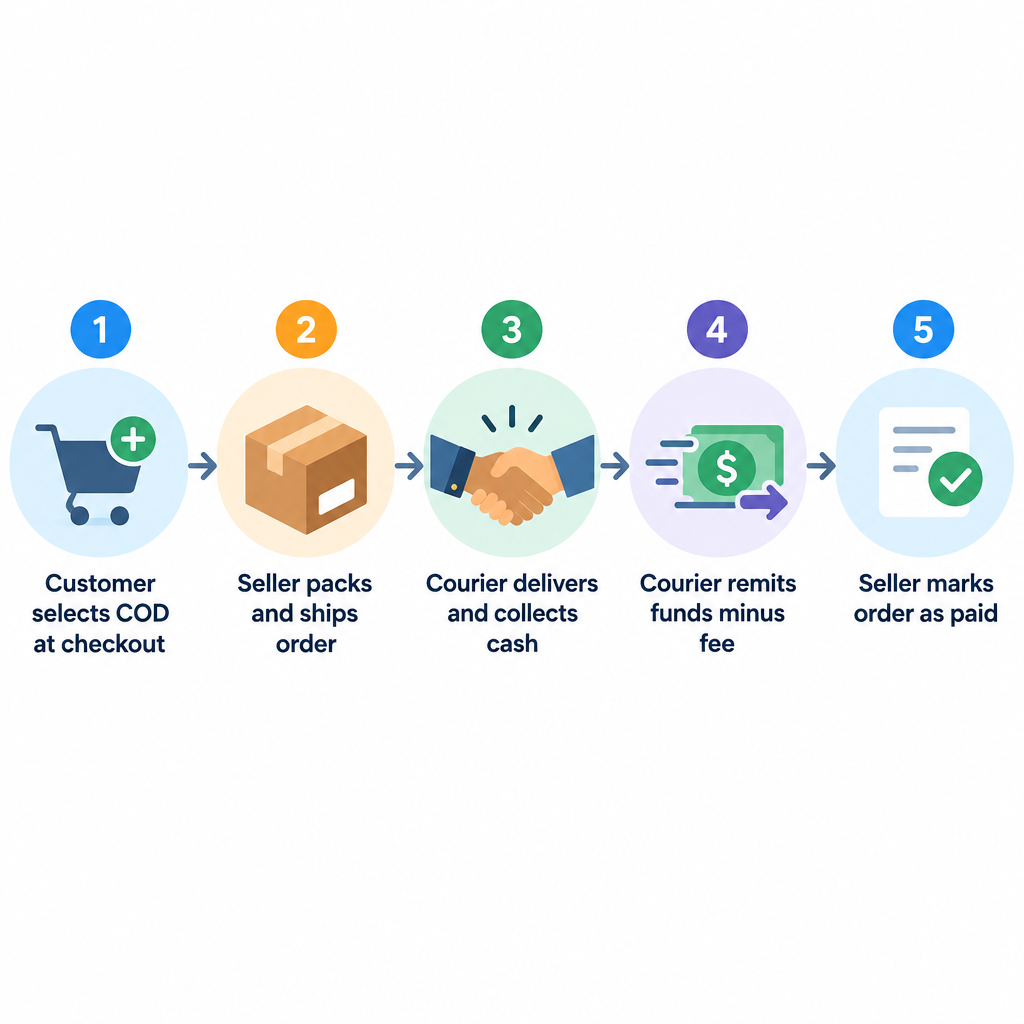
How a COD order moves
- Customer picks COD at checkout.
- You confirm the order and pack it.
- Courier delivers and collects payment.
- Courier remits funds to you, minus fees.
- You mark the order as paid.
The gap between delivery and remittance matters. Couriers typically pay out on a weekly or contract-based cycle. Until then, the cash sits with them, not you.
Why Stores Offer COD
The main reason is conversion. Shoppers who would abandon a cart at the payment step will often complete it when they can pay later.
COD helps you:
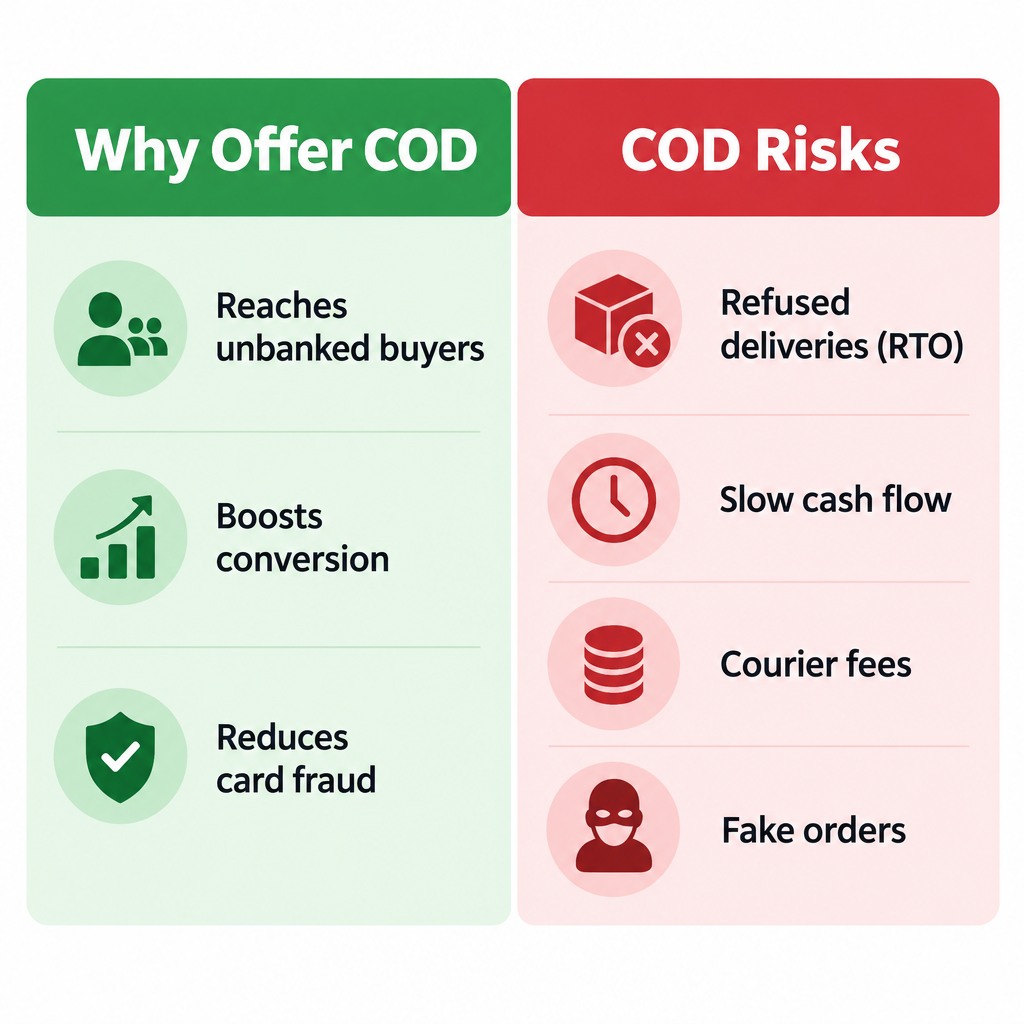
- Reach unbanked buyers who have no card or online wallet.
- Win first-time customers who don’t trust a new store yet.
- Compete locally in markets where rivals already offer it.
- Reduce card fraud exposure, since no card data is involved.
For a brand-new store with no reviews, that trust boost can be the difference between an order and a bounce.
The Real Costs and Risks
COD is expensive in ways that don’t show on the checkout page.
Refused deliveries. Customers change their minds, aren’t home, or never meant to buy. You still pay outbound shipping. Usually you pay return shipping too. In the trade this is called return to origin (RTO), and it is the biggest COD cost.
Courier COD fees. Most carriers also charge extra to collect cash, a smaller but recurring cost. That fee is either a flat amount or a percentage of the order value.
Slow cash flow. You fund the stock and shipping up front and wait for remittance.
Fake orders. Pranksters and competitors can place orders with no intention to pay.
Reconciliation work. You must match courier payouts against orders by hand or with a plugin.
If you plan to start dropshipping, be extra careful. Your supplier wants paying when the item ships, and a refused COD parcel leaves you covering both legs of shipping with no sale.
Should Your Store Offer Cash on Delivery?
Offer COD if most of your buyers are in a market where it’s expected. It also makes sense if your average order value is moderate and your margins can absorb some refusals.
Skip it or limit it if you sell:
- Digital products or services.
- Custom or made-to-order items you can’t resell.
- High-value goods where one refusal wipes out several sales.
- Internationally, where COD support varies by carrier and country.
If you’re still learning how ecommerce works, start with card and wallet payments. Add COD later as a tested option for specific regions.
How to Turn On COD in WooCommerce and Shopify
Both major platforms include COD with no extra plugin. Back up your store before you change payment settings.
WooCommerce: Go to WooCommerce > Settings > Payments and enable Cash on delivery. Open its settings to edit the title, description and instructions customers see. You can also restrict it with Enable for shipping methods and turn off Accept for virtual orders. New COD orders arrive with the status Processing.
Shopify: Go to Settings > Payments. Under Manual payment methods, add Cash on Delivery (COD). On the Shopify ecommerce platform these orders show payment as pending. You mark each order as paid once the courier collects.
Builder tip
In WooCommerce, limit COD to your local or domestic shipping methods only. This stops international buyers from choosing a method your courier can’t fulfil.
Security note
Fake COD orders can drain stock and shipping budget. Add CAPTCHA to checkout and verify high-value orders by phone before you ship.
Ways to Cut COD Losses
You can keep the conversion benefit and trim the downside:
- Set a maximum order value for COD.
- Charge a small COD fee at checkout to filter out casual orders.
- Confirm orders by SMS, WhatsApp or a call before dispatch.
- Block repeat refusers by phone number or address.
- Offer a prepaid discount to nudge buyers toward online payment.
- Track RTO rate by region and switch COD off where it runs high.
A partial-prepaid option also works well. The customer pays the shipping cost online and the rest at the door. Buyers with money on the line rarely refuse the parcel.
FAQ
What does COD mean in shipping?
COD stands for cash on delivery. The courier collects payment from the recipient when the parcel is delivered and passes it back to the seller.
Is cash on delivery safe for buyers?
Yes, for the buyer it’s low risk. They see the parcel before paying. Most couriers don’t let them open it first, though.
Who pays the COD fee?
The seller pays the courier’s COD fee. Many stores pass some or all of it to the customer as a checkout surcharge.
Can I offer COD on digital products?
No. There’s nothing to deliver physically, so no courier can collect payment. WooCommerce lets you block COD on virtual orders for this reason.
How long until I get paid for COD orders?
It depends on your courier contract. Expect to wait days to weeks after delivery, rather than the near-instant settlement you get with card payments.