
The best website builder for most people is Wix, because it handles almost any kind of small site without code. The best choice still depends on what you’re building: Shopify is the stronger pick for an online store, Squarespace for a design-led portfolio, and WordPress.com for a blog you want to own long term. Below you’ll find which website maker fits which job, what each one really costs once you add a domain and apps, and how to avoid getting locked into the wrong platform.
Last updated: October 29, 2026
Quick answer: the best website builder by type of site
Most comparison pages rank builders on a single scale. That isn’t how the decision works in practice. A florist with a shop, a photographer and a SaaS startup need different tools, and the “best” platform for one is a poor fit for another.
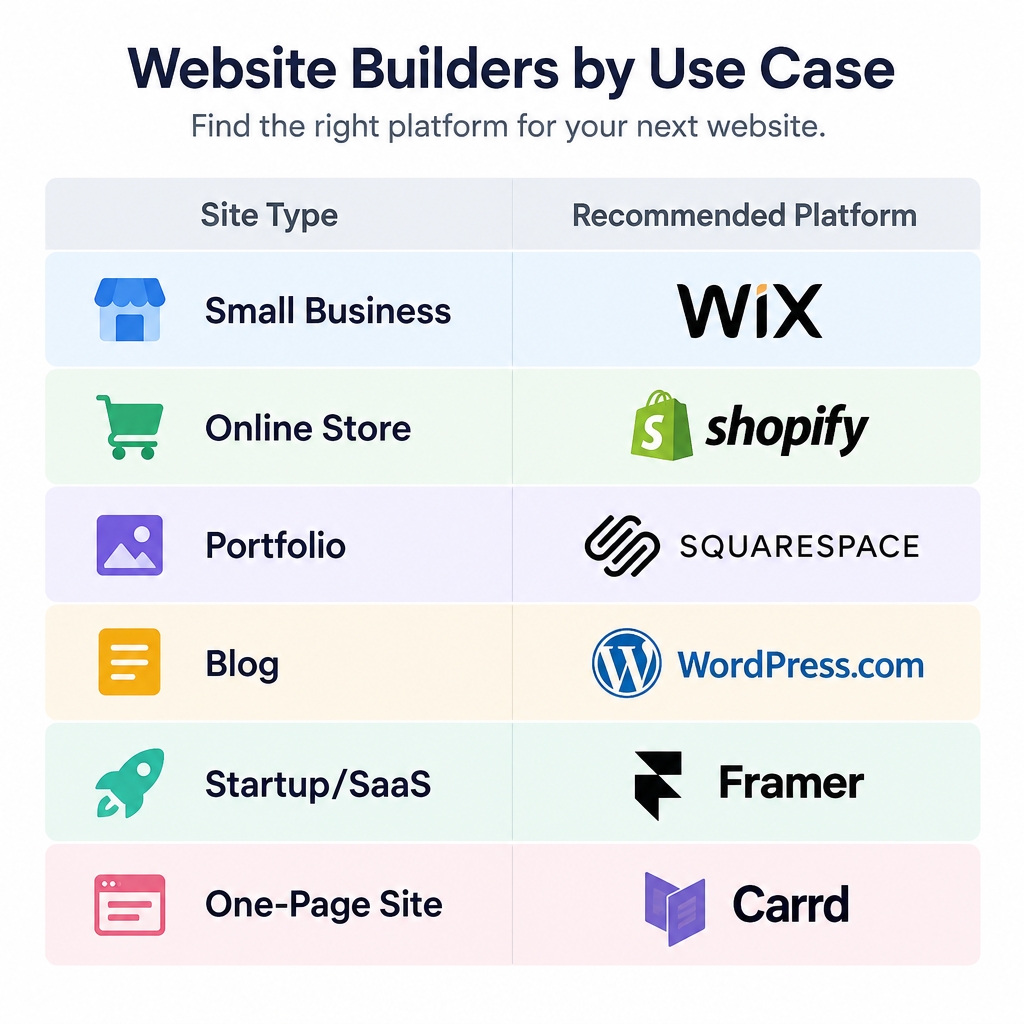
| Type of site | Our pick | Runner-up | Why |
|---|---|---|---|
| Small business or service site | Wix | Squarespace | Large app market, bookings, forms, easy editor |
| Online store | Shopify | Wix | Built for selling, with inventory, checkout and apps |
| Portfolio or creative work | Squarespace | Framer | Polished templates and strong image handling |
| Blog or content site | WordPress.com | Ghost | Best publishing tools and a full content export |
| Startup or SaaS marketing site | Framer | Webflow | Fast, modern pages and good animation tools |
| Custom design for agencies | Webflow | Wix Studio | Visual control close to hand-written code |
| Restaurant or retail with a till | Square Online | Shopify | Ties into Square point-of-sale hardware |
| Cheapest paid site | Hostinger Website Builder | WordPress.com | Low entry price with hosting included |
| One-page site or link in bio | Carrd | Canva | Simple, fast and very cheap |
| Event, flyer or quick promo page | Canva | Carrd | Turn an existing design into a live page |
If your site fits one of these rows, start with that pick’s free plan or trial. If you’re torn between two, the feature and cost sections further down will usually settle it.
What a website builder is, and what it isn’t
A website builder is a hosted service that lets you create, edit and publish a site in your browser, usually with drag-and-drop editing and ready-made templates. Hosting, security updates and the software itself are included in the subscription. You never touch a server.
That’s the main difference from self-hosted WordPress (WordPress.org), where you rent hosting, install the software and look after updates, backups and plugins yourself. Self-hosting gives you far more freedom. It also gives you more jobs.
You’ll see these tools called website makers, website creators, website creator sites or website building sites. These are all the same category of product. Some lean towards design (Squarespace, Framer), some towards selling (Shopify, Square Online), and some towards flexibility (Wix, Webflow).
How we picked these website builders
We build and maintain client sites on most of these platforms, so the criteria below are the ones we use when a client asks which platform to choose. We did not run lab-style speed benchmarks for this article.
- Fit for the job. Does the builder have the core functionality a given type of site needs, or do you have to bolt it on with paid apps?
- Ease of editing after launch. The person updating the site in month six is often not the person who built it.
- Real cost. The headline plan price plus domain, email, apps and transaction fees.
- Customization ceiling. How far you can push the design before you hit a wall.
- Portability. How much of your content you can take with you if you leave.
- Template quality. Professional-looking starting points that still work on mobile.
The 10 best website builders
1. Wix: best all-round website builder
Wix is the platform we suggest most often to small businesses that need a bit of everything: a services page, a booking form, a small shop, a blog and a contact form. The editor is genuinely drag-and-drop, so you can place elements anywhere on the page rather than inside rigid sections.
Its strength is the breadth of built-in tools and the Wix App Market. Bookings, events, restaurant ordering, memberships and ecommerce are all available without leaving the platform. Wix also offers an AI site generator that asks you questions about your business and builds a starting site, which you then edit like any other.
The catches matter, though:
- You can’t swap templates once your site is live. Changing designs later means rebuilding the site on a new template.
- There’s no full site export. Your pages stay on Wix.
- The free plan shows Wix ads and uses a wixsite.com address.
For design teams and agencies, Wix Studio is the more advanced version, with responsive layout tools and client management features.
Best for: small businesses, service providers, local shops and anyone who wants one tool that does most things well.
2. Squarespace: best for portfolios and design-led sites
Squarespace makes it hard to build an ugly site. The templates are tight, typography is good by default, and image galleries look professional with very little effort. That’s why photographers, designers, architects, restaurants and creative freelancers keep choosing it.
The editor is section-based. That makes it less free-form than Wix, which is a good thing if you don’t trust yourself with layout. Commerce, scheduling (Acuity), email campaigns and member areas are all available, and the Blueprint AI setup tool can generate a starter site from a few questions.
Squarespace has no permanent free plan, only a free trial. Lower tiers have historically added a platform transaction fee on sales, so if you plan to sell seriously, check which plan removes it before you commit.
Best for: portfolios, creative businesses, restaurants, and small shops where looks matter more than a huge catalogue.
3. Shopify: best website builder for online stores
If selling is the main point of your site, start with Shopify. It’s built around products, inventory, checkout, shipping and taxes, and the checkout is one of the most trusted on the web. The Shopify App Store covers almost any feature a store could need, from subscriptions to wholesale pricing.
Shopify also supports selling in person through Shopify POS and across marketplaces and social channels from one admin. Its AI tools, grouped under Shopify Magic and the Sidekick assistant, help with product descriptions and store admin tasks.
The trade-offs:
- Shopify is overkill for a site that sells two items.
- Apps add up fast. Many useful ones charge their own monthly fee.
- If you use a payment provider other than Shopify Payments, Shopify adds its own transaction fee on top of the provider’s.
- Content pages and the blog are basic compared with WordPress.
Best for: dedicated online stores, brands planning to grow their catalogue, and businesses that sell both online and in person.
4. WordPress.com: best for blogs and content sites
WordPress.com is the hosted, managed version of WordPress, run by Automattic. You get the same block editor that powers a huge share of the web, with hosting, security and updates handled for you.
For publishing, nothing on this list beats it. Categories, tags, scheduling, revisions, author roles and comment management are all mature. You can also export your full content and move to self-hosted WordPress at any time, which is the best portability in this roundup.
The catch is plan gating. Installing third-party plugins and custom themes requires the Business plan or above, and WooCommerce selling sits on the higher tiers too. The free plan shows ads and uses a wordpress.com subdomain.
Best for: bloggers, writers, publishers, nonprofits and content-led businesses that want room to grow.
Builder tip
If you think you’ll want plugins within a year, price WordPress.com’s Business plan against managed WordPress hosting before you start. The cheaper tiers save money only if you never outgrow them.
5. Webflow: best for custom design without code
Webflow sits between a website builder and a developer tool. The Designer works on real web concepts like the box model, classes and flexbox, so you get near hand-coded control over layout and animation without writing CSS yourself.
Its CMS is strong for structured content such as case studies, job listings and directories. Webflow also has native ecommerce, though Shopify still wins for larger stores. On paid workspace plans you can export your site’s code, which is rare among hosted builders.
The learning curve is real. Clients who aren’t designers often struggle in the full Designer, which is why Webflow offers a simpler Editor mode for content updates. Pricing is split between site plans (hosting a single site) and workspace plans (for teams and collaboration), which confuses a lot of first-time buyers.
Best for: designers, agencies, marketing teams and anyone who needs a custom-looking site and will invest time learning the tool.
6. Framer: best for startup and landing pages
Framer started as a prototyping tool and grew into a fast, design-focused website builder. It feels familiar to anyone who uses Figma, and you can paste designs from Figma directly into it. Animations, scroll effects and responsive breakpoints are easy to set up.
It can generate a page layout from a text prompt, then hand it over for manual editing. The built-in CMS handles blogs and changelogs well. Framer is popular with startups because a marketing site can go from design to live in a day or two.
Framer doesn’t offer a native checkout, so selling means embedding a third-party tool. There’s no code export either. The free plan publishes on a Framer subdomain with a Framer badge.
Best for: startups, SaaS products, app launches and designers building marketing sites.
7. Hostinger Website Builder: best budget option
Hostinger Website Builder is one of the cheapest ways to get a paid, ad-free site on your own domain. Hosting is included, the editor is simple, and the platform leans heavily on AI tools for generating layouts, writing copy and creating images.
You won’t find the depth of Wix’s app market or Squarespace’s design polish. Templates are more basic, and the ecommerce features suit a small catalogue rather than a serious store. The lowest prices typically need a long upfront term, and renewal prices are higher than the introductory rate.
Best for: tight budgets, simple business sites and first-time site owners.
8. Square Online: best for restaurants and retail with a till
If you already take payments with Square, Square Online is the obvious website maker. Your products, stock and orders sync with Square’s point-of-sale system, so the shop counter and the website share one inventory.
Restaurants get online ordering for pickup and delivery. Retailers get click-and-collect. A free plan exists, with Square branding and a Square subdomain, and you pay standard Square processing fees on sales.
Design options are limited and content features are thin. Treat it as an ordering and selling front end rather than a full marketing site.
Best for: cafés, restaurants, food trucks and shops already running on Square hardware.
9. Canva Websites: best for turning a design into a page
Canva has quietly become one of the most used website creator sites for simple pages, and it’s why so many Canva pages rank for this search. You design a page the same way you’d design a flyer or social post, then publish it as a responsive website.
Canva’s AI features (Magic Design, Magic Write and its image tools) can generate layouts and copy to start from. If your brand kit, photos and videos already live in Canva for business use, reusing them on a website is fast. You can publish free on a Canva subdomain or attach your own domain.
Canva websites are best kept to one or a few pages. There’s no blog, no real store and very little SEO control. It’s a presentation tool that happens to publish to the web.
Best for: event pages, wedding sites, product launches, school projects and quick promotional pages.
10. Carrd: best for one-page sites
Carrd does one thing: single-page sites. Landing pages, personal profiles, link-in-bio pages and simple sign-up forms are where it shines. It’s fast to learn and very cheap, with paid plans billed yearly rather than monthly.
The free plan publishes on a carrd.co subdomain. Pro plans add custom domains, forms, embeds and integrations with tools like Stripe and Mailchimp.
When you need more than one page, you’ve outgrown Carrd.
Best for: personal sites, link-in-bio pages, waitlists and side projects.
Website builders compared: key features
| Builder | Free plan | Online store | Blog | Custom code | Full content export |
|---|---|---|---|---|---|
| Wix | Yes, with ads | Yes, paid plans | Yes | Yes, via Velo | No |
| Squarespace | No, trial only | Yes | Yes | Code injection on higher plans | Partial |
| Shopify | No, trial only | Core feature | Basic | Yes, Liquid themes | Products and customers via CSV |
| WordPress.com | Yes, with ads | Higher plans (WooCommerce) | Best in class | Higher plans | Yes |
| Webflow | Yes, subdomain | Yes | Yes, via CMS | Yes | Code export on paid workspaces |
| Framer | Yes, with badge | Third-party embeds only | Yes, via CMS | Code components | No |
| Hostinger Website Builder | No | Yes, small catalogues | Yes | Limited | No |
| Square Online | Yes, with branding | Core feature | Limited | No | Limited |
| Canva Websites | Yes | No | No | No | No |
| Carrd | Yes, subdomain | Embeds on Pro | No | Embeds on Pro | No |
Two columns deserve more attention than they usually get: custom code and export. Custom code decides whether you can add a tracking script, a booking widget or a quirky feature a client asks for. Export decides how painful leaving will be.
What a website builder really costs
Builder prices change often, and promotions vary by country and billing term. We couldn’t confirm every current list price for this update, so the table below groups each platform by its typical entry paid tier rather than quoting figures that may already be out of date. Check the live pricing page at checkout.
Bands used: Low is under about $10 a month. Mid is about $10 to $30 a month. Higher is above about $30 a month. All are typical annual-billing rates for the entry paid plan.
| Builder | Free option | Typical entry paid plan | Billing notes |
|---|---|---|---|
| Wix | Yes | Mid | Ecommerce needs a higher tier |
| Squarespace | Trial | Mid | Higher tiers drop transaction fees |
| Shopify | Trial | Higher (Basic); Low for Starter | Starter only sells via links and social |
| WordPress.com | Yes | Low | Plugins need Business plan or above |
| Webflow | Yes | Mid | Site plans and workspace plans are separate |
| Framer | Yes | Low to mid | Priced per site |
| Hostinger Website Builder | No | Low | Cheapest rates need long terms |
| Square Online | Yes | Free to mid | Square processing fees on sales |
| Canva Websites | Yes | Free; domain extra | Domain is the main cost |
| Carrd | Yes | Low | Billed yearly |
The costs that don’t show on the pricing page
The plan price is rarely the full bill. When we budget a client site, these are the extras that come up:
- Domain name. A .com usually costs somewhere in the region of $10 to $20 a year. Many builders include a free domain for the first year on annual plans, then charge renewal.
- Professional email. An address like [email protected] usually means Google Workspace or Microsoft 365, charged per user.
- Apps and plugins. Booking systems, reviews, advanced forms and SEO tools often carry their own monthly fees.
- Transaction fees. Payment processing is charged on every sale, and some platforms add their own fee on top.
- Premium templates. Most builders include free templates, but third-party premium themes cost extra.
- Renewal pricing. Introductory rates almost always rise after the first term.
A realistic first-year budget for a simple small business site on a website builder, including domain and email, lands somewhere in the low hundreds of dollars. A store with a few paid apps costs noticeably more.
Free website builders: what you actually get
Free plans are genuinely useful for testing a platform, building a draft or running a personal project. They’re rarely right for a business.
On almost every free plan you’ll get:
- A subdomain such as yourname.wixsite.com or yourname.carrd.co, not your own domain
- Platform ads or a “made with” badge
- Limited storage and bandwidth
- No ecommerce, or very limited selling
For a hobby page, that’s fine. For a business, a branded subdomain and someone else’s ads make you look less established, and you can’t build search equity on a domain you’ll later abandon. Use the free plan to build, then upgrade before you publish properly.
Builder tip
Buy your domain early and keep it with a separate registrar rather than bundling it into the builder. It makes switching platforms later far easier, because your domain and email aren’t tied to the site you’re leaving.
AI website builders and ChatGPT
Most major platforms now generate a first draft of your site with AI. You answer a few questions about your business, and the tool picks a layout, writes placeholder copy and selects images. Wix, Squarespace, Hostinger, Framer, Webflow and Canva all offer some version of this.
These tools save time on the blank-page stage. They don’t replace the work of writing clear copy about your actual services, prices and location, which is what turns visitors into customers. If you want a closer look at how the generation step works, our explainer on what an AI website builder is and how it builds a site covers it in detail.
General chat tools like ChatGPT are a different thing. ChatGPT can write HTML, CSS and JavaScript for a page, draft your copy and help you plan a site structure. What it can’t do on its own is host, maintain and secure a live site for you. You’d still need somewhere to publish the code and someone to keep it updated.
For most small businesses, the practical approach is to use a chat assistant for planning and copywriting, then build the site in a proper website builder.
Lock-in and migration notes
Here’s the part most “best website builder” lists skip. Every hosted builder is a rental. If prices rise, features disappear or your needs change, how easily can you leave?
- Easiest to leave: WordPress.com, because your content exports to standard WordPress format. Webflow is next, with code export on paid workspace plans and CMS content export as CSV.
- Moderate: Shopify lets you export products, customers and orders as CSV, so a store move is work but doable. Squarespace exports some content, mainly blog posts and basic pages, but galleries, products and many blocks don’t transfer cleanly.
- Hardest: Wix, Framer, Canva, Carrd and Hostinger Website Builder. Expect to rebuild the design and copy content across by hand.
None of this means you should avoid the harder-to-leave platforms. Wix is still our top all-round pick. It means you should choose with your three-year plans in mind, not just next week’s launch.
If you do migrate, plan for SEO. Map every old URL to its new address and set up 301 redirects, or you’ll lose the search rankings those pages earned.
Security note
Before any migration, template change or major update, export or back up everything you can: content, product CSVs, images and form submissions. Builders don’t always keep a restorable copy of the old version.
How to choose a website builder in five steps
Choosing your builder
- Write down your site’s main job: sell, book, publish or showcase.
- List the must-have features, such as bookings, memberships or a blog.
- Pick two builders from the quick-answer table that fit that job.
- Build the same homepage on both free plans or trials.
- Price the full year, including domain, email, apps and fees.
Step four is the one people skip, and it’s the most useful. Building one real page on two platforms tells you more about the editor than any review. You’ll find out within an hour which one feels natural.
Also think about who will maintain the site. If a non-technical colleague will update opening hours and add blog posts, a simple editor like Squarespace or Wix beats a powerful one like Webflow.
Getting your first site live
Once you’ve picked a platform, the process looks similar on all of them.
Launch steps
- Sign up and choose a template close to the layout you want.
- Replace the demo text and images with your own content.
- Add core pages: home, about, services or products, contact.
- Set your site title, page titles and meta descriptions.
- Connect your custom domain and check the SSL padlock.
- Preview on mobile, then publish.
Settings worth checking before you publish
A few settings get missed on almost every first site we audit:
- Page titles and descriptions. These are what show in Google results. Write a unique one for each page.
- Favicon. The small icon in browser tabs. Without one, your site shows the builder’s default.
- Image sizes. Compress large photos before upload. Oversized images are the most common reason builder sites load slowly.
- Contact forms. Send a test submission and confirm it reaches the right inbox.
- Analytics. Connect Google Analytics or the builder’s built-in stats so you can see what’s working.
- Cookie and privacy notices. If you have visitors in the UK or EU, you’ll need a cookie banner and privacy policy.
Troubleshooting common problems
Your custom domain isn’t connecting. DNS changes can take time to spread. Double-check that the records at your registrar match exactly what the builder asked for, then give it several hours before assuming something is wrong.
The site looks broken on mobile. Most builders let you edit the mobile view separately. Check text sizes, image crops and button spacing on the mobile editor, not just the desktop one.
Google isn’t showing your site. New sites can take days or weeks to appear. Verify the site in Google Search Console and submit your sitemap, which most builders generate automatically.
When a website builder is the wrong tool
Builders cover the needs of most small sites. Some projects outgrow them from day one.
Consider self-hosted WordPress, a headless CMS or a custom build if you need:
- Complex user accounts, logins or custom databases
- Thousands of pages with heavy custom filtering
- Deep integration with an internal system or CRM
- Full control over server performance and code
- A multilingual site with complex regional rules
In these cases, the money you save on a builder subscription disappears into workarounds. A developer and a more flexible platform cost more upfront and less over time.
FAQ
Can ChatGPT build me a website?
ChatGPT can write the code for a simple website and draft all your page copy, but it doesn’t host or run the site for you. You’d still need to publish the files somewhere and maintain them. For most people, the easier route is to use ChatGPT for planning and writing, then build the site in a website builder like Wix or Squarespace, many of which now include their own AI setup tools.
Which is the best site to build a website?
Wix is the best all-round website builder for most small businesses and personal sites. For an online store, choose Shopify. For a portfolio or design-led brand, choose Squarespace. For a blog or content site you want to keep long term, choose WordPress.com. The right answer depends on your site’s main job.
How much does it cost to have a website built?
Building it yourself on a website builder usually costs the plan fee plus a domain, which puts a simple site in the low hundreds of dollars a year. Hiring a freelancer to build a small business site typically costs a one-off fee in the low thousands, plus the ongoing platform costs. Agencies building custom sites with bespoke features charge considerably more. Ongoing maintenance is often billed separately.
Who is the best free website builder?
For a one-page site, Carrd and Canva offer the most useful free plans. For a multi-page site, Wix has the most capable free plan, though it shows Wix ads and uses a Wix subdomain. WordPress.com’s free plan is the better pick for a blog. No free plan gives you your own domain without ads, so treat free plans as a way to build and test before upgrading.
Can I switch website builders later?
Yes, but how much work it takes depends on the platform. WordPress.com and Webflow export the most content. Shopify exports products and customers as CSV files. Wix, Framer, Canva and Carrd usually mean rebuilding your design by hand. Back up everything first and set up 301 redirects to keep your search rankings.
Do I need coding skills to use a website builder?
No. Every builder on this list can produce a professional site without code. Coding knowledge helps on Webflow and Framer if you want advanced customization, and on Shopify if you want to edit theme files, but it isn’t required to get started.