The red box reading “There was an error trying to send your message. Please try again later.” comes up for two separate problems, and each one needs a different fix. This guide covers every part of a Contact Form 7 message: the text visitors see on screen, the email body built from mail-tags, and the steps to take when messages never arrive. It was checked against Contact Form 7 6.2.6 in November 2026.
In short
- You edit visitor-facing text under Contact > Contact Forms > edit form > Messages.
- One error string covers both failed mail and spam, so read the REST “status” before you change anything.
- A field shows up in the email only if its mail-tag is in the Mail tab’s Message Body.
- Set a From address on your own domain, add Reply-To: [your-email], and send through SMTP or a mail API.
- Update to 6.2.5 or later: 6.2.4 and 6.2.5 fixed a file upload flaw and a mail-tag data leak.
Fact-checked
We checked these key facts against the sources named, on November 23, 2026:
- 6.2 was the final feature release, and 6.2.6 arrived on November 23, 2026 (source: contactform7.com)
- A CF7 form sends transactional mail: the notification to you and the Mail (2) confirmation (source: wordpress.org)
- The most common causes are a From address on another domain and missing SPF, DKIM or DMARC records (source: wpmailsmtp.com)
- Some reviewers say Flamingo “only works with PHP mail” and stops saving when an external SMTP server is used (source: wordpress.org)
Contact Form 7 messages: the three things people mean
People who search “contact form 7 message” usually want one of three things. They want to change the response text on screen, build the email that lands in their inbox, or fix messages that fail or never arrive. Each one lives in a different place, and each gets its own section below.
All three depend on your plugin version. Contact Form 7 6.2 came out on August 26, 2025. It raised the minimums to PHP 8.3 and WordPress 7.1. The latest release is 6.2.6 from November 23, 2026, which the contactform7.com release notes describe as the first version tested with WordPress 7.2. Back up your files and database before you update or edit forms on a live site.
What Contact Form 7 is and where its settings live
Contact Form 7 is a free form plugin for the WordPress platform, written by Takayuki Miyoshi. A third-party mirror of WordPress.org data lists 10M+ active installs. Every form is edited at Contact > Contact Forms. Click a form’s title and the editor opens on four tabs. Since the 6.2 release candidate, the Contact menu also has a Dashboard submenu.
Which tab controls which message
| Tab | What it controls | Typical edits |
|---|---|---|
| Form | Fields, written as form-tags such as [email* your-email] |
Add fields, set required fields, labels |
| Email to you (Mail) and optional autoresponder (Mail (2)) | To, From, Subject, Additional Headers, Message Body | |
| Messages | Every response string the visitor sees | Success text, errors, field validation |
| Additional Settings | Flags such as subscribers_only: true or demo_mode: on |
Behaviour tweaks |
How to change the Contact Form 7 success and error messages

Open the form, click the Messages tab, change the text in any box and click Save. The change applies to that form only. If you have several forms, you edit each one separately.
Edit a response message
- Back up the site or at least export the database.
- Go to Contact > Contact Forms and open the form.
- Click the Messages tab.
- Replace the text in the box you want to change.
- Click Save, then submit the form on the front end to see the new text.
What you need first: an admin account, CF7 6.2.6 running on PHP 8.3+ and WordPress 7.1+, a recent backup, and a test inbox you control.
Editing the “Thank you for your message” success text
The first box on the Messages tab holds the success message. Its default reads “Thank you for your message. It has been sent.” It appears only after Mail goes out successfully. A good rewrite tells the visitor what happens next, for example: “Thanks, we reply within one business day. Check your spam folder if you don’t see our confirmation.”
Keep it to plain text. Response messages are short notices, and you can’t reliably add layout markup to them.
Validation, acceptance and field-specific messages
The table below maps the most common messages to the REST status Contact Form 7 returns when you submit. That status is the quickest way to diagnose a problem.
| Message shown to visitor (default) | Internal status | What actually happened | Fix |
|---|---|---|---|
| Thank you for your message. It has been sent. | mail_sent | Mail accepted by wp_mail() | None needed. Confirm it arrived |
| There was an error trying to send your message. Please try again later. | mail_failed | Server or SMTP refused the mail | Fix delivery (SMTP, From address, DNS) |
| Same text as above | spam | Akismet, Google reCAPTCHA or the disallowed list flagged it | Check spam settings and reCAPTCHA keys |
| One or more fields have an error. Please check and try again. | validation_failed | A field failed its rules | Edit field rules or the message text |
| You must accept the terms and conditions before sending your message. | acceptance_missing | Acceptance checkbox not ticked | Clarify the checkbox wording |
| Varies (often the failure text) | aborted | A plugin or hook stopped the submission | Disable add-ons one at a time |
Under these form-level strings you’ll find the field-level ones: required field, input too long or too short, invalid email, URL, phone, date or number, file upload errors, and the incorrect quiz answer. These show as small notices under the field that failed.
The identical text for mail_failed and spam is deliberate. The CF7 FAQ explains that the same message is used for both so spammers can’t tell they were caught. That’s good security, and it’s also why so many support threads go nowhere.
Styling response messages with CSS
You can restyle the response box with CSS that targets the state class CF7 adds to the form. By default, failed mail gets a red border and spam gets an orange one. Add the CSS under Appearance > Customize > Additional CSS, or in the Site Editor’s Styles panel on a block theme:
.wpcf7 form .wpcf7-response-output {
  border-width: 1px;
  border-radius: 6px;
  padding: 0.75em 1em;
  margin: 1.5em 0 0;
}
.wpcf7 form.sent .wpcf7-response-output {
  border-color: #2e7d32;
  background: #e8f5e9;
  color: #1b5e20;
}
.wpcf7 form.failed .wpcf7-response-output,
.wpcf7 form.aborted .wpcf7-response-output {
  border-color: #c62828;
  background: #ffebee;
}
.wpcf7 form.spam .wpcf7-response-output {
  border-color: #ef6c00;
}
.wpcf7 form.invalid .wpcf7-response-output,
.wpcf7 form.unaccepted .wpcf7-response-output {
  border-color: #f9a825;
}
.wpcf7-not-valid-tip {
  font-size: 0.875em;
  color: #c62828;
}
If your theme for WordPress already ships form styles, use a more specific selector. Don’t reach for !important everywhere.
Showing a message vs redirecting to a thank-you page
A dedicated thank-you page is easier to track in analytics than an on-screen message. CF7 fires DOM events after each submission: wpcf7submit, wpcf7invalid, wpcf7spam, wpcf7mailfailed and wpcf7mailsent. To redirect, listen for wpcf7mailsent, which fires only after mail succeeds. Add this to a child theme’s functions.php or a code snippets plugin:
add_action( 'wp_footer', function () { ?>
<script>
document.addEventListener( 'wpcf7mailsent', function ( event ) {
  if ( '123' == event.detail.contactFormId ) {
    location = 'https://example.com/thank-you/';
  }
}, false );
</script>
<?php } );
Replace 123 with your form’s ID, which appears in the shortcode. Don’t redirect from a PHP hook like wpcf7_mail_sent. WordPress.org support threads show that a server-side Location header just leaves the form hanging. Free plugins such as Redirection for Contact Form 7 listen for the same event if you’d rather not write code. Jotform’s write-up points out the downside of script-based redirects: caching changes or late-loading scripts can break them silently, so test after every cache or theme update.
Translating messages (WPML, Polylang, site language)
When you create a form, CF7 writes its default messages in the site language at that moment. Changing the site language later doesn’t rewrite forms you already have. On a single-language site, set the language under Settings > General first and then create the form. If your forms already exist, type the translated strings into the Messages tab yourself.
On multilingual sites, WPML’s Multilingual for CF7 add-on lets you translate form-tags, messages and mail templates for each language. With Polylang, the usual approach is one copy of the form per language, with each shortcode placed on the matching page.
Building the email message body with mail-tags

The email you receive is a template on the Mail tab. Mail-tags in that template get replaced with what the visitor typed. According to CF7’s tag syntax docs, form-tags build the form and mail-tags fill the email. A mail-tag is usually the same word as a form-tag’s name.
Form-tags vs mail-tags
A form-tag such as [text* your-name] creates a required text field called your-name. To print that field’s value in the email, you use the mail-tag [your-name]. Rename the field to full-name and the mail-tag has to change to [full-name] as well. A mismatched name is the usual reason for the “CF7 simple form sending blank email body” complaint.
| Mail-tag | Output | Example use in message body |
|---|---|---|
[your-name] |
Visitor’s name field | Name: [your-name] |
[your-email] |
Visitor’s email field | Email: [your-email] |
[your-message] |
Message textarea | Message: then [your-message] |
[_remote_ip] |
Submitter’s IP address | IP: [_remote_ip] |
[_date] |
Submission date, in your General Settings format | Sent on [_date] |
[_site_title] |
Site title | Footer or From name |
[_post_title] |
Title of the post that holds the form | Sent from: [_post_title] |
The CF7 special mail-tags docs point out that [_post_*] tags work only when the form sits inside post content. In a widget or a theme template, they come out empty.
Copy-paste message templates
1. Default-style plain text
From: [your-name] <[your-email]>
Subject: [your-subject]

Message Body:
[your-message]

--
This is a notification that a contact form was submitted on your website ([_site_title] [_site_url]).
2. Tidy labelled layout
New enquiry from [_post_title]

Name:    [your-name]
Email:   [your-email]
Phone:   [your-phone]
Subject: [your-subject]

[your-message]

Sent [_date] from IP [_remote_ip]
Builder tip
Tick “Exclude lines with blank mail-tags from output” under the Message Body. If a visitor skips an optional field, its “Phone:” line disappears instead of sitting there empty.
HTML emails: “Use HTML content type”
The message body is plain text by default. For an HTML layout, tick “Use HTML content type” and paste markup like this:
<table cellpadding="8" style="border-collapse:collapse;font-family:Arial,sans-serif;">
  <tr><td><strong>Name</strong></td><td>[your-name]</td></tr>
  <tr><td><strong>Email</strong></td><td>[your-email]</td></tr>
  <tr><td><strong>Subject</strong></td><td>[your-subject]</td></tr>
  <tr><td valign="top"><strong>Message</strong></td><td>[your-message]</td></tr>
</table>
Many email clients strip <style> blocks, which is why inline styles and tables are the safest choice. Broken markup can also arrive as a blank-looking email, so go back to plain text first if HTML output looks empty.
Mail (2) autoresponder to the visitor
Mail (2) sends a confirmation to the person who filled in the form. Tick “Use Mail (2)” on the Mail tab and set To to [your-email]. Keep From on your own domain. Mail (2) goes out only after the main Mail succeeds, so it won’t confirm a message you never got.
To: [your-email]
From: [_site_title] <[email protected]>
Subject: We received your message

Hi [your-name],

Thanks for contacting [_site_title]. Here is a copy of what you sent:

[your-message]

We usually reply within one business day.
Why a field is missing from the email
A field appears in the email only if its mail-tag is in the Message Body. Adding a field on the Form tab does nothing to the email on its own. Under the Mail tab’s fields, CF7 lists every mail-tag available for that form. Copy each one you need into the body.
Did you know?
The contactform7.com notes for 6.2.5 (November 10, 2026) say the release fixed a bug where [_post_*] mail-tags could leak data from non-public posts into messages.
Security note: [post] and default:user_ fixes in 6.2.5
Version 6.2.5 fixed two leaks. One let [_post_*] mail-tags expose the title, URL and author details of private, draft or trashed posts. The other let user metadata leak through default:user_* form-tag options. WPScan scored the post-data issue 3.7 out of 10 (CVE-2026-120406), and Patchstack lists it as low priority. The developers still recommend updating.
Security note
Contact Form 7 6.2 to 6.2.3 allowed unauthenticated arbitrary file uploads (Patchstack: medium priority). Back up, then update to 6.2.6.
“There was an error trying to send your message”: what it means
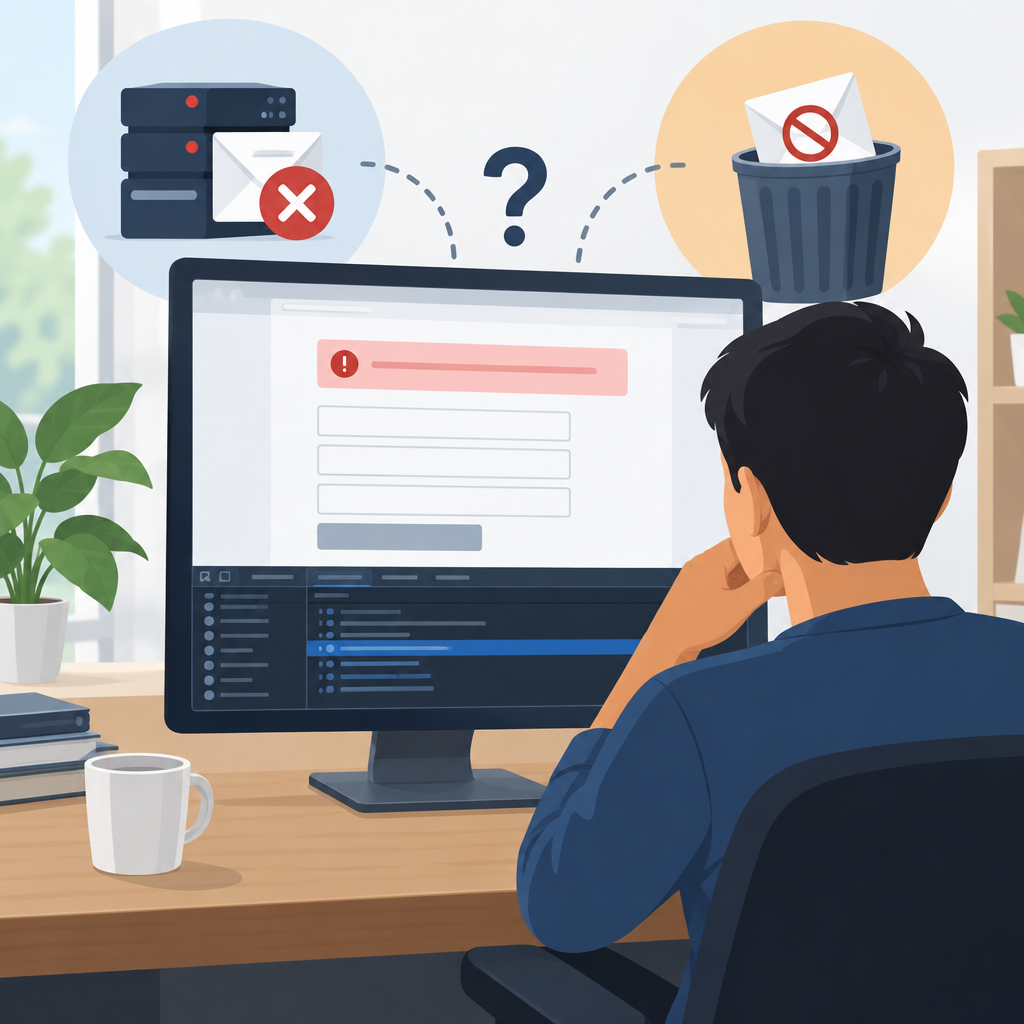
This message means the submission failed after validation. It can’t tell you whether your mail server refused the email or a spam filter caught it. Your browser’s developer tools give you the answer in about a minute.
Read the status first
Before you change any settings, submit the form with DevTools open. mail_failed and spam need completely different fixes.
Read the response status in 60 seconds
- Open the form page in Chrome or Firefox and press F12.
- Go to the Network tab and filter by “feedback”.
- Submit the form.
- Click the request to
/wp-json/contact-form-7/v1/contact-forms/123/feedback. - Open Response and read the
statusvalue.
{
  "contact_form_id": 123,
  "status": "mail_failed",
  "message": "There was an error trying to send your message. Please try again later.",
  "invalid_fields": []
}
The request goes through the WordPress REST API. If a security plugin or host firewall blocks /wp-json/, the form never gets a reply at all.
mail_failed: your server or SMTP rejected it
WordPress’s wp_mail() function returned false, so the email never got as far as an outgoing server. On a default setup, wp_mail() hands mail to PHP mail(). Many hosts limit or disable that function. This explains the common report “form was working well then suddenly stopped without any change”: the host changed something, not the form. It also explains why the same error can hit “several of my websites” on one server. The fix is the delivery work in the next section.
spam: Akismet, reCAPTCHA or the disallowed list blocked it
Here nothing is wrong with mail. CF7 judged the submission to be spam. The usual sources are Akismet, Google reCAPTCHA v3 (missing or wrong keys, or a blocked script), and WordPress’s Disallowed Comment Keys list under Settings > Discussion. One WordPress.org thread had every message stuck in spam with the log line “reCAPTCHA response token is empty.” Check the keys and any script-delay settings in your caching plugin.
validation_failed and aborted
validation_failed means a field broke its rules. Look at the invalid_fields array in the response to see which one. aborted means another plugin stopped the submission, often an add-on hooked into CF7. Disable add-ons one at a time to find it. This matches the “Contact Form 7 erroring after update” reports, which usually come down to an outdated extension.
Spinner keeps spinning: JS, REST API or caching conflicts
If the spinner never stops and no status comes back, the feedback request itself failed. A 403 usually points to a firewall rule against the REST API. A 500 is a general server-side error, often caused by a PHP fatal error, which you can trace using the same steps as other 500 errors in WordPress. A JavaScript error in the Console tab, or cached pages with stale scripts, can also stop the form. Clear every cache layer and test again.
Messages sent but never received: fix delivery properly

A mail_sent status only means WordPress handed the email off. Reliable delivery needs four things: a From address on your domain, a Reply-To header, DNS authentication, and an authenticated mailer.
| Symptom | Likely cause | Fix | How to confirm |
|---|---|---|---|
| Red box, status mail_failed | PHP mail() blocked or limited | Connect SMTP or a mail API | Status becomes mail_sent |
| Orange box, status spam | reCAPTCHA, Akismet or disallowed list | Fix keys, review lists | Flamingo spam folder empties |
| mail_sent but nothing arrives | Unauthenticated domain, From mismatch | Domain From, SPF, DKIM, DMARC | Mail log shows delivered |
| Email lands in spam folder | Missing DKIM or DMARC | Add DNS records via mailer | Headers show dkim=pass |
| Blank or partial body | Mail-tag names don’t match | Copy tags from the Mail tab | Test email shows all fields |
Fix the “sender’s email address does not belong to the site domain” warning
CF7’s configuration validator shows this warning when From uses another domain, such as a Gmail address. Change it to something like [_site_title] <[email protected]>. Receiving servers reject or junk mail that claims to come from a domain your server can’t sign for.
Use Reply-To instead of the visitor’s address in From
Never put [your-email] in From. Put it in Additional Headers instead:
Reply-To: [your-email]
When you click Reply, your email client answers the visitor, and your own domain still stays authenticated.
SPF, DKIM and DMARC in plain English
SPF is a DNS record that lists which servers may send mail for your domain. DKIM adds a cryptographic signature that proves the message wasn’t changed in transit. DMARC tells receiving servers what to do when SPF or DKIM fails. Your mail provider gives you the exact records, and you add them at your DNS host.
Connect an SMTP or mail API plugin
Post SMTP and WP Mail SMTP both replace PHP mail() with authenticated SMTP or a provider API such as Brevo. CF7 itself is unaffected, because it still calls wp_mail(). Use a dedicated sending address, store API keys rather than personal passwords, and back up the site before you install either plugin.
Test and log every message
Send a test from the mailer’s built-in test tool, then submit the real form. Post SMTP keeps an email log that records each attempt along with any error the server returned. WP Mail SMTP also offers logging. A logged SMTP error such as an authentication failure tells you exactly which setting is wrong.
Expected result: the Network status reads mail_sent, the mail log shows the email as delivered, the inbox copy passes SPF and DKIM, and Mail (2) arrives at the visitor’s address.
Save every Contact Form 7 message with Flamingo
CF7 doesn’t store submissions. If the email fails, the message is lost unless a storage plugin was already running. Flamingo is the official companion plugin built by the CF7 author for that job.
Did you know?
The WordPress.org listing for Flamingo explains that it stores only the messages received while it is active, so it can’t recover anything sent before you installed it.
Install and find saved messages
Go to Plugins > Add New, search for “Flamingo”, then install and activate it. It needs no setup. Messages appear under Flamingo > Inbound Messages, and senders appear under Address Book. A third-party mirror lists version 2.6.1 with 800K+ active installs and a 4.2-star rating from 121 reviews. Flamingo also enables the [_serial_number] mail-tag for numbered submissions.
Install before launch
Activate Flamingo before the form goes live. Once it is active, it keeps a copy of each submission even if the email fails.
Using Flamingo to tell spam from failed mail
Flamingo helps answer the question “how do I tell if the submission was marked as spam or the mail just failed?”, because it stores submitted messages, including those categorized as spam. Flagged submissions go to the Spam view, along with a spam log showing the reason. Messages that failed to send still show up as normal inbound messages. Some reviewers say Flamingo “only works with PHP mail” and stops saving when an external SMTP server is used. Check that new test entries appear after you connect a mailer.
Contact Form 7 in 2026: feature freeze and what it means for your forms
At WordCamp Asia 2026, Takayuki Miyoshi announced that 6.2 is the last CF7 release to add features, as WPBeginner reported. Later releases fix bugs and security issues only, and the plugin keeps getting updates on that basis.
Recent releases at a glance
| Version | Date | Type | What changed |
|---|---|---|---|
| 6.2 RC | Sep 22, 2026 | Release candidate | Dashboard submenu, validation library v2 |
| 6.2 | Aug 26, 2025 | Final feature release | Requires PHP 8.3+ and WordPress 7.1+ |
| 6.2.4 | Oct 29, 2026 | Security | Fixed unauthenticated file upload (6.2 to 6.2.3); extension safelist |
| 6.2.5 | Nov 10, 2026 | Security | Fixed [_post_*] and default:user_* data leaks |
| 6.2.6 | Nov 23, 2026 | Maintenance | Tested with WordPress 7.2, Stripe config validator, Brevo API checks, Referer validation, accessibility and character-count fixes |
Should you keep using CF7?
If your forms are simple (name, email, message), stay. GravityKit’s analysis of HTTP Archive’s July 2026 sample found CF7 on 29.74% of WordPress sites, and the security fixes keep coming. The case for switching is about features. Entry storage, conditional logic and a visual builder are add-ons or don’t exist in CF7, and none of that will change now. Gravity Forms and WPForms include them out of the box, but they cost money and a migration takes time. If your hosting can’t run PHP 8.3 yet, you’re stuck on an older 6.1 release. In that case, upgrading PHP is more urgent than any form change.
FAQ
How do I change the success message in Contact Form 7?
Open Contact > Contact Forms, edit the form, click Messages and replace the first box (“Thank you for your message. It has been sent.”). Click Save. Each form keeps its own text.
Why does Contact Form 7 say “There was an error trying to send your message”?
The status behind it is either mail_failed or spam. Check the feedback request in DevTools > Network. mail_failed points to your mail setup. spam points to reCAPTCHA, Akismet or the disallowed list.
Why do I get an error message when trying to send an email?
The sending server refused the message, usually because PHP mail() is disabled, the From domain isn’t authenticated, or SMTP login failed. A mail log shows which one.
Why is Contact Form 7 not sending emails?
CF7 hands mail to wp_mail(), which uses PHP mail() by default. Many hosts block or throttle it. Set a domain-matched From address and connect an SMTP or API mailer.
Where are Contact Form 7 messages stored?
Nowhere, by default. Install Flamingo to save new submissions under Flamingo > Inbound Messages.
How do I customize the Contact Form 7 email template?
Edit the Message Body on the Mail tab. Use mail-tags matching your field names, and tick “Use HTML content type” if you want HTML.
How do I send a confirmation email to the person who filled out the form?
Enable Mail (2), set To to [your-email] and write the reply. It sends only when the main Mail succeeds.
Why are Contact Form 7 emails going to spam?
The most common causes are a From address on another domain and missing SPF, DKIM or DMARC records. Authenticated sending through an SMTP provider usually fixes it.
How do I redirect to a thank-you page after submission?
Listen for the wpcf7mailsent DOM event and set location to your thank-you URL, as in the snippet above. A redirect plugin does the same thing without code.
What is Contact Form 7 in WordPress?
It’s a free form plugin by Takayuki Miyoshi that builds forms from form-tags and emails submissions using mail-tags. It runs on more than 10 million sites.
How do I make a contact form?
Go to Contact > Add New, keep or edit the default fields, check the Mail tab, then save. Paste the shortcode into a page or a Shortcode block.
What are the 7 main types of emails?
Marketing guides usually list welcome, newsletter, promotional, transactional, confirmation, re-engagement and survey emails. A CF7 form sends transactional mail: the notification to you and the Mail (2) confirmation.
Is Contact Form 7 still being updated in 2026?
Yes, but only with bug and security fixes. 6.2 was the final feature release, and 6.2.6 arrived on November 23, 2026.
Before you change anything else, submit your own form with DevTools open and note the status it returns. Then make sure Flamingo is active so the next message gets saved even if the email fails.
About this article
- Fact-checked by Moira Hensley against the sources listed below before publication.
- Published
Sources (8)
- Contact Form 7 6.2.6 (contactform7.com)
- Contact Form 7 6.2.5 (contactform7.com)
- Contact Form 7 6.2.4 (contactform7.com)
- Contact Form 7 Releases (contactform7.com)
- Contact Form 7 6.2 RC (contactform7.com)
- Contact Form 7 Freezes New Features (wpbeginner.com)
- Contact Form 7 plugin listing (InstaWP) (instawp.com)
- WordPress Form Plugin Market Share 2026 (gravitykit.com)