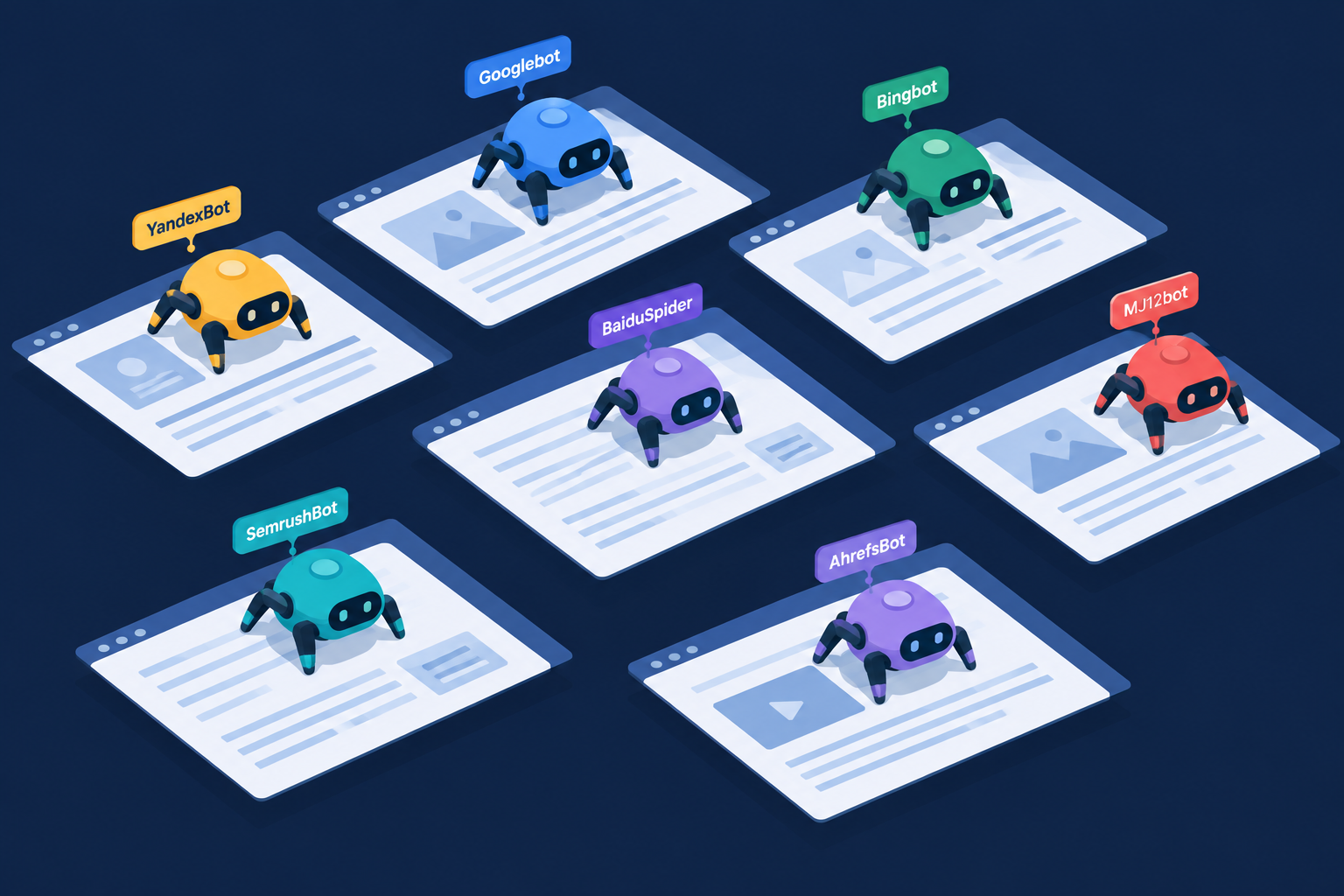
In Cloudflare Radar’s Q3 2026 sample of 4,298 parsed robots.txt files, 18.5% named GPTBot. That makes OpenAI’s training bot one of the most frequently addressed crawlers on the web. Your logs now hold search bots, AI trainers, AI search indexers, user-triggered fetchers and link-preview bots, and blocking each type costs you something different. This crawler list gives each major bot’s token, owner, purpose and robots.txt rule, checked against vendor documentation in November 2026.
In short
- Blocking Googlebot or Bingbot costs you search rankings. Blocking GPTBot stops OpenAI’s training crawls, and blocking ClaudeBot stops Anthropic’s crawling for training and other purposes.
- Google-Extended and Applebot-Extended are robots.txt tokens. Neither one ever crawls your site.
- Fetchers triggered by a user, such as ChatGPT-User, Google-Agent and Perplexity-User, can ignore robots.txt by design.
- OpenAI and Anthropic each run separate bots for training, search and user fetches. Blocking one leaves the others alone.
- Check your logs before you block anything, and back up robots.txt and server configs first.
Fact-checked
We checked these key facts against the sources named, on November 24, 2026:
- RFC 9309, the Robots Exclusion Protocol standard, depends on crawlers choosing to comply (source: rfc-editor.org)
- In December 2025, OpenAI removed wording saying ChatGPT-User would comply with robots.txt, as Search Engine Journal reported (source: searchenginejournal.com)
- The updated docs name only OAI-SearchBot and GPTBot as following it (source: developers.openai.com)
- If a page needs to leave the index, let Google crawl it and serve a noindex tag first (source: developers.google.com)
- Under mobile-first indexing, Google does most of its crawling with Googlebot Smartphone (source: developers.google.com)
Crawler list at a glance (updated November 2026)
A crawler list is a reference to the automated bots that request pages from your site. The table below covers the bots most likely to show up in your logs as of November 24, 2026. For each one it shows the token you put in robots.txt and what you lose by blocking it.
The “What you lose” column is the one that matters. It sorts bots by real cost: search rankings, AI-search citations, training use only, link previews or third-party SEO data.
| Crawler / token | Owner | Purpose | Obeys robots.txt? | What you lose if you block it | Official docs |
|---|---|---|---|---|---|
| Googlebot (Smartphone, Desktop) | Search indexing | Yes | Google Search rankings | Google crawler docs | |
| Googlebot-Image | Image indexing | Yes | Google Images traffic | Google crawler docs | |
| Googlebot-Video | Video indexing | Yes | Video results | Google crawler docs | |
| Googlebot-News (token) | Google News control | Yes | Google News visibility | Google crawler docs | |
| Storebot-Google | Shopping surfaces | Yes | Shopping visibility | Google crawler docs | |
| Google-InspectionTool | Search Console tests | Yes | URL Inspection, Rich Results Test | Google crawler docs | |
| GoogleOther | Research, one-off crawls | Yes | Little for Search | Google crawler docs | |
| Google-Extended (token) | Gemini training and grounding control | Yes (token only) | Gemini use only, no Search effect | Google crawler docs | |
| AdsBot-Google | Ads landing-page checks | Only if named | Google Ads quality checks | Google special-case docs | |
| Mediapartners-Google | AdSense page analysis | Special-case rules | AdSense ad relevance | Google special-case docs | |
| Google-Agent | AI agents browsing for users | No, by design | Agent tasks on your site | Google user-triggered docs | |
| APIs-Google | Push notifications for Google APIs | No, user-triggered | Webhook delivery | Google user-triggered docs | |
| Bingbot | Microsoft | Bing index, feeds Copilot | Yes | Bing, Copilot and partner results | Bing Webmaster docs |
| Applebot | Apple | Siri, Spotlight, Safari suggestions | Yes | Apple search features | Apple Applebot docs |
| Applebot-Extended (token) | Apple | Apple AI training control | Yes (token only) | Training only | Apple Applebot docs |
| DuckDuckBot | DuckDuckGo | DuckDuckGo index | Yes | Some DuckDuckGo results | DuckDuckGo help |
| YandexBot | Yandex | Yandex search | Yes | Yandex traffic | Yandex Webmaster docs |
| Baiduspider | Baidu | Baidu search | Yes | Baidu traffic in China | Baidu webmaster docs |
| GPTBot | OpenAI | Model training | Yes | Training only | OpenAI crawler docs |
| OAI-SearchBot | OpenAI | ChatGPT search index | Yes | ChatGPT search citations | OpenAI crawler docs |
| ChatGPT-User | OpenAI | User-initiated fetches | May not apply | Pages users ask ChatGPT to open | OpenAI crawler docs |
| OAI-AdsBot | OpenAI | ChatGPT ad landing pages | Not stated | Ad review for ChatGPT ads | OpenAI crawler docs |
| ClaudeBot | Anthropic | Model training | Yes | Training only | Anthropic support docs |
| Claude-SearchBot | Anthropic | Search quality | Yes | Claude search citations | Anthropic support docs |
| Claude-User | Anthropic | User-requested fetches | Yes | Pages Claude users request | Anthropic support docs |
| PerplexityBot | Perplexity | Perplexity search index | Yes | Perplexity citations | Perplexity crawler docs |
| Perplexity-User | Perplexity | User-requested fetches | Generally no | Pages users ask about | Perplexity crawler docs |
| Meta-ExternalAgent | Meta | AI training and indexing | Yes | Mostly training | Meta crawler docs |
| meta-webindexer | Meta | Meta AI search | Yes | Meta AI citations | Meta crawler docs |
| Meta-ExternalFetcher | Meta | User-requested fetches | May ignore | Meta AI link fetches | Meta crawler docs |
| facebookexternalhit | Meta | Link previews | Mostly, with exceptions | Facebook link previews | Meta crawler docs |
| CCBot | Common Crawl | Open web archive | Yes | Common Crawl datasets | Common Crawl FAQ |
| Bytespider | ByteDance | AI data collection | Reported unreliable | Little documented value | None published |
| Amazonbot | Amazon | Amazon services and AI | Yes, no Crawl-delay | Alexa and Amazon answers | Amazon developer docs |
| Amzn-User | Amazon | User-triggered fetches | May not follow all rules | Alexa user lookups | Amazon developer docs |
| AhrefsBot | Ahrefs | Backlink index | Yes | Your data in Ahrefs | Ahrefs docs |
| SemrushBot | Semrush | SEO and backlink data | Yes | Your data in Semrush | Semrush docs |
| MJ12bot | Majestic | Link index | Yes | Your data in Majestic | Majestic docs |
| DotBot | Moz | Link index | Yes | Your data in Moz | Moz docs |
| Screaming Frog SEO Spider | Run by users | Site audits | Configurable | Audits run against you | Screaming Frog docs |
| Twitterbot | X | Card previews | Yes | X link cards | X developer docs |
| LinkedInBot | Link previews | Yes | LinkedIn previews | LinkedIn docs | |
| Slackbot-LinkExpanding | Slack | Link unfurls | Varies | Slack link unfurls | Slack docs |
Some developers land here looking for Algolia’s “List crawlers” endpoint. That is an Algolia Crawler API call that returns the crawlers configured in your Algolia account. It has nothing to do with the bots on this page.
How to read this list
There are four types of bot, and the type tells you the cost of blocking:
- Search crawlers (Googlebot, Bingbot) build search indexes. Blocking them removes you from search results.
- AI training crawlers (GPTBot, ClaudeBot, CCBot) collect data for models. Blocking them costs you no traffic today.
- AI search crawlers (OAI-SearchBot, Claude-SearchBot, PerplexityBot) decide whether AI answers can cite you. Blocking them removes those citations.
- User-triggered fetchers (ChatGPT-User, Google-Agent) load a page because a person asked. Many skip robots.txt entirely.
Link-preview bots are a fifth, smaller group. Block them and shared links show up bare, with no title or image.
What changed in 2026
In 2026 the vendors split their bots by purpose and documented which ones skip robots.txt. Anthropic split its documentation into three bots in February 2026. Google documented Google-Agent as a user-triggered agent. OpenAI listed OAI-AdsBot on April 21, 2026. Google revised its user-triggered fetcher page again on November 23, 2026. The changelog near the end of this page dates each change.
Search engine crawlers you should almost never block

Do not block Googlebot, Bingbot or Applebot unless a site must stay out of search. Each one feeds a search index. Blocking it removes you from that index’s results and from every product built on it.
| Bot | robots.txt token | Verify via reverse DNS | Crawl-delay support |
|---|---|---|---|
| Googlebot | Googlebot | googlebot.com, google.com | Ignored |
| Bingbot | bingbot | search.msn.com | Supported |
| Applebot | Applebot | applebot.apple.com | Not documented here |
| DuckDuckBot | DuckDuckBot | Published IP list | Not documented here |
| YandexBot | Yandex | yandex.ru, yandex.net, yandex.com | Ignored, use Yandex Webmaster |
| Baiduspider | Baiduspider | baidu.com, baidu.jp | Not documented here |
Yandex and Baidu matter if you sell into Russia or China. For most US sites they bring little traffic. They are still legitimate, so slow them down rather than ban them.
Applebot has one quirk to know about. Apple’s documentation says that if your robots.txt has no rules for Applebot but does have rules for Googlebot, Applebot follows the Googlebot rules.
Googlebot Smartphone vs Desktop
Both use the same robots.txt token: Googlebot. You cannot block one and allow the other in robots.txt. Under mobile-first indexing, Google does most of its crawling with Googlebot Smartphone. If your logs show mostly the smartphone user agent, that is normal.
You can tell them apart in logs by the full user-agent string. The smartphone version includes “Android” and “Mobile”. For robots.txt purposes, treat them as one bot.
Googlebot-Image, -Video and other Google common crawlers
Google’s common crawlers each have their own token, so you can control them separately. Googlebot-Image handles Google Images. Googlebot-Video handles video results. Storebot-Google covers Shopping surfaces.
Here is a worked example. Say you want product photos kept out of Google Images but still want ranking pages:
User-agent: Googlebot-Image
Disallow: /wp-content/uploads/products/
Googlebot keeps crawling your pages. Only image indexing for that folder stops. Choosing between PNG or JPEG for those images is a separate decision that affects page speed, not crawling.
Google says its common-crawler list is not exhaustive. It lists the crawlers most likely to appear in your logs.
Bingbot and why it matters for Copilot and other AI answers
Bingbot is the second crawler you should protect. Microsoft Copilot grounds its web answers in Bing’s index, and other services license Bing results. If you block Bingbot, you disappear from all of them at once.
To control crawl rate without blocking, use the Crawl Control setting in Bing Webmaster Tools. Bingbot also honors Crawl-delay in robots.txt.
Google’s full crawler family: common, special-case and user-triggered
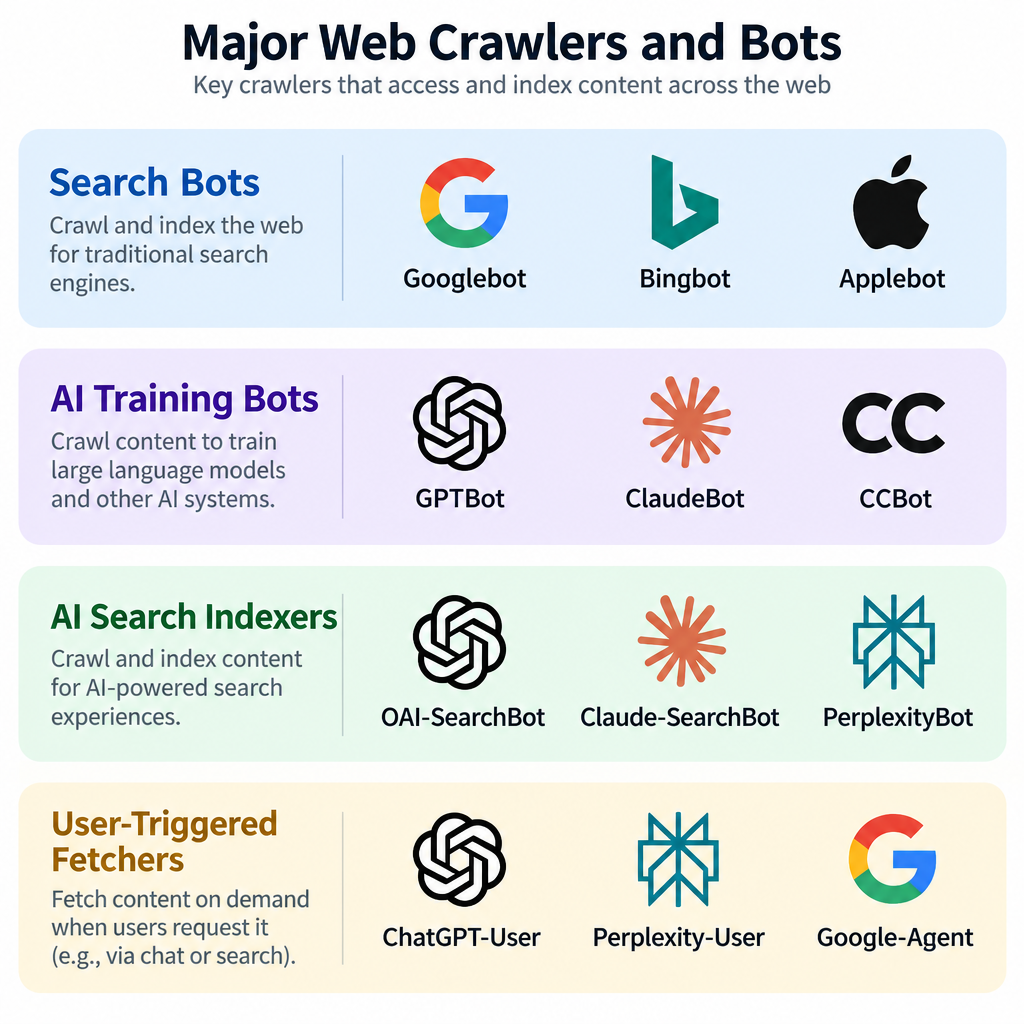
Google sorts its bots into three classes, plus a newer agent category. Only the common crawlers always obey robots.txt. The other classes may ignore it, and Google documents that openly.
| Class | Examples | robots.txt behavior | IP range file |
|---|---|---|---|
| Common crawlers | Googlebot, Googlebot-Image, Googlebot-Video, Storebot-Google, GoogleOther, Google-InspectionTool | Always obeys when crawling automatically | googlebot.json |
| Special-case crawlers | AdsBot-Google, AdsBot-Google-Mobile, Mediapartners-Google, Google-Safety | May ignore; AdsBot ignores the * group | special-crawlers.json |
| User-triggered fetchers | Feedfetcher-Google, Google-Site-Verification, APIs-Google, Chrome-Lighthouse, GoogleImageProxy | Ignores, a user requested the fetch | user-triggered-fetchers.json, user-triggered-fetchers-google.json |
| User-triggered agents | Google-Agent | Ignores, a user requested the fetch | user-triggered-agents.json |
Google’s documentation says special-case crawlers run under agreements with specific products and use different IP ranges from Googlebot. If you want to restrict AdsBot-Google, you must name it. A User-agent: * block does not apply to it.
On November 23, 2026, Google updated its user-triggered fetchers page. PPC Land, a trade publication that tracks Google documentation closely, reports that the update documented 12 existing crawlers and fetchers. According to that report, Google moved APIs-Google from the special-case list to the user-triggered list and corrected its user-agent string. The listed fetchers include AppEngine-Google, Google-Apps-Script, Google-Cloud-Tasks, GoogleImageProxy, Google Web Preview and Chrome-Lighthouse. None of these bots are new. What changed is that Google now documents them.
Google-Extended: what it does and doesn’t do
Google-Extended is a control token, not a crawler. It has no HTTP user-agent string of its own. Google fetches pages with its normal user agents. The token only tells Google whether that content may be used for Gemini models and grounding.
Google’s documentation states that Google-Extended does not affect inclusion or ranking in Google Search.
User-agent: Google-Extended
Disallow: /
Did you know?
Google-Extended never visits your site. Google fetches pages with its documented, named crawlers such as Googlebot, so you will not see Google-Extended as a separate visitor in your logs. Blocking Google-Extended has no effect on Search rankings, but blocking Googlebot can prevent crawling and hurt your visibility in Google Search.
Google-Agent and user-triggered-agents.json
Google-Agent identifies AI agents running on Google infrastructure that browse sites on a user’s behalf. Because a person asked for each fetch, it ignores robots.txt.
Google publishes its IP addresses in user-triggered-agents.json. Search Engine Land reported that Google is also experimenting with web-bot-auth, a cryptographic signature scheme, using the identity agent.bot.goog. If that rollout goes ahead, a signature check would be a stronger proof than DNS.
Blocking Google-Agent with robots.txt does nothing. If you have to stop it, do it at the server or CDN, and accept that users who rely on Google’s agents will fail on your site.
Special-case crawlers (AdsBot and others)
AdsBot-Google checks the quality of ad landing pages. If you run Google Ads, blocking it can hurt your ads. Mediapartners-Google reads pages so AdSense can match ads to them. Publishers who earn from AdSense should leave it alone.
AI crawlers by company
Most AI companies now run separate bots for training, search and user fetches. Decide on each role separately. Blocking training costs you nothing in visibility today. Blocking search bots removes you from AI answers.
| Company | Training bot | Search / index bot | User-triggered fetcher | Verification and notes |
|---|---|---|---|---|
| OpenAI | GPTBot | OAI-SearchBot | ChatGPT-User | IP JSON files per bot |
| Anthropic | ClaudeBot | Claude-SearchBot | Claude-User | Says IP blocks can break opt-out |
| Google-Extended (token) | Googlebot | Google-Agent | googlebot.json, user-triggered-agents.json | |
| Perplexity | None stated | PerplexityBot | Perplexity-User | PerplexityBot not used for training |
| Meta | Meta-ExternalAgent | meta-webindexer | Meta-ExternalFetcher | Caches robots.txt up to 24 hours |
| Apple | Applebot-Extended (token) | Applebot | None documented | Reverse DNS applebot.apple.com |
| Amazon | Amazonbot | Amazonbot | Amzn-User | Caches robots.txt up to 30 days |
| Common Crawl | CCBot | None | None | Dataset used widely for training |
| ByteDance | Bytespider | None documented | None documented | No official docs |
OpenAI: GPTBot, OAI-SearchBot, ChatGPT-User, OAI-AdsBot
OpenAI runs four documented agents:
- GPTBot collects training data. OpenAI’s docs say you can block it without affecting search eligibility. IP ranges are published in gptbot.json.
- OAI-SearchBot is used to surface sites in ChatGPT search. OpenAI says robots.txt changes take about 24 hours to apply. IPs are in searchbot.json.
- ChatGPT-User fetches pages when a user or a Custom GPT asks. It does not crawl automatically. OpenAI’s docs say robots.txt rules may not apply to it.
- OAI-AdsBot visits landing pages submitted as ChatGPT ads to check policy and relevance. OpenAI added it on April 21, 2026, and Search Engine Journal confirmed the listing. The docs do not say whether it follows robots.txt.
A common worry is “If I block GPTBot will I disappear from ChatGPT search?” No. OpenAI says GPTBot does not affect search eligibility, and OAI-SearchBot is the bot used to surface sites in ChatGPT search, so you can block GPTBot and keep OAI-SearchBot allowed.
In December 2025, OpenAI removed wording saying ChatGPT-User would comply with robots.txt, as Search Engine Journal reported. The updated docs name only OAI-SearchBot and GPTBot as following it.
Anthropic: ClaudeBot, Claude-SearchBot, Claude-User
Anthropic runs three bots. ClaudeBot collects training data. Claude-SearchBot improves search quality. Claude-User fetches pages when a Claude user asks. Anthropic’s support documentation says blocking one does not block the others.
All three honor robots.txt. Crawl-delay is a non-standard directive that RFC 9309 does not define, and Anthropic’s documentation does not say ClaudeBot honors it.
“Should I allow Claude-User but block ClaudeBot?” That depends on your site’s policy. Many content sites choose it, because it keeps your pages away from ClaudeBot while live answers can still read them.
Builder tip
Write a separate rule for each Anthropic bot. A rule for ClaudeBot does nothing to Claude-SearchBot or Claude-User.
Did you know?
Blocking Anthropic’s IP ranges can backfire. Anthropic’s support docs warn that an IP block may stop the opt-out from working, because the bot can no longer read your robots.txt.
Perplexity: PerplexityBot and Perplexity-User
Perplexity’s documentation says PerplexityBot surfaces and links sites in Perplexity search results and is not used to train foundation models. Perplexity-User handles user requests. Perplexity says it generally ignores robots.txt because a person asked for the page.
In August 2025, Cloudflare, which operates one of the largest CDNs, published findings that Perplexity used undeclared crawlers. Cloudflare said those crawlers rotated user agents and used IP addresses outside Perplexity’s published ranges. Perplexity disputed the claims. Treat this as a documented accusation from a major infrastructure provider, not a settled fact.
Meta: Meta-ExternalAgent and meta-webindexer
Meta’s crawler documentation lists Meta-ExternalAgent as the bot that crawls to train AI models or index content directly. meta-webindexer improves Meta AI search, and allowing it lets Meta AI cite and link your pages. Meta-ExternalFetcher handles user-requested links and may ignore robots.txt.
Meta warns that its crawlers may cache robots.txt for up to 24 hours.
Apple: Applebot vs Applebot-Extended
Applebot crawls for Siri, Spotlight and Safari features. Applebot-Extended does not crawl at all. It is a token. Disallowing it opts your content out of training Apple’s generative foundation models, while Applebot keeps indexing as normal.
CCBot, Bytespider, Amazonbot
CCBot (user agent CCBot/2.0) belongs to Common Crawl, a nonprofit that builds an open web archive. Many AI labs train on that archive. Blocking CCBot keeps future snapshots of your site out of it. It respects robots.txt.
Bytespider belongs to ByteDance. ByteDance publishes no official crawler documentation. Site owners and bot-tracking registries report that it does not reliably honor robots.txt. Block it at the server level if it shows up in your logs.
Amazonbot respects robots.txt and checks a cached copy up to 30 days old, according to Amazon’s developer page. It does not support Crawl-delay. Amazon’s user-triggered fetcher, Amzn-User, may not follow every directive.
SEO tool, social preview and monitoring bots
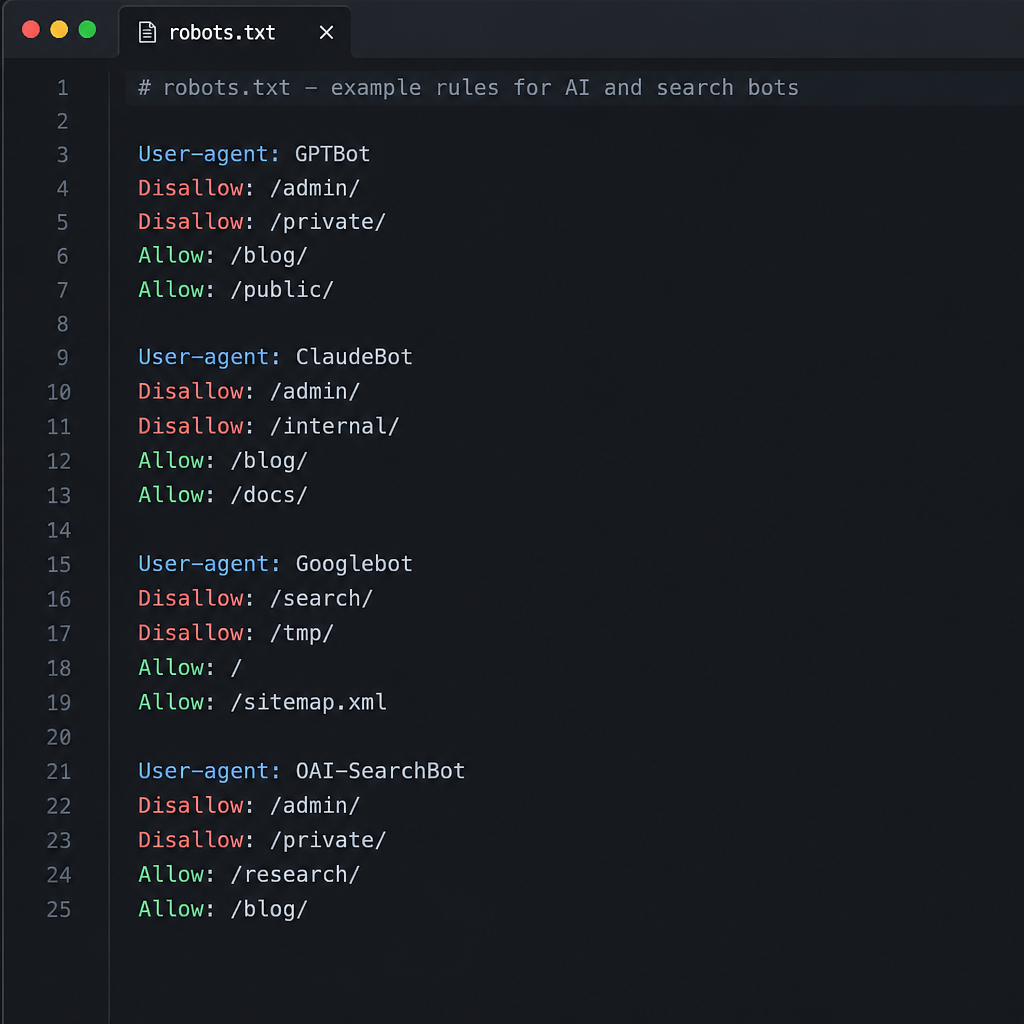
SEO tool crawlers collect data for other people’s dashboards. Blocking them never affects your Google rankings. Link-preview bots work the other way: block them and your shared links lose their titles and images.
SEO crawlers that eat crawl budget
AhrefsBot (Ahrefs), SemrushBot (Semrush), MJ12bot (Majestic) and DotBot (Moz) crawl the web to build backlink databases. All four obey robots.txt. AhrefsBot and SemrushBot both document support for Crawl-delay.
Here is the trade-off. If you block them, competitors can’t see your backlinks in those tools. But you can’t see your own data there either, unless you verify the site in each tool.
Screaming Frog SEO Spider is different. It runs on someone’s desktop, and the person running it can set it to ignore robots.txt. Blocking its user agent stops only the people who leave the default settings in place.
Link-preview fetchers you need for social sharing
Leave these bots allowed on any page people share:
- facebookexternalhit builds Facebook link previews. Meta notes it may bypass robots.txt for security or integrity checks.
- Twitterbot builds X cards.
- LinkedInBot builds LinkedIn previews.
- Slackbot-LinkExpanding unfurls links in Slack.
Uptime monitors such as UptimeRobot also use their own user agents. Allow them, or you will get false downtime alerts.
Which crawlers ignore robots.txt
Some bots skip robots.txt by design, because each request comes from a person. Others are reported to ignore it when they shouldn’t. These are separate problems with separate fixes.
| Bot | Owner | Why it skips robots.txt | What to do |
|---|---|---|---|
| Google user-triggered fetchers | A user requested the fetch | Server or CDN rules only | |
| Google-Agent | AI agent acting for a user | Server rules; check user-triggered-agents.json | |
| Google special-case crawlers | Product agreements | Name them explicitly in robots.txt | |
| ChatGPT-User | OpenAI | User-initiated; robots.txt may not apply | Server or CDN rules |
| Perplexity-User | Perplexity | User-requested fetch | Server or CDN rules |
| Meta-ExternalFetcher | Meta | User-requested fetch | Server or CDN rules |
| Amzn-User | Amazon | User-triggered | Server or CDN rules |
Reported to misbehave: Bytespider has no official documentation and a widely reported record of ignoring robots.txt. Undeclared crawlers that spoof browser user agents are the hardest to stop, and catching them takes more than user-agent rules, such as bot management, network-level controls or other traffic signals.
Robots.txt is a request, not enforcement. RFC 9309, the Robots Exclusion Protocol standard, depends on crawlers choosing to comply.
Do AI crawlers send traffic back? Crawl-to-refer data
AI crawlers take far more than they send back, though the gap is shrinking. Google sends roughly one visit for every few pages it crawls. AI companies need hundreds or thousands of crawls per visit.
| Operator | July 2025 | July 2026 | Source / caveat |
|---|---|---|---|
| Anthropic | 38,744:1 | 1,917:1 | Secondary analysis of Cloudflare Radar; ratios get revised |
| OpenAI | 1,104:1 | 251:1 | Secondary analysis of Cloudflare Radar; ratios get revised |
A separate study by HeyBuffy covered the 28 days ending July 21, 2026. It found ClaudeBot crawled about 2,237 pages per referred visitor, GPTBot about 217 and Google about 4.6. That study used a different method and sample, so don’t merge its numbers with Radar’s.
Blocking is now common. In Cloudflare Radar’s Q3 2026 sample of 4,298 robots.txt files, GPTBot appeared in 796 files (18.5%) and ClaudeBot in 703 (16.4%). The trend is that publishers block training bots and allow answering bots.
Both caveats carry real weight. These are crawl-to-click ratios, and they don’t measure brand mentions in AI answers. The Radar figures also come through a secondary analysis, not Cloudflare’s own write-up.
Copy-paste robots.txt templates

Back up your current robots.txt before you paste anything. RFC 9309 says a crawler should use the most specific group that matches its token, and if several groups match the same crawler, their rules are combined. If you give GPTBot its own group, a compliant GPTBot follows that group instead of your User-agent: * rules.
One related point: if robots.txt returns a 404 HTTP code, Google treats your site as having no crawl restrictions at all.
Allow everything
User-agent: *
Disallow:

Sitemap: https://example.com/sitemap.xml
Block training, keep citations
User-agent: GPTBot
User-agent: ClaudeBot
User-agent: CCBot
User-agent: Google-Extended
User-agent: Applebot-Extended
User-agent: Meta-ExternalAgent
User-agent: Bytespider
Disallow: /


User-agent: OAI-SearchBot
User-agent: Claude-SearchBot
User-agent: Claude-User
User-agent: PerplexityBot
User-agent: meta-webindexer
Allow: /

User-agent: *
Disallow: /wp-admin/
Allow: /wp-admin/admin-ajax.php

Sitemap: https://example.com/sitemap.xml
This template answers the common question “Is there one up-to-date list of AI bots I can just paste into robots.txt?” It’s a solid base. Recheck it against vendor docs every quarter, because new tokens keep arriving.
Builder tip
To stay in AI answers but out of training, disallow GPTBot, ClaudeBot, CCBot, Google-Extended and Applebot-Extended. Allow OAI-SearchBot, Claude-SearchBot and PerplexityBot.
Block everything AI
User-agent: GPTBot
User-agent: OAI-SearchBot
User-agent: ChatGPT-User
User-agent: ClaudeBot
User-agent: Claude-SearchBot
User-agent: Claude-User
User-agent: PerplexityBot
User-agent: Perplexity-User
User-agent: Google-Extended
User-agent: Applebot-Extended
User-agent: Meta-ExternalAgent
User-agent: meta-webindexer
User-agent: Meta-ExternalFetcher
User-agent: CCBot
User-agent: Bytespider
User-agent: Amazonbot
Disallow: /
This removes you from ChatGPT search, Claude and Perplexity citations. User-triggered fetchers may still get through, so pair this with server rules if you mean it.
Slow down heavy bots
User-agent: AhrefsBot
Crawl-delay: 10

User-agent: SemrushBot
Crawl-delay: 10

User-agent: bingbot
Crawl-delay: 5
Google ignores Crawl-delay, and Amazonbot doesn’t support it. If you merge templates, keep one group per bot, and put Crawl-delay inside that bot’s existing group.
Per-directory rules for costly pages
User-agent: *
Disallow: /cart/
Disallow: /checkout/
Disallow: /my-account/
Disallow: /*?add-to-cart=
Disallow: /*?orderby=
Disallow: /*?filter_
Disallow: /*&filter_
There is an edge case here. A Disallow stops crawling but does not remove URLs that are already indexed. If a page needs to leave the index, let Google crawl it and serve a noindex tag first.
How to edit robots.txt on your CMS

Each platform stores robots.txt differently. Some generate it, some use a theme template and some only offer toggles. Back up the current file before every change.
WordPress and WooCommerce
WordPress serves a virtual robots.txt when no physical file exists. If you upload a physical robots.txt to the web root, it overrides the virtual one, and plugin editors may stop working.
Setup steps
- Back up your site and copy the current robots.txt from yoursite.com/robots.txt.
- With Yoast SEO, go to Yoast SEO > Tools > File editor.
- With Rank Math, go to Rank Math SEO > General Settings > Edit robots.txt (Advanced mode).
- Paste your template, keeping the wp-admin and admin-ajax.php lines.
- Save, then load /robots.txt in a private window to confirm.
For WooCommerce stores, add the cart, checkout, my-account and filter rules from the per-directory template above. Faceted filter URLs can multiply into thousands of crawlable pages that will never rank.
Builder tip
On WooCommerce, disallow cart, checkout, my-account and filter parameter URLs so search and AI bots stop wasting crawls on pages that never rank.
Shopify
Shopify generates robots.txt automatically. To customize it, you edit the robots.txt.liquid theme template rather than uploading a file. In the admin, go to Online Store > Themes, open the theme menu, choose Edit code and add a new template of type “robots”.
Keep Shopify’s default rules intact and add your groups after them:
{% for group in robots.default_groups %}
  {{- group.user_agent }}
  {%- for rule in group.rules -%}
    {{ rule }}
  {%- endfor -%}
  {%- if group.sitemap != blank -%}
    {{ group.sitemap }}
  {%- endif -%}
{% endfor %}

User-agent: GPTBot
Disallow: /

User-agent: CCBot
Disallow: /
Shopify’s help center has three warnings. It recommends working with a Shopify Partner for these edits. It can’t guarantee that SEO best practices stay applied to a customized file. And a theme uploaded through the admin Themes section will not import robots.txt.liquid, while Shopify CLI uploads keep it. Save a copy before any theme switch. This matters for every Shopify ecommerce platform store, from big brands to anyone just starting to dropship.
Website builders
- Wix: The SEO tools include a Robots.txt Editor, and Wix’s help center has a dedicated article on blocking AI crawlers.
- Squarespace: You can’t edit robots.txt directly. The Crawlers panel in Settings offers toggles to block AI crawlers and search engine crawlers. Squarespace adds new bots over time but doesn’t cover every one.
- Webflow: Open Site settings, go to the SEO tab, edit the robots.txt field and publish. Webflow’s help center also describes a Content-Signal header option for finer AI-use instructions.
If you build a Squarespace website, the toggles are the only control you get. For bots they don’t cover, use a CDN rule.
Headless setups (Next.js, Vercel, Netlify)
In Next.js, generate robots.txt from app/robots.ts:
import type { MetadataRoute } from 'next'

export default function robots(): MetadataRoute.Robots {
  return {
    rules: [
      { userAgent: ['GPTBot', 'ClaudeBot', 'CCBot', 'Google-Extended'], disallow: '/' },
      { userAgent: '*', allow: '/', disallow: '/api/' },
    ],
    sitemap: 'https://example.com/sitemap.xml',
  }
}
On Netlify or any static host, put a plain robots.txt in the publish directory.
“Do I need to block every subdomain separately?” Yes. RFC 9309 applies robots.txt per host, so shop.example.com and blog.example.com each need their own file.
Verify real bots and block fake ones
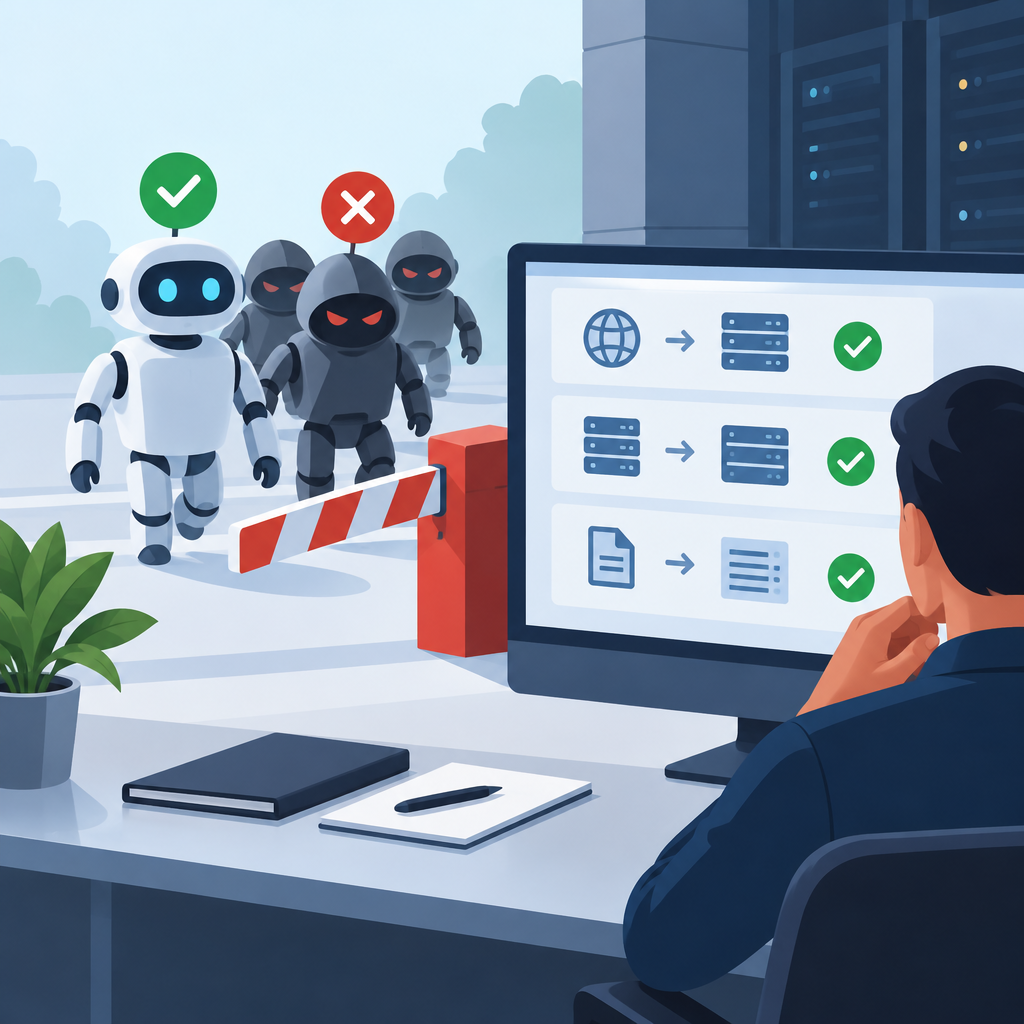
Anyone can put “Googlebot” in a user-agent string. Before you trust or block a bot, confirm its IP with a reverse DNS lookup, then a forward lookup, or check it against the vendor’s IP file.
Security note
Scrapers often fake Googlebot’s user agent to get past firewalls. Verify by DNS or the official IP files before you whitelist anything, and back up server configs before editing them.
Reading your logs first
Find out which bots actually load your server before you change anything. Ask your web host for raw access logs if your control panel hides them. In Cloudflare, filter the analytics or bot reports by user agent.
# Top 20 user agents (combined log format)
awk -F'"' '{print $6}' access.log | sort | uniq -c | sort -rn | head -20

# Count requests from specific bots
grep -ciE "GPTBot|ClaudeBot|Bytespider|AhrefsBot" access.log
Builder tip
Filter your hosting or Cloudflare logs for GPTBot, ClaudeBot, Bytespider and AhrefsBot before you block anything. The bot spiking your server load is often not the one you expected.
Verifying Googlebot step by step
Google’s verification documentation describes this process:
- Take the IP address from your log line.
- Run a reverse DNS lookup on it.
- Confirm the hostname ends in googlebot.com, google.com or googleusercontent.com.
- Run a forward DNS lookup on that hostname.
- Confirm it returns the original IP.
host 66.249.66.1
# 1.66.249.66.in-addr.arpa domain name pointer crawl-66-249-66-1.googlebot.com.

host crawl-66-249-66-1.googlebot.com
# crawl-66-249-66-1.googlebot.com has address 66.249.66.1
If the hostname doesn’t match, or the forward lookup returns a different IP, the bot is fake. You can also match IPs against googlebot.json, a CIDR list. It covers Googlebot only. Use the special-case, user-triggered and user-triggered-agents files for Google’s other bots. Bingbot verifies the same way, with hostnames ending in search.msn.com.
Server-level blocking
Use server rules for bots that ignore robots.txt, such as Bytespider. Leave /robots.txt reachable so that well-behaved bots can still read your opt-out.
Apache (.htaccess):
<IfModule mod_rewrite.c>
RewriteEngine On
RewriteCond %{REQUEST_URI} !^/robots\.txt$
RewriteCond %{HTTP_USER_AGENT} (Bytespider|MJ12bot) [NC]
RewriteRule .* - [F,L]
</IfModule>
nginx (inside the server block):
location = /robots.txt { }

if ($http_user_agent ~* "(Bytespider|MJ12bot)") {
    return 403;
}
These rules stop only bots that announce themselves honestly. Crawlers that spoof browser user agents need other defenses, such as a bot-management layer or network-level controls.
Cloudflare default AI blocking and Pay Per Crawl
On July 1, 2025, Cloudflare began blocking AI crawlers by default for new customers and offered existing customers a one-click block. It also launched Pay Per Crawl in private beta, which lets sites charge AI crawlers for access. MIT Technology Review reported that OpenAI declined to take part. Cloudflare’s AI Crawl Control section in the dashboard manages these settings per bot.
“Is Cloudflare’s AI bot blocking going to hurt my Google rankings?” No. Cloudflare classes Googlebot as a search engine crawler, so the AI block doesn’t touch it. Check your bot settings once anyway, and confirm Bingbot is allowed too.
Changelog: crawler documentation updates
Vendors change their bots several times a year. This log records the changes that affect your robots.txt.
| Date | Vendor | Change |
|---|---|---|
| July 1, 2025 | Cloudflare | Default AI-crawler blocking for new customers; Pay Per Crawl beta |
| August 2025 | Cloudflare | Published stealth-crawling findings about Perplexity |
| December 2025 | OpenAI | Removed robots.txt compliance wording for ChatGPT-User |
| February 2026 | Anthropic | Documentation expanded to ClaudeBot, Claude-SearchBot and Claude-User |
| April 21, 2026 | OpenAI | Added OAI-AdsBot to crawler docs |
| November 23, 2026 | User-triggered fetchers page updated; APIs-Google moved, 12 bots documented |
Last checked: November 24, 2026.
What to do this week
Start with your logs. Find the five bots that send the most requests. Then decide on each one using the “What you lose” column above. For most business sites the sensible default is to allow search, allow AI search, block training and rate-limit SEO tools. Put a reminder in your calendar for every three months, because the next new token is already on its way.
FAQ
What is a list of web crawlers?
It is a reference of the bots that request pages from websites, with each bot’s user-agent token, owner and purpose. You use it to write robots.txt rules and to read your server logs.
What are the most common web crawlers?
Googlebot and Bingbot lead. Then come Applebot, the SEO crawlers (AhrefsBot, SemrushBot) and the AI bots (GPTBot, ClaudeBot, Meta-ExternalAgent, Bytespider).
Which user agents should I block in robots.txt?
Block only what you’ve decided to give up. For most sites that means training bots: GPTBot, ClaudeBot, CCBot, Google-Extended, Applebot-Extended and Meta-ExternalAgent. Never block Googlebot or Bingbot on a site you want found.
How do I block AI crawlers without hurting SEO?
Disallow the training bots and leave Googlebot and Bingbot alone. Google-Extended blocks Gemini use without touching Search rankings.
Does blocking Google-Extended affect Google rankings?
No. Google’s documentation says it does not affect inclusion or ranking in Google Search.
What is the difference between GPTBot, OAI-SearchBot and ChatGPT-User?
GPTBot collects training data. OAI-SearchBot is used to surface sites in ChatGPT search. ChatGPT-User fetches pages when a user asks, and robots.txt may not apply to it.
What is ClaudeBot and should I block it?
ClaudeBot is Anthropic’s training crawler. Block it if you don’t want your content used for training. Allow Claude-SearchBot and Claude-User if you want Claude to cite you.
ClaudeBot or GPTBot is hammering my site. How do I stop it?
Anthropic does not document Crawl-delay support for ClaudeBot, so the reliable first step is to disallow the bot in robots.txt. Rate-limit at the CDN only as a last step, and keep /robots.txt reachable.
How do I know if Googlebot is real?
Run a reverse DNS lookup on the IP and confirm the hostname ends in googlebot.com, google.com or googleusercontent.com. Then confirm a forward lookup returns the same IP. You can also check the IP against googlebot.json.
Do AI crawlers respect robots.txt?
The declared crawlers from OpenAI, Anthropic, Google, Apple, Meta, Amazon and Common Crawl say they do. User-triggered fetchers often don’t, and Bytespider is reported not to.
Bytespider ignores robots.txt. How do I block it at the server level?
Return a 403 for its user agent with the .htaccess or nginx rules above, or use a Cloudflare WAF rule.
What is Google-Agent?
Google-Agent is the user agent for AI agents on Google infrastructure that browse sites for a user. It ignores robots.txt, and its IPs are listed in user-triggered-agents.json.
About this article
- Fact-checked by Moira Hensley against the sources listed below before publication.
- Published
Sources (8)
- Google's common crawlers (developers.google.com)
- Google special-case crawlers (developers.google.com)
- Verifying Googlebot and other Google crawlers (developers.google.com)
- Google's Crawling Documentation Changelog (developers.google.com)
- Google adds Google-Agent user agent (searchengineland.com)
- Google documents 12 existing bots that ignore robots.txt (ppc.land)
- Overview of OpenAI Crawlers (developers.openai.com)
- OpenAI says robots.txt may not apply to ChatGPT's fetch bot (searchenginejournal.com)