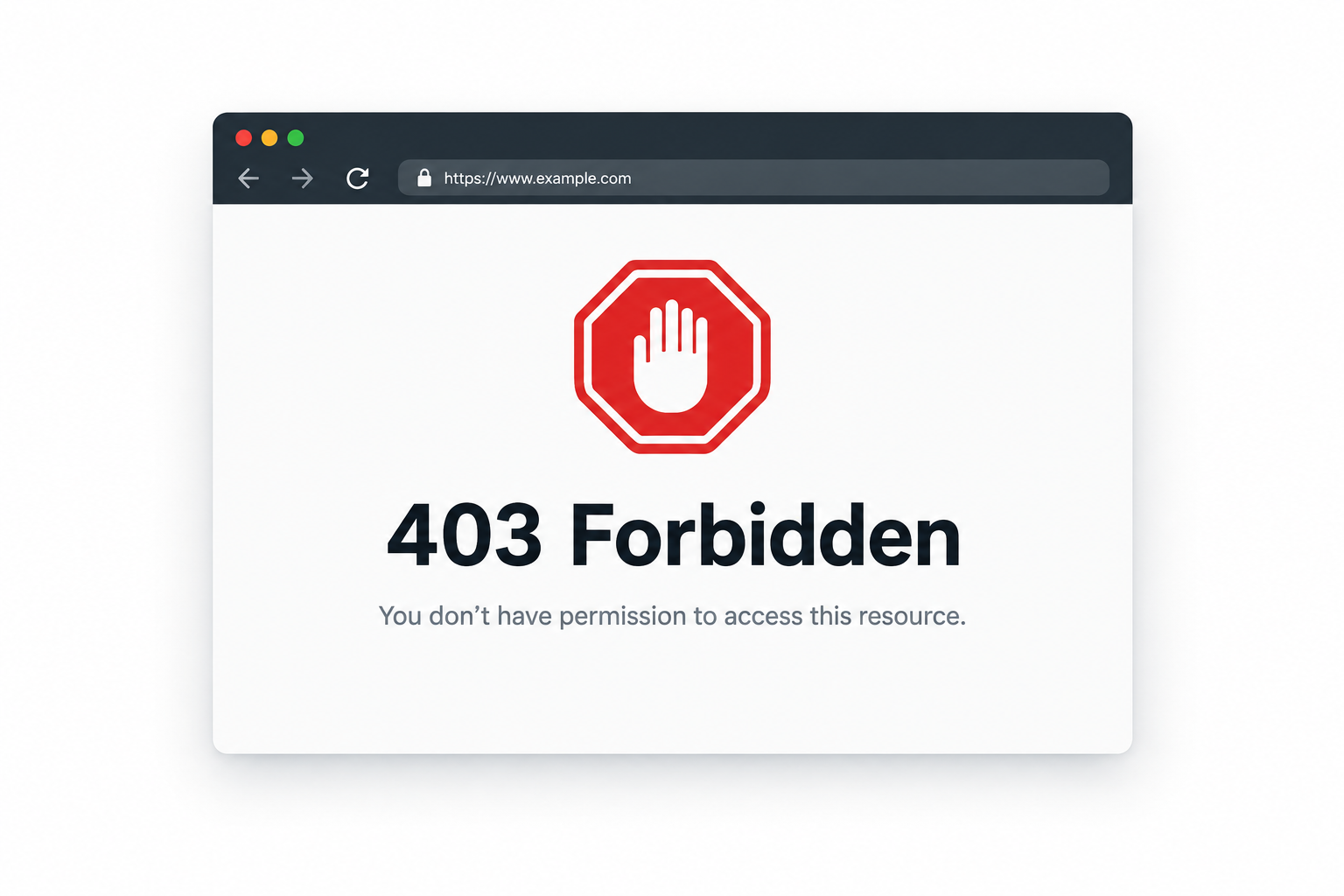
A 403 Forbidden error means the server understood your request and decided not to serve it. A different request can still get through, which surprises most people. The quickest fix depends on who sent the 403: your browser’s network, a CDN firewall such as Cloudflare, the web server, or a WordPress plugin. You can usually tell which one in under a minute.
Vendor documentation and status pages last checked in November 2026.
In short
- A 403 is a refusal, not a missing page. Logging in again won’t change it, but changing the IP, the headers or a server rule can.
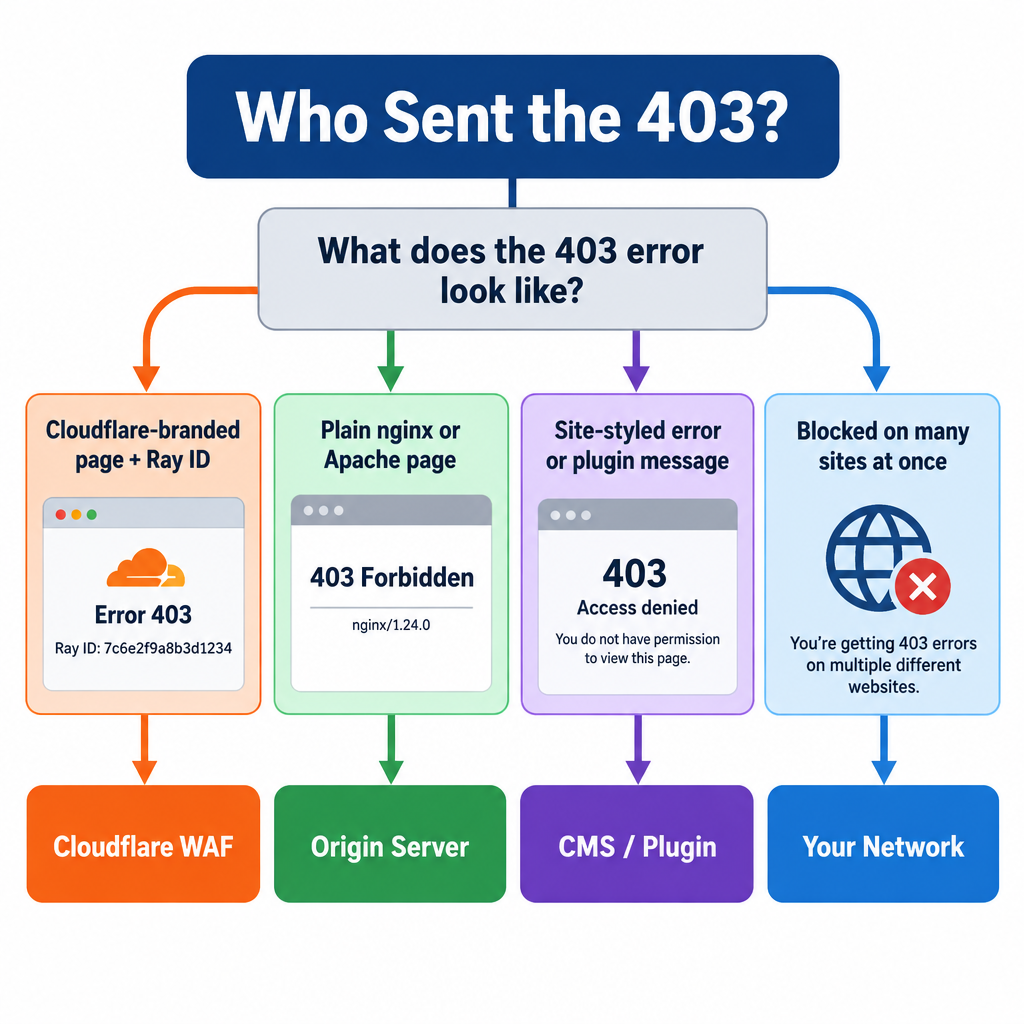
- Look at the error page first. A Cloudflare logo and Ray ID point to a firewall rule. A plain Apache or Nginx page usually points to your server.
- On WordPress, wrong file permissions (755 for folders and 644 for files are the usual values) and a damaged .htaccess file are common causes of self-inflicted 403s.
- Google does not index URLs that return 403, and drops them from its index if the error persists. Never use 403 to slow Googlebot down.
- Fix a firewall 403 with a narrow skip rule. Don’t turn the WAF off for the whole site.
Fact-checked
We checked these key facts against the sources named, on November 23, 2026:
- Paid plans can return a 402 instead of a 403 when blocking AI crawlers, with a custom message such as licensing contacts (source: blog.cloudflare.com)
- Jetpack’s WordPress permissions guide recommends tighter settings for wp-config.php: 440 or 400, or 600 or 640 depending on the host (source: jetpack.com)
- That covers the scheduled workflow whose Reddit RSS feed suddenly returns 403, and the third-party app that starts throwing HTTP 403 errors (source: community.n8n.io)
- For members-only content, send logged-out visitors 401 or a redirect to the login page, and send logged-in members without the right tier 403 (source: developer.mozilla.org)
- MDN Web Docs notes that a server can lawfully answer 404 instead of 403 when it doesn’t want clients without sufficient privileges to learn that a resource exists (source: developer.mozilla.org)
403 Forbidden: what it means, in one minute
A 403 says “I know what you want, and you are not allowed to have it.” The server isn’t broken and the page probably exists. Some rule matched your request and refused it. That rule could be a file permission, an IP block, a firewall signature or an app-level access check.
The official definition (RFC 9110)
The IETF’s current HTTP standard, RFC 9110 (HTTP Semantics, section 15.5.4), defines 403 as a response where the server understood the request but refuses to fulfill it. The server may explain why in the response body, but it doesn’t have to. MDN Web Docs adds that if a client repeats the same request without changing it, the request will keep failing. Unlike a 401, sending credentials again makes no difference.
Common variants you may see
The status is the same in every version below. Only the wording changes, depending on which software produced the page.
- “403 Forbidden” with “nginx” underneath: Nginx’s default error page.
- “Forbidden. You don’t have permission to access this resource.”: Apache’s default page.
- “HTTP/1.1 403 Forbidden”: the raw status line, as shown by curl, browser DevTools or API logs.
- “Access Denied”: wording used by many CDNs, WAFs and hosting firewalls.
- “Sorry, you have been blocked”: Cloudflare’s block page. It carries a Ray ID at the bottom.
- “Error 403 Forbidden” inside a site’s own theme: usually a CMS, plugin or app permission check.
Pick your path. If someone else’s site blocked you, go to the visitor section. If the 403 is on your own site, start with “Find out who sent the 403” and then read the server and WordPress sections. If it shows up in a script or API client, skip to the code section near the end.
Find out who sent the 403 before you fix anything

The page design and the response headers tell you which layer refused the request. That layer is the only one worth troubleshooting. Changing file permissions won’t help with a Cloudflare WAF block, and clearing your cookies won’t fix a broken .htaccess file.
| What you see | Likely source | Who can fix it | First step |
|---|---|---|---|
| Cloudflare-branded page, “Sorry, you have been blocked”, Ray ID | Cloudflare WAF rule, Security Level or IP Access Rule | Site owner (in Cloudflare) | Search the Ray ID in Security Events |
| Plain “403 Forbidden” with “nginx” or Apache text | Origin web server (permissions, deny rules, missing index) | Site owner or web host | Check the server error log |
| 403 styled like the site, or a plugin lockout message | CMS, security plugin or app permission | Site owner or admin | Isolate the plugin |
| “Access Denied” from the host, no CMS styling | Host firewall or mod_security | Web host | Open a ticket with the URL and time |
JSON body such as {"error":"forbidden"} |
API authorization (token, scope, plan) | API consumer, sometimes the provider | Check the token’s scopes |
| 403 on many unrelated sites at once | Your network, VPN, proxy or browser | You | Try another network and browser |
Read the bottom of the page first
A Cloudflare Ray ID on the error page means a Cloudflare rule blocked the request, not your server. Copy the Ray ID and search for it in Cloudflare’s Security Events before you touch any files.
Cloudflare-branded vs unbranded 403
Cloudflare’s own troubleshooting documentation gives a simple rule. A Cloudflare-branded 403 usually comes from WAF custom or managed rules with a block or challenge action, or from the Security Level setting, which defaults to Medium. An unbranded 403 on a Cloudflare-proxied site usually means the origin server returned the error, often because of an Apache .htaccess rule or mod_security. In that case Cloudflare only passed it on, although Cloudflare can serve unstyled 403 pages itself in some cases, such as SNI mismatches.
Apache and Nginx default 403 pages
A bare, unstyled page usually means the request reached the web server and went no further. Run this from a terminal to see the raw status and the Server header:
curl -I https://example.com/path/
A server: cloudflare header with a 403 means Cloudflare answered. Server: nginx or Server: Apache means the origin did. Then check the server error log. Apache writes entries such as “client denied by server configuration” or “Directory index forbidden by Options directive”. Nginx logs “directory index of … is forbidden” or “access forbidden by rule”.
WordPress security plugin and host firewall blocks
Plugins such as Wordfence, Solid Security or All In One WP Security usually show their own branded message, or a 403 that only affects wp-admin or wp-login.php. Host firewalls running mod_security return a generic 403 or “Not Acceptable” page. They tend to trigger on specific actions, such as saving a post that contains code, rather than on whole pages.
API and app responses
An API normally returns a 403 with a JSON body naming the problem: missing scope, revoked token, plan limit or blocked region. AWS WAF blocks also arrive as plain 403 Forbidden responses. AWS documents how to find the blocking rule by reading the WAF logs, where the terminatingRuleId field names it.
403 vs 401 vs 404 (and 410, 429, 402)
Use 403 when the client is known (or doesn’t matter) and the answer is still no. Use 401 when logging in would help, and 404 when you would rather not admit the resource exists. Picking the right code matters for users, API clients and Google.
| Code | Meaning | Will retrying or logging in help? | How Google treats it | Use it when |
|---|---|---|---|---|
| 401 Unauthorized | Not authenticated | Yes, with valid credentials | Like other 4xx: not indexed | Login is required and would grant access |
| 402 Payment Required | Payment needed | Yes, after paying | Like other 4xx | Paid access, such as Cloudflare pay per crawl |
| 403 Forbidden | Authenticated or not, access refused | No, unless the request or a rule changes | Not indexed, removed if already indexed, content ignored | Logged-in user lacks rights, IP or region blocked |
| 404 Not Found | Nothing at this URL (or hidden) | No | Not indexed, removed if indexed | Missing page, or hiding a protected one |
| 410 Gone | Removed on purpose | No | Treated like other 4xx | Content deliberately deleted for good |
| 429 Too Many Requests | Rate limited | Yes, after waiting | Treated as server overload, crawling slows | Throttling clients, including bots |
The 401 vs 403 split trips up even experienced developers. A 401 is about authentication (“who are you?”) and should come with a WWW-Authenticate header that invites credentials. A 403 is about authorization (“I know who you are, and no”).
For members-only content, send logged-out visitors 401 or a redirect to the login page, and send logged-in members without the right tier 403. For a staging site, use HTTP basic auth (401) so search engines never index it.
Did you know?
MDN Web Docs notes that a server can lawfully answer 404 instead of 403 when it doesn’t want clients without sufficient privileges to learn that a resource exists. GitHub-style private repositories work this way.
Is a 403 error permanent?
No. A 403 is only permanent for the same request. MDN’s reference says an unmodified repeat will fail again. A request from a different IP, with different headers, from an account with more rights, or made after the owner fixes a rule can succeed. That’s why a page can work on cellular data but fail on office Wi-Fi.
Fix a 403 as a visitor (desktop, Android, iPhone)
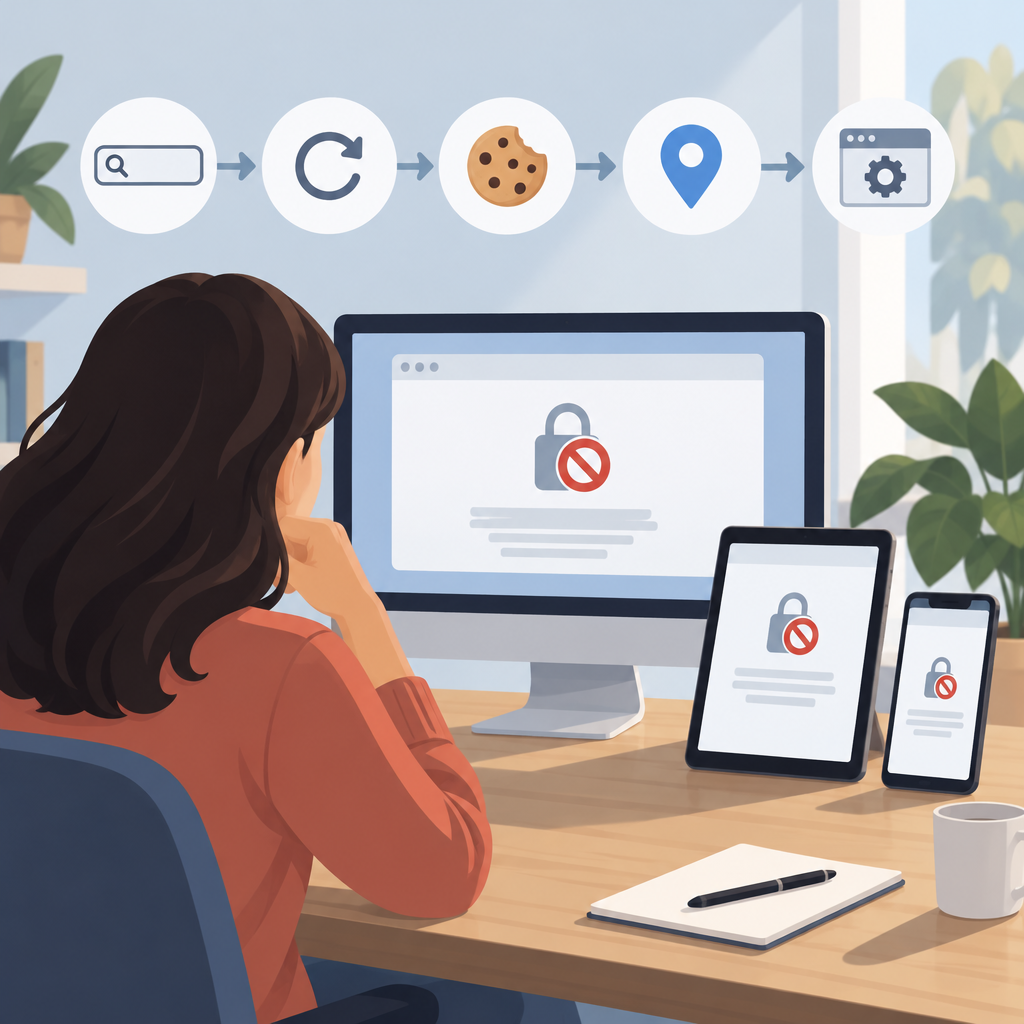
As a visitor, you can only change your own side of the request: the URL, your cookies, your IP and your browser. Work through these in order. Most visitor-side 403s clear by step 5.
Visitor fix order
- Check the URL. A typo, or a path ending in a folder slash such as /images/, can hit a protected directory.
- Reload once. Don’t hammer refresh, because repeated hits can trigger rate limits.
- Clear cookies and cache for that site only. A stale session cookie can fail an access check.
- Disable extensions, especially ad blockers, privacy tools and user-agent switchers, then retry.
- Turn off your VPN or proxy. Shared VPN IPs often appear on firewall blocklists.
- Try another network (switch to cellular), another browser or another device.
- Contact the site owner with the URL, the time, your IP and the Ray ID if one is shown.
Chrome and Chrome on Android
In Google Chrome on desktop, click the icon to the left of the address bar, open the site settings, and delete that site’s data. On Android, open Chrome, tap the three-dot menu, go to Settings > Site settings > All sites, pick the domain and clear its data. Then turn off Chrome’s Data Saver or any VPN app and try once more on mobile data.
iPhone and Safari: iCloud Private Relay, content blockers, VPN profiles
iCloud Private Relay is the most common hidden cause on Apple devices. It sends your Safari traffic through relay IPs, and sites with fraud or bot checks sometimes reject those IPs with a 403. Okta, for example, documents Private Relay as a cause of 403s on its login pages. This explains the common complaint that a site used for months suddenly only works with Private Relay off.
Apple’s documented fix works one site at a time. On iPhone or iPad, tap the Page Menu button in Safari, then tap Show IP Address. On a Mac, choose View > Reload and Show IP Address. Apple says your IP stays visible only to that site until you leave it or close the tab, and Private Relay stays on everywhere else.
If that doesn’t help, check Settings > Safari > Extensions for content blockers, and Settings > General > VPN & Device Management for VPN or configuration profiles, such as one installed by an employer.
When it’s every site at once
If you get a 403 on every website, the cause is on your side. Typical culprits are a browser profile with a corrupted extension, a DNS or content filter on the router, a school or corporate proxy, or malware injecting traffic.
One clue is a site that works in Edge but not in Firefox. That points to the Firefox profile (extensions, a proxy setting under Settings > Network Settings, or DNS over HTTPS) rather than the sites themselves. Test a fresh profile or private window, then a different network. If every device on your Wi-Fi fails, restart the router and check its filter settings. Settings for the domain name system on the router can also send traffic through a filtering service.
Fix a 403 on your own website

On your own server, a 403 almost always comes from one of four causes: permissions, rewrite or deny rules, a missing index file, or a host-level block. Back up your files and database before changing any of them. A full backup takes minutes, and rebuilding a site you broke while fixing it can take days.
| Situation | Most likely cause | Fix | Time needed |
|---|---|---|---|
| Whole site 403 after a migration | Wrong ownership or permissions | Reset to 755/644, fix the owner | 10 to 20 minutes |
| 403 right after editing .htaccess | Bad rule or syntax | Restore the backup or the default rules | 5 minutes |
| 403 on a folder URL only | No index file, listing disabled | Add index.php or index.html | 5 minutes |
| 403 on wp-admin after a plugin install | Security plugin rule | Rename the plugin folder via SFTP | 10 minutes |
| 403 when saving posts or checking out | mod_security or WAF rule | Find the rule ID, ask the host for a scoped exception | 30 minutes to a day |
| Cloudflare-branded 403 for some visitors | WAF rule, Security Level, country block | Check Security Events, add a narrow skip rule | 15 minutes |
| Images 403 when embedded elsewhere | Hotlink protection | Allow your own domains and CDN | 5 minutes |
File and folder permissions and ownership
The web server must be able to read files and enter folders. If a folder is set to 700, or files are owned by root, the server can’t serve them and returns 403. The standard values are 755 for directories and 644 for files. Jetpack’s WordPress permissions guide recommends tighter settings for wp-config.php: 440 or 400, or 600 or 640 depending on the host.
On a VPS, run these from your site root over SSH, after taking a backup:
find /var/www/example.com -type d -exec chmod 755 {} \;
find /var/www/example.com -type f -exec chmod 644 {} \;
chmod 640 /var/www/example.com/wp-config.php sudo chown -R www-data:www-data /var/www/example.com
On shared hosting, skip the chown step. Your files should stay owned by your account user, and the host’s file manager or support team handles ownership.
Corrupt or over-restrictive .htaccess (Apache) and Nginx deny rules
On Apache, a single Deny from all, Require all denied or broken RewriteRule in .htaccess can block a whole site. Rename the file to .htaccess-old over SFTP and reload the page. If the 403 disappears, the file was the cause, so rebuild it rule by rule.
On Nginx, search the server block for deny all; and for location blocks that match more than intended. A rule meant to protect /wp-content/uploads/*.php can easily catch every request. Test and reload after each edit:
sudo nginx -t && sudo systemctl reload nginx
Missing index file with directory listing off
If a URL points to a folder with no index.php or index.html, and directory listing is turned off (as it should be), the server answers 403 instead of showing the folder’s contents. Upload the missing index file, or check that the server is looking for the right one:
DirectoryIndex index.php index.html
Options -Indexes
# Nginx
index index.php index.html;
autoindex off;
Did you know?
A folder URL with no index file returns 403 rather than 404 on most servers. The folder exists, but the server refuses to list its contents. A blank upload or theme directory often looks broken for exactly this reason.
IP, country or hotlink blocks at the host
Hosting control panels such as cPanel include IP Blocker and Hotlink Protection tools. An over-eager entry can lock out your own office IP, or block your images on your own CDN subdomain. Check those panels, plus any country blocking in the host’s firewall. If you can’t see the rule, the host can. That support quality is one of the things worth comparing when you choose a web host.
WordPress and WooCommerce 403 errors

Most WordPress 403s come from three places: permissions, a damaged .htaccess file, or a security layer (plugin, mod_security or WAF). Work through them in that order, and back up before each step.
Builder tip
Reset permissions to 755 for folders and 644 for files, then regenerate .htaccess under Settings > Permalinks > Save Changes. Do both before you start disabling plugins. Together they rule out two common causes without touching anything else.
| Item | Recommended value | Notes |
|---|---|---|
| Directories (wp-admin, wp-content, wp-includes) | 755 | Owner can write, everyone can read and enter |
| Files (.php, .css, .js, images) | 644 | Owner can write, others read only |
| wp-config.php | 440 or 400 (600 or 640 on some hosts) | Stricter, because it holds database credentials |
| .htaccess | 644 | WordPress needs write access to regenerate it |
| File owner | Web server user (www-data, apache) or your hosting account | Depends on how PHP runs on your host |
Regenerate .htaccess via Permalinks
Rename the existing .htaccess over SFTP, log in, and go to Settings > Permalinks. Click Save Changes without changing anything, and WordPress writes a fresh file. If it can’t write the file, create one with the current default rules for a single-site install:
# BEGIN WordPress
<IfModule mod_rewrite.c>
RewriteEngine On
RewriteRule .* - [E=HTTP_AUTHORIZATION:%{HTTP:Authorization}]
RewriteBase /
RewriteRule ^index\.php$ - [L]
RewriteCond %{REQUEST_FILENAME} !-f
RewriteCond %{REQUEST_FILENAME} !-d
RewriteRule . /index.php [L]
</IfModule>
# END WordPress
Isolate the security plugin
A common case: you get a 403 on wp-admin right after installing a security plugin and can no longer log in. Connect over SFTP, open /wp-content/plugins and rename the plugin’s folder (for example, wordfence to wordfence-off). WordPress deactivates it on the next load. Log in, rename the folder back, reactivate the plugin, then remove the rule that blocked you, usually a login lockout or an IP allowlist that left out your current IP.
If a 403 appeared after a plugin update, deactivate plugins one at a time. Or rename the whole plugins folder to confirm the cause, then restore plugins one by one. Errors that turn into a white screen or a 500 errors message during this process are a separate fault, not the 403 coming back.
REST API and admin-ajax 403s (block editor and WooCommerce checkout)
The block editor depends on the WordPress REST API. A 403 on /wp-json/ shows up as “Updating failed” or as blocks that won’t save. WooCommerce sends cart and checkout calls through the REST API and admin-ajax.php, so a 403 there can quietly break checkout.
The usual causes are a security plugin that disables the REST API for logged-out users, a WAF rule that misreads the request body, or an expired nonce served from a cached page. Exclude cart, checkout and my-account pages from page caching, and check that the REST API isn’t blocked. The Site Health screen under Tools > Site Health flags REST API errors.
Ask your host about mod_security rules
When a 403 appears only on certain actions, such as saving a post that contains a script tag, a SQL-looking string or a long URL parameter, mod_security is a likely cause. Give your host the exact URL and time and ask for the rule ID. Then ask them to disable that single rule for that path, not the whole firewall.
Security note
Broad fixes such as allowlisting every IP, disabling mod_security or switching off the WAF can open a bigger hole than the 403 they fix. Scope every exception to one path, one rule ID or verified bots only.
403s on Shopify, website builders and headless CMS
On hosted platforms you don’t control the server, so you can’t change permissions or firewall rules. Your levers are the platform’s own settings and its support team.
On Shopify, a storefront 403 usually traces back to a store password or an app’s access controls. In headless or custom-app setups, 403s from the Storefront or Admin API almost always mean the access token lacks a required scope, belongs to a different app or store, or was revoked. Shopify staff in the developer community regularly ask for the x-request-id header from a failing request so they can trace it in their logs, so capture it before you contact support.
The same pattern holds for headless CMS platforms such as Contentful, Sanity or Strapi. A 403 means the token is valid but not allowed to perform that action. Common examples are a delivery token used for a management call, a read-only role writing content, or a token limited to another environment.
On builders, a 403 on a custom domain usually means a domain connection problem or a page set to members-only. Check the domain settings before blaming the platform. The same applies if you set up a Squarespace website on a domain you registered elsewhere.
Cloudflare and WAF 403s: unblock safely
Find the exact rule that fired, then write an exception that covers only that traffic. That keeps your security in place while letting legitimate requests through.
- Back up your current rule set (export it, or screenshot the rule list).
- In the Cloudflare dashboard, open the Security section and go to Security Events. Filter by the visitor’s Ray ID, IP, path and time.
- Note which service acted: custom rule, managed rule (with its rule ID), Security Level, IP Access Rule or bot protection.
- Create a custom rule with the Skip action that matches only the affected path, rule or bot, and place it above the rule that blocks. Cloudflare documents that skip rules only take effect when they come first.
- Retest with
curl -Iand watch Security Events for repeats.
On AWS WAF, the approach is similar. Turn on WAF logging, find the blocked request, read the terminatingRuleId, and add a scope-down statement or a label-based exception for that rule. Leave the managed rule group switched on.
Googlebot blocked by your WAF
When Search Console reports 403s for pages that load fine in a browser, a WAF rule is often blocking Googlebot. Cloudflare’s rules language has a cf.client.bot field that is true for known good bots and crawlers. Customers with Bot Management can use cf.bot_management.verified_bot instead. A skip rule placed above your blocking rules might use:
(cf.client.bot)
Never allowlist by user-agent string alone, because anyone can fake “Googlebot”. Cloudflare’s own WAF FAQ notes that some verified bots can still be caught by managed rules. In that case, add a Skip rule matched on that bot’s verified identity.
AI crawler blocking by default (July 2025) and pay per crawl
Since July 1, 2025, Cloudflare blocks AI crawlers by default on new customer domains, and existing customers can switch blocking on with one click. If your script or AI-powered tool suddenly gets 403s from sites behind Cloudflare, this is a likely reason. For your own site, check whether the setting also blocks tools you rely on.
Cloudflare renamed its AI Audit product AI Crawl Control on August 27, 2025. Paid plans can return a 402 instead of a 403 when blocking AI crawlers, with a custom message such as licensing contacts. The pay per crawl beta also uses 402 Payment Required, with a crawler-price header for crawlers that haven’t paid.
What a 403 does to your SEO
A 403 can remove a page from Google over time. According to Google Search Central’s documentation on HTTP status codes, URLs that return a 4xx code aren’t considered for indexing, already-indexed URLs that start returning one are removed, and any content Googlebot received with a 4xx is ignored. Google treats 4xx codes other than 429 as errors, but 401 and 403 are not handled the same as a 404 http code: 403 URLs are not indexed, while 404 URLs are removed from the index over time.
That makes an accidental 403 a ranking emergency. A WAF rule that blocks Googlebot for a week can quietly remove product pages from search results.
Google’s Gary Illyes has also warned site owners not to use 403, 404 or any other 4xx code to slow Googlebot down. Return 500, 503 or 429 instead. Google treats those as temporary server signals and reduces its crawl rate without dropping your pages.
In Google Search Console, open the Page Indexing report and look for “Blocked due to access forbidden (403)”. Then sort what you find:
- Intentional: admin, account, cart and staging URLs. Keep them out of sitemaps and internal links, or protect them with a login.
- Accidental: public pages that load in your browser but return 403 to Googlebot. Use the URL Inspection tool’s live test to confirm, then trace the block through your WAF events.
403 errors in code and APIs
In a script, a 403 means the server identified the request and refused it. Sending the same request in a retry loop won’t help. Fix the token, the scope or the identity of the client instead.
- “Response status code does not indicate success: 403 (Forbidden)” is the
HttpRequestExceptionthat .NET’sEnsureSuccessStatusCode()throws. Read the response body before calling it, because the reason is usually there. - “403 Client Error: Forbidden for url” comes from
raise_for_status()in Python’s requests library. Printresponse.textandresponse.headersto see whether an API or a bot-protection page sent it. - “net::ERR_FAILED 403” in the Chrome DevTools console often means a CORS preflight (
OPTIONS) request got a 403 without CORS headers, so the browser discarded the response. Look at the preflight in the Network tab, not only the main request.
import requests r = requests.get("https://api.example.com/v1/items",
                 headers={"Authorization": "Bearer YOUR_TOKEN"})
if r.status_code == 403:
    print(r.headers.get("server"), r.text[:500])  # who refused, and why
Scripts get blocked when browsers don’t because bot protection checks TLS fingerprints, JavaScript challenges and request patterns that a plain HTTP client fails. That covers the scheduled workflow whose Reddit RSS feed suddenly returns 403, and the third-party app that starts throwing HTTP 403 errors. The fix is the service’s official API with proper authentication, a descriptive User-Agent that identifies your tool, and the service’s terms of use. Rotating proxies or disguising a scraper breaks those terms and tends to end in permanent blocks.
In short
Before changing anything, work out who sent the 403. A Ray ID points you to Security Events, a bare Nginx or Apache page points to permissions and config, and a plugin message points to wp-admin. Back up first, make the smallest change that fixes the problem, and check Search Console a few days later so a hidden 403 doesn’t keep costing you rankings. If a 403 turns into a 502 bad gateway after a fix, the origin itself has a separate problem to solve.
FAQ
How do I deal with a 403 Forbidden error?
Work out who sent it. As a visitor, check the URL, clear that site’s cookies, turn off your VPN and try another network. As a site owner, check permissions (755/644), .htaccess, the index file and any security plugin or WAF rule, after taking a backup.
What is the difference between 403 and 404?
A 404 says nothing exists at the URL. A 403 says something exists but you can’t have it. A server can return 404 instead of 403 to hide a protected resource. Google does not treat them identically: 403 URLs are not indexed, while 404 URLs are removed from the index over time.
Is a 403 error permanent?
Only for the same unchanged request. A different IP, different credentials, new headers or a fixed server rule can succeed.
Why am I getting a 403 error on my iPhone?
The most common cause is iCloud Private Relay, whose relay IPs some sites reject. In Safari, tap the Page Menu button and choose Show IP Address for that site, or temporarily turn off any VPN profile or content blocker.
How do I fix a 403 Forbidden error in Google Chrome on Android?
Go to Chrome Settings > Site settings > All sites, clear the site’s data, turn off any VPN or data-saving app, and retry on mobile data. If it still fails, contact the site owner.
What does “HTTP/1.1 403 Forbidden” mean?
It’s the raw status line. The server, speaking HTTP/1.1, refused the request. The meaning is the same as any other 403.
What does “Response status code does not indicate success: 403 (Forbidden)” mean?
It’s the exception .NET’s HttpClient throws when EnsureSuccessStatusCode() sees a 403. Check the response body for the reason, which is usually a missing scope, an invalid token or a firewall block.
How do I fix “403 Client Error: Forbidden for url” in Python?
Print the response body and headers to find out who refused the request. Then add or correct the authorization header and token scopes, or use the service’s official API rather than scraping its pages.
What is net::ERR_FAILED 403?
Chrome reports it when a request, often a CORS preflight, returns 403 and the browser blocks the response. Fix the server’s CORS handling for OPTIONS requests or its permissions for that endpoint.
What is the difference between 401 and 403?
A 401 means “log in first”, and valid credentials will help. A 403 means the server has refused the request, and logging in again won’t change that.
About this article
- Fact-checked by Moira Hensley against the sources listed below before publication.
- Published
Sources (8)
- 403 Forbidden - HTTP | MDN (developer.mozilla.org)
- Cloudflare docs: Error 403 (developers.cloudflare.com)
- How HTTP status codes affect Google's crawlers (developers.google.com)
- How HTTP status codes, and network and DNS errors affect Google Search (developers.google.com)
- Google warns against using 403 or 404 status codes for Googlebot crawl rate limiting (searchengineland.com)
- Cloudflare: Allow traffic from verified bots (developers.cloudflare.com)
- Cloudflare WAF FAQ (developers.cloudflare.com)
- Cloudflare Bot Management variables (developers.cloudflare.com)