A US store pays Stripe 2.9% + 30¢ on a standard online card sale. The same sale through the PayPal Checkout button costs 3.49% + $0.49, so PayPal costs more on every order size. Shoppers still look for that yellow button, and a US Stripe account can’t process PayPal, which is why most stores run both side by side and why the failed 2026 merger bid changed nothing for merchants.
In short
- Stripe is cheaper per transaction in the US, and the gap matters most on orders under about $20.
- Stripe Billing adds 0.7% on subscription revenue, so recurring card payments really cost about 3.6% + 30¢.
- Stripe offers PayPal only to businesses in about 30 European locations. US merchants need a separate PayPal gateway.
- Stripe and Advent International dropped their roughly $53B bid for PayPal on August 28, 2026. Nothing changes in your accounts.
- Sweep your balance to your bank automatically on both platforms, so a hold never locks up weeks of revenue.
Fact-checked
We checked these key facts against the sources named, on November 23, 2026:
- A $100 domestic sale costs $3.20 on Stripe and $3.98 through PayPal Checkout (source: ecomcalctools.com)
- On the $5,000 invoice in the worked examples, that is $5 against $145.30 by card (source: stripe.com)
- That avoids the extra 1% conversion fee on top of the 1.5% international card fee (source: stripe.com)
- 2.9% + 30¢ for US online cards, plus 1.5% for international cards and 1% for currency conversion (source: support.stripe.com)
- Each renewal pays the normal transaction rate, such as 3.49% + $0.49 for a PayPal wallet payment (source: paypal.com)
Stripe and PayPal in 30 seconds
- Same company? No. They are separate competitors, and the 2026 takeover bid failed (see the merger section).
- Cheaper? Stripe, in the US, at every order size (see the worked examples).
- Can Stripe take PayPal? Only for businesses based in Europe and the UK.
- Safer? Both are secure. The difference is who carries chargeback risk (see the security section).
- Best setup? Stripe for cards and wallets, plus PayPal as a second button.
What Stripe and PayPal actually are
Stripe processes payments behind your checkout. PayPal is a brand that shoppers log in to. That difference explains most of what follows: pricing, disputes, conversion and who owns the customer relationship.
Stripe: the processor behind the checkout
Stripe sells APIs and hosted tools that let a business accept money online and in person. Stripe Checkout is the hosted payment page. The Stripe Payment Element is an embeddable form. Stripe Link saves card details across Stripe-powered sites. Stripe Terminal covers card readers. You manage all of it in the Stripe Dashboard. Developers pick Stripe mainly for its APIs, documentation and test mode, which are the industry reference.
The scale is large. In its 2025 annual letter, Stripe said businesses on its platform processed $1.9 trillion in total volume in 2025, up 34%, or about 1.6% of global GDP. Stripe was valued at $159B in its employee tender offer. Many shoppers never see the Stripe name, because it sits under the store’s own branding.
PayPal: the button shoppers recognize (and Venmo)
PayPal runs a two-sided network. Consumers keep a wallet with stored cards and bank accounts. Merchants add PayPal Checkout, Venmo (in the US) and PayPal Pay Later to their checkout. PayPal’s Q3 2026 earnings release, filed with the SEC for the quarter ended September 30, 2026, reports 440 million active accounts, up 0.6%. It also reports $487.1B in total payment volume (TPV), up 6%, 6.8 billion payment transactions and $8.6B in net revenue.
The weak spot is the button itself. RTTNews reported that PayPal’s online branded checkout TPV grew only 1 to 2% for a fourth straight quarter. Meanwhile PayPal raised its full-year 2026 non-GAAP EPS guidance to about $5.60.
Did you know?
On a like-for-like annual basis the two are close in size: PayPal’s Q4 2025 earnings release puts its full-year 2025 TPV at about $1.79 trillion, against Stripe’s $1.9 trillion. The difference is pace, with Stripe’s volume up 34% that year and PayPal’s up 7%.
Stripe vs PayPal fees in the US (November 2026)
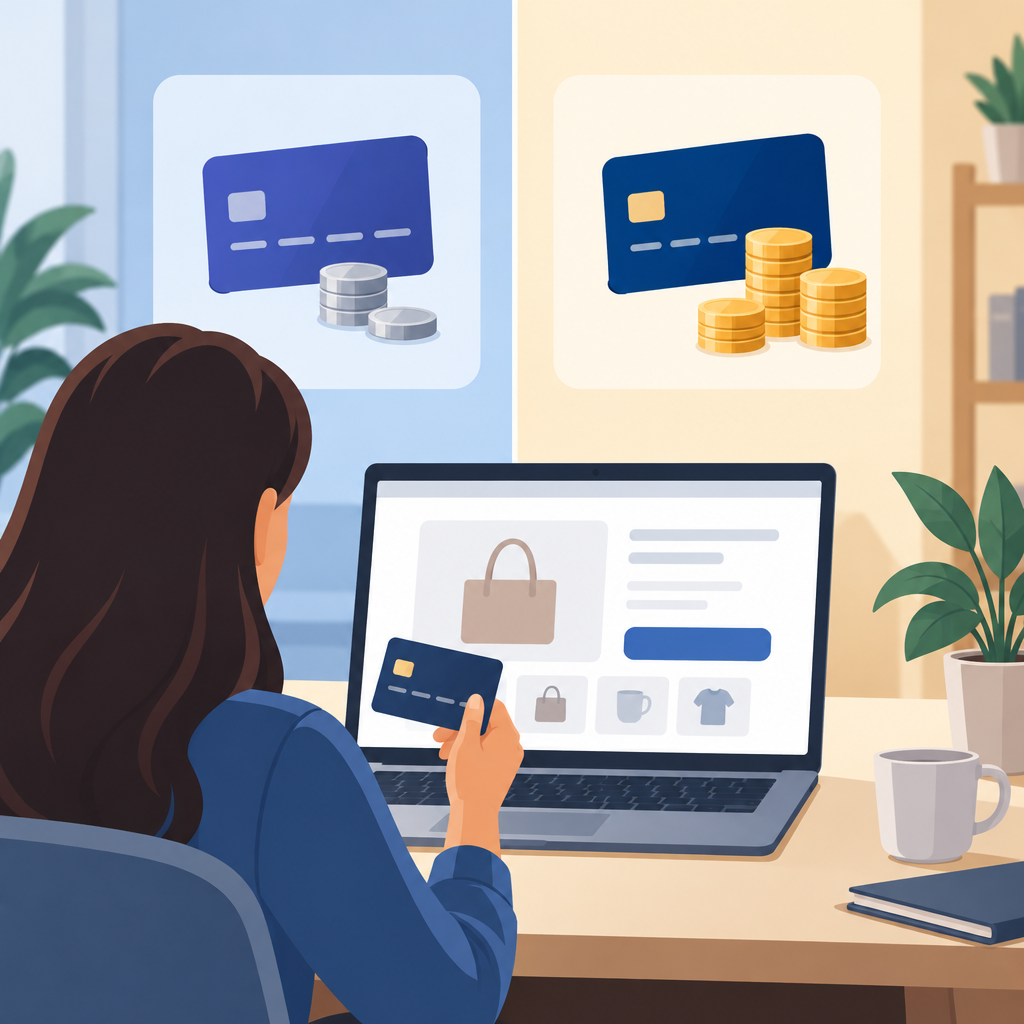
Stripe charges 2.9% + 30¢ per US online card sale, and PayPal Checkout charges 3.49% + $0.49. These rates come from Stripe’s pricing page and PayPal’s US merchant fee schedule (the PDF dated June 29, 2026, with some rates effective August 1, 2026), both checked in November 2026. Stripe’s surcharges are flat add-ons. PayPal’s percentage changes by product, and every transaction adds a fixed fee of $0.49 for USD.
| Fee type | Stripe | PayPal | Source / effective date |
|---|---|---|---|
| Online card payment (domestic) | 2.9% + 30¢ | 2.99% + $0.49 (card processing) | Stripe pricing page; PayPal US fees, June 29, 2026 |
| Manually entered card | 3.4% + 30¢ | Not applicable | Stripe Support, manually entered card payments |
| Wallet button checkout | Card rate for Apple Pay, Google Pay, Link | PayPal Checkout 3.49% + $0.49 | Same |
| Venmo | Not available | 3.49% + $0.49 | PayPal US fees, June 29, 2026 |
| Pay Later / BNPL | Rates vary by BNPL provider | PayPal Pay Later 4.99% + $0.49 | Same |
| QR code payments | Not applicable | 2.29% + $0.09 | Same |
| ACH / bank debit | 0.8%, capped at $5 | Bank-funded wallet payments at the Checkout rate | Stripe pricing page |
| Subscription billing | Stripe Billing 0.7% of billing volume, on top of processing | Standard transaction rates | Stripe Billing pricing page |
| International card / buyer | +1.5% | +1.5% for buyers outside the US | Both pages |
| Currency conversion | +1% | 3.0% above the base exchange rate on payments received | Stripe pricing; PayPal merchant fees and user agreement |
| In-person card | Stripe Terminal 2.7% + 5¢ | QR rate above (2.29% + $0.09) | Stripe pricing page |
| Fixed fee (USD) | $0.30 | $0.49 | Stripe page; PayPal fixed-fee table |
Online and manually entered card payments
Stripe charges 2.9% + 30¢ per successful US online card transaction, with no monthly fee on standard pricing. Cards keyed into the Dashboard or taken through Terminal MOTO (mail order and telephone order) cost 3.4% + 30¢, according to Stripe Support. That includes later one-time charges on a card that was first saved by manual entry. Stripe says the extra 0.5% reflects fraud risk, because typed-in details bypass much of its online security. If you take phone orders, a hosted payment link sent to the customer avoids the surcharge.
PayPal’s card processing rate of 2.99% + $0.49 applies when a customer pays by card through PayPal’s card fields rather than through a PayPal wallet login.
PayPal Checkout, Venmo and Pay Later
The PayPal Checkout button and Pay with Venmo both cost 3.49% + $0.49. PayPal Pay Later costs 4.99% + $0.49. You pay the BNPL rate whenever a shopper chooses Pay in 4 or Pay Monthly, so offer it only if it raises your average order value enough to cover the extra 1.5 points.
Subscription pricing: Stripe Billing vs PayPal Subscriptions
Stripe Billing’s pay-as-you-go plan costs 0.7% of billing volume with no recurring fee, and it sits on top of card processing. A US subscription paid by card therefore costs about 3.6% + 30¢ on Stripe. Stripe’s Billing pricing page also lists monthly plans for larger volumes, and usage-based billing through Metronome is priced separately.
PayPal Subscriptions charges its normal transaction rate on each renewal: 3.49% + $0.49 when the subscriber pays with a PayPal wallet. There is no separate billing-volume fee, but you also get fewer billing tools. The net gap on a recurring card payment is smaller than the headline rates suggest, as the $29 plan row in the worked examples shows.
ACH and bank payments
Stripe’s ACH Direct Debit costs 0.8% per successful payment, capped at $5. Stripe’s own example: a $200 payment costs $1.60, and anything over $625 hits the cap. Standard settlement takes about four business days. On invoices in the thousands of dollars, ACH is the biggest saving on this page.
International and currency-conversion surcharges
On Stripe, the surcharges stack. Checkoutpage’s September 2026 breakdown works through a US business taking a European card in euros: 2.9% + 30¢, plus 1.5% for the international card, plus 1% for conversion, which totals 5.4% + 30¢.
PayPal adds 1.5% to commercial transactions from buyers outside the US. If PayPal converts the currency, its merchant fee page and user agreement set the rate at 3.0% above the base exchange rate for payments you receive. Other conversions, such as refunds, cost 4.0%. That is about three times Stripe’s 1% conversion fee, so foreign-currency PayPal sales get expensive quickly.
Builder tip
Selling abroad on Stripe? Where you can, price and settle in the buyer’s currency. That avoids the extra 1% conversion fee on top of the 1.5% international card fee.
UK and EU rates
Rates in Europe are much lower because of EU and UK interchange caps. Stripe’s UK pricing is 1.5% + 20p for standard UK cards and 2.5% + 20p for EEA cards. Premium UK cards cost more: 1.9% + 20p on one version of the page and 2.8% + 20p on another, so check the rate on your own account. Stripe’s euro pricing pages list 3.15% + €0.25 for international cards and 2.5% + €0.25 for UK cards. Third-party calculators put standard EEA cards at 1.5% + €0.25.
According to Wise’s reading of PayPal’s UK fee page, PayPal charges UK sellers 2.9% + £0.30 on domestic commercial transactions in GBP. PayPal publishes a separate fee schedule for each country and changes them often. The UK PDF was updated on July 15, 2026, and again on October 1, 2026. In Europe the gap between the two is bigger than in the US: PayPal costs roughly twice as much as Stripe on a domestic card sale.
Worked examples: what you keep per order
These figures use US standard rates: Stripe 2.9% + 30¢ and PayPal Checkout 3.49% + $0.49. Cross-border means a buyer outside the US paying in USD, so both add 1.5% and neither converts currency. The subscription row adds Stripe Billing’s 0.7%. The invoice row compares Stripe ACH (before any Stripe Invoicing fee) with paying by card.
| Order | Buyer location | Stripe fee | PayPal Checkout fee | Difference |
|---|---|---|---|---|
| $20 | US | $0.88 (4.4%) | $1.19 (5.9%) | $0.31 |
| $20 | Outside US | $1.18 (5.9%) | $1.49 (7.4%) | $0.31 |
| $29/month subscription | US | $1.34 (card + Billing, 4.6%) | $1.50 (5.2%) | $0.16 |
| $100 | US | $3.20 | $3.98 | $0.78 |
| $100 | Outside US | $4.70 | $5.48 | $0.78 |
| $500 | US | $14.80 | $17.94 | $3.14 |
| $500 | Outside US | $22.30 | $25.44 | $3.14 |
| $5,000 B2B invoice | US | $5.00 by ACH ($145.30 by card) | $174.99 | $169.99 vs ACH |
On a $20 order, PayPal’s $0.49 fixed fee alone takes 2.45% of the sale. In dollars, the gap is bigger on large orders, but as a share of the sale the fixed fee does most of the damage on small ones. A store selling 1,000 $20 orders a month pays about $310 more per month if every sale goes through the PayPal button. On subscriptions, Stripe Billing’s 0.7% shrinks the gap to 16¢ a renewal, or about $1.92 per subscriber per year.
That doesn’t make PayPal a bad deal. The real question is whether PayPal wins sales you would otherwise lose. Stripe’s PayPal marketing page claims PayPal raises revenue by up to 6.1% for businesses on Stripe. That is a vendor figure, but it explains why many stores pay the premium. If even one extra $100 sale in 50 comes from shoppers who only check out with PayPal, the button covers its own cost.
Builder tip
On orders under about $20, PayPal’s $0.49 fixed fee costs noticeably more than Stripe’s 30¢. Work out your average order value before you choose which method to show first.
Payouts and dispute fees
Stripe pays out on a standard 2-business-day schedule at no cost. Stripe’s docs say Instant Payouts usually arrive within 30 minutes and cost 1.5% in the US and 1% in the UK and EU. PayPal puts funds in your PayPal balance right away, but PayPal’s help center says new sellers can have early payments held for up to 21 days. Adding tracking and updating order status gets them released sooner.
Disputes cost money on both. Stripe’s dispute documentation lists a $15 fee when a US dispute opens, and outside Mexico Stripe keeps it even if you win. Chargeflow’s 2026 summary of PayPal’s US schedule gives a $15 standard dispute fee. It rises to $30 if your dispute rate reaches 1.5% or more and you had over 100 sales in the previous three full months.
Can Stripe accept PayPal payments?

Only if your business is based in Europe. Stripe’s PayPal docs list about 30 EMEA business locations that can enable PayPal as a payment method. Customers anywhere can pay, in 14 presentment currencies: AUD, CAD, CHF, CZK, DKK, EUR, GBP, HKD, NOK, NZD, PLN, SEK, SGD and USD.
Countries where Stripe processes PayPal
Stripe Support says PayPal is available to Stripe businesses in the EU (except Hungary), Liechtenstein, Norway, the UK and Switzerland. That adds up to 30 locations, which matches the docs. Stripe’s PayPal marketing page also lists Hungary and Gibraltar, so businesses there should confirm in their own Dashboard before planning a checkout around it.
| Business location | PayPal via Stripe? | What to do instead |
|---|---|---|
| United States | No | Install a separate PayPal gateway or plugin |
| Canada, Australia, rest of world | No | Separate PayPal integration |
| UK, Switzerland, Norway, Liechtenstein | Yes | Request PayPal in Stripe Dashboard payment method settings |
| EU (except Hungary) | Yes | Request in Stripe Dashboard |
| Hungary, Gibraltar | Sources conflict | Check your Dashboard; fall back to a direct PayPal integration |
What US merchants should do instead
Most US stores should run a second gateway: Stripe for cards and wallets, plus PayPal’s own integration for the PayPal, Venmo and Pay Later buttons. On a custom build, Stripe’s custom payment methods feature can show PayPal inside the Payment Element through a redirect. Your own PayPal integration still processes the money, so you still need a PayPal business account and pay PayPal’s fees.
Fees, disputes and payouts when PayPal runs through Stripe
For eligible European businesses, PayPal payments settle into the Stripe balance and pay out on the normal Stripe schedule, with PayPal disputes shown next to card disputes. Stripe’s UK local payment methods pricing page lists PayPal per successful charge, with a Stripe component of 0.2% + 10p on top of the PayPal processing fee and 2% more when currency conversion is needed. Euro-country pricing pages list the equivalent in EUR.
According to Stripe’s PayPal docs and payment method page, the capabilities are:
- Activation requires approval. You request PayPal from the Dashboard’s payment method settings and link a PayPal business account.
- Recurring payments are supported, so Stripe Billing subscriptions can renew on a saved PayPal method.
- Refunds are available for up to 180 days after the original payment, and partial refunds work.
- Disputes can be partial, and you handle them in the Stripe Dashboard.
- Settlement preference lets you choose whether funds land in your Stripe balance or your PayPal account.
- Saved PayPal methods from an existing PayPal integration can be imported, so returning customers don’t have to log in again.
- Stripe’s minimum and maximum charge amounts apply per currency.
The main gain is operational: one balance, one set of reports and one refund flow.
Security, chargebacks and frozen funds
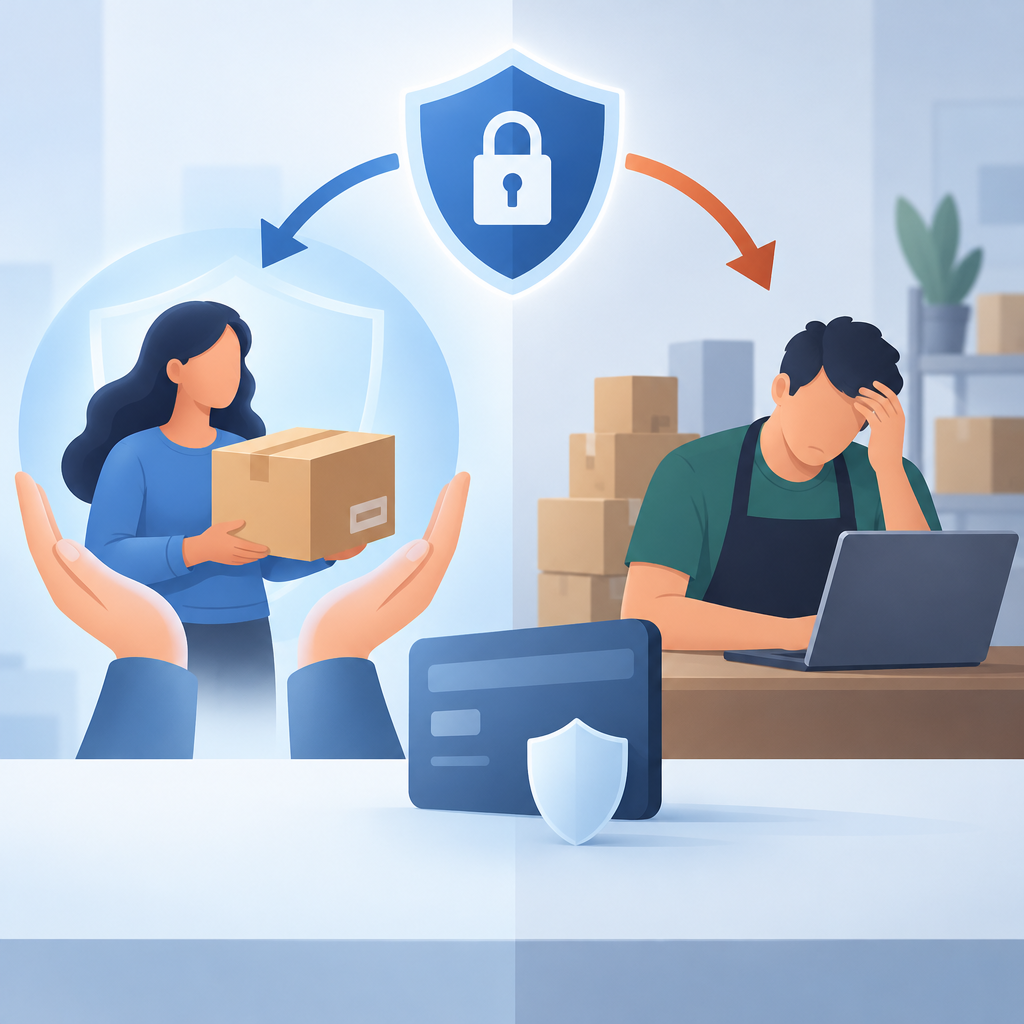
Both platforms are safe to process payments with. The real difference is who carries the risk when something goes wrong. PayPal’s programs lean toward the buyer, and Stripe leaves chargeback risk with you, the merchant.
Is Stripe as safe as PayPal?
Yes, in terms of security. Both are PCI-compliant, regulated processors. Stripe includes Radar fraud screening with standard pricing and supports 3D Secure, which can shift liability for fraud chargebacks to the card issuer. PayPal offers two-factor authentication on accounts and its own fraud models. PayPal Seller Protection covers eligible transactions against unauthorized-payment and item-not-received claims, as long as you ship to the address on the transaction and keep proof of delivery. Stripe has no equivalent program, so you win or lose card disputes on the evidence you submit.
Why accounts get held or frozen
Neither platform is safe from freezes, and the triggers are the same on both:
- A sudden jump in volume or average order size
- A run of refunds or chargebacks
- Selling something restricted under PayPal’s Acceptable Use Policy or Stripe’s restricted businesses list
- Long gaps between payment and fulfillment, such as preorders or event tickets
- Mismatched business details during verification
PayPal’s 21-day hold on new sellers is routine. Stripe is more likely to apply a reserve after a dispute spike. A rolling reserve holds a percentage of each payout for a set number of days, while a fixed reserve holds a lump sum. If Stripe holds your money, the release terms are in the notice and under Balances in the Dashboard. Getting your dispute rate down is the fastest way to have a reserve reviewed.
What merchants report
Merchant forums such as Reddit’s small-business and ecommerce communities show recurring themes, and these are anecdotal rather than measured. Complaints about both platforms center on holds that arrive without warning after a sales spike, and on how hard it is to reach a person during a review. PayPal threads often mention the new-seller hold and buyer-friendly dispute outcomes. Stripe threads more often mention reserves applied after account reviews and support that runs mainly by email and chat. The advice that comes up again and again is the same as below: keep money moving out of the processor and keep a second gateway live.
How to protect your cash flow
- Set automatic daily or weekly payouts on Stripe, and sweep your PayPal balance to your bank regularly. Money sitting in a processor balance is the money that gets frozen.
- Keep a cash buffer of at least a month’s operating costs in a bank account outside both platforms.
- Add tracking numbers to every physical order on both platforms.
- Tell both processors ahead of time about launches, sales events or preorders.
- Running two gateways is also insurance: if one freezes, the other keeps taking orders.
Security note
If you sell anything listed in PayPal’s Acceptable Use Policy or Stripe’s restricted businesses list, a sudden freeze is likely. Read both lists before launch, not after the first payout.
Subscriptions, invoices and payment methods
Stripe is the stronger choice for subscriptions, but it charges for the privilege. Stripe Billing manages plans, trials, proration, usage-based pricing, dunning and customer portals for 0.7% of billing volume. PayPal Subscriptions covers simpler fixed plans at standard transaction rates, and subscription plugins like WooCommerce Subscriptions work with both.
For payment methods, Stripe’s single Payment Element can show cards, Apple Pay, Google Pay, Stripe Link, BNPL options such as Klarna and Afterpay, bank debits, and Asian wallets such as Alipay. PayPal’s own range is the PayPal wallet, Venmo, PayPal Pay Later, cards, and Apple Pay and Google Pay through its advanced checkout.
For B2B invoicing, both send hosted invoices. Stripe Invoicing ties into Billing and accepts ACH bank debits at 0.8% capped at $5. On the $5,000 invoice in the worked examples, that is $5 against $145.30 by card. If you’re weighing offline options as well, our guide to cash on delivery explained covers the trade-offs in markets where shoppers still prefer it.
Managing payments on mobile
Both have free business apps. The Stripe Dashboard app for iOS and Android shows payments, balances and payouts, sends alerts and lets you issue refunds. The PayPal Business app lets you track payments, send invoices, issue refunds and transfer your balance to a bank. Turning on push alerts for disputes in both apps gives you more of each dispute’s response window.
How to use Stripe and PayPal together on your site

Every major platform supports both side by side. Back up your site and database before installing or switching any payment plugin, and place a live test order after each change.
WooCommerce
On WordPress, use the WooCommerce Stripe Gateway plugin for cards and wallets, and the WooCommerce PayPal Payments plugin for PayPal, Venmo and Pay Later.
Setup steps
- Back up files and database, and confirm you can restore them.
- Install WooCommerce Stripe Gateway and connect your Stripe account under WooCommerce > Settings > Payments.
- Enable cards, Apple Pay, Google Pay and Link in the Stripe payment methods settings.
- Install WooCommerce PayPal Payments and complete onboarding with your PayPal business account.
- Disable the legacy PayPal Standard gateway if it is still active.
- Set the order of payment methods so Stripe card fields appear first.
- Run a live low-value order through each method, then refund it.
Builder tip
After installing WooCommerce PayPal Payments, turn off the old PayPal Standard gateway. Otherwise you get two PayPal options or buttons that don’t work.
Shopify
Shopify Payments is Shopify’s built-in card processor, and Stripe powers it in many countries. You can’t add a standalone Stripe gateway on top of it. PayPal is added separately under Settings > Payments, where you activate PayPal with your business account. The result is the same pairing: Shopify Payments for cards and wallets, and PayPal as an extra button. Our guide to the Shopify ecommerce platform covers how its payment stack fits together, which also helps if you’re about to start dropshipping.
Squarespace, Wix and other builders
Squarespace lets you connect Stripe and PayPal from its payments settings. Wix offers its own Wix Payments plus PayPal, and Stripe in supported regions. Builders keep setup to a few clicks, but you get less control over button placement and method order. If you’re still picking a builder, our guides to building a Squarespace website and to how an AI website builder creates a site walk through the setup flow.
Headless and custom checkouts
On a custom or headless build, mount the Stripe Payment Element for cards and wallets, and render PayPal buttons with the PayPal JavaScript SDK next to it. Stripe’s REST APIs work with any frontend, and our GraphQL vs REST explainer helps if your headless CMS mixes the two.
// Stripe Payment Element (clientSecret comes from a PaymentIntent created server-side)
const stripe = Stripe('pk_live_your_key');
const elements = stripe.elements({ clientSecret });
elements.create('payment').mount('#payment-element');

// PayPal buttons (SDK loaded with your Client ID and currency)
paypal.Buttons({
  createOrder: () =>
    fetch('/api/paypal/orders', { method: 'POST' })
      .then(r => r.json()).then(order => order.id),
  onApprove: data =>
    fetch(`/api/paypal/orders/${data.orderID}/capture`, { method: 'POST' })
}).render('#paypal-button-container');
Always create the PaymentIntent and the PayPal order on your server, and confirm the final amount there. Never trust a price sent from the browser.
Fixing ‘PayPal not showing’ and ‘Stripe not showing’ at checkout
Most missing-button problems come from scripts, conflicts or eligibility, not broken accounts. Back up first, then work through this list in order:
- Block checkout scripts. WooCommerce’s block-based Checkout loads payment scripts differently from the old shortcode checkout. Check that both plugins are current and support blocks. As a test, switch the Checkout page to the classic shortcode.
- Two PayPal gateways. If you see two PayPal options after installing PayPal Payments, the legacy PayPal Standard gateway is still enabled. Disable it.
- Theme hooks. If PayPal buttons show on the cart page but not at checkout, your theme may be missing or moving the WooCommerce hooks the plugin renders into. Switch to a default theme like Storefront on a staging copy to confirm.
- Credentials. A wrong or sandbox PayPal Client ID, or Stripe test keys left in live mode, can hide buttons silently. Reconnect through the plugin’s onboarding.
- Stripe’s 10-minute cache. WooCommerce’s documentation says the Stripe checkout caches enabled payment methods and refreshes them every 10 minutes. Reloading the Stripe Payment Methods settings page clears the cache.
- Currency and country eligibility. Wallets and BNPL methods hide themselves when the store currency, buyer country or order total falls outside their limits. Apple Pay also needs domain verification and HTTPS. PayPal inside Stripe never appears on a US account.
- Caching and optimization plugins. Exclude cart and checkout pages from page caching and from JavaScript deferral or minification.
Stripe and PayPal merger: what happened
Stripe didn’t buy PayPal. Stripe and private equity firm Advent International made an offer in 2026, and on August 28, 2026 they walked away.
| When | What happened |
|---|---|
| Mid 2026 | Bloomberg reports that Stripe and Advent are interested in buying PayPal |
| Before the formal offer | Block, initially part of the group, leaves |
| July 2026 | Offer of $60.50 per share, about $53B, backed by roughly $50B in committed bank financing (PYMNTS) |
| July to August 2026 | PayPal’s board pushes back on valuation |
| August 28, 2026 | Stripe and Advent end the pursuit after failing to close the valuation gap. PayPal shares fall as much as 16% premarket (Startup Fortune) |
| By November 2026 | Multiple sources report PayPal, under CEO Enrique Lores, has cut roughly 4,500 to 4,760 jobs (about 20% of its workforce) and is putting more weight behind Venmo and consumer financial services |
For merchants, nothing changes. Your fees, contracts, payout schedules and integrations stay as they were, and the deal would not have changed fees overnight anyway. The more useful thing to watch is PayPal’s push on Venmo and checkout, which could bring new merchant rates in future fee schedules.
Which should you choose?
For most stores the answer is both: Stripe as the default processor and PayPal as a second button. This matrix weighs four criteria drawn from both vendors’ documentation and pricing pages: cost at typical order sizes, conversion from shopper trust, operational fit (subscriptions, multi-currency, APIs) and cash-flow risk. Cost and conversion count most for stores. For SaaS, operational fit counts most.
| Criterion | Stripe | PayPal | Best for |
|---|---|---|---|
| US online cost | 2.9% + 30¢ | 3.49% + $0.49 (Checkout) | Stripe |
| Subscription cost | 3.6% + 30¢ with Billing | 3.49% + $0.49 | Close; Stripe on most prices |
| Large invoices | ACH 0.8%, $5 cap | Checkout rate | Stripe |
| Shopper recognition | Mostly invisible | 440M active accounts | PayPal |
| Subscription features | Stripe Billing, full featured | Basic plans | Stripe |
| Payment method breadth | Cards, wallets, BNPL, Alipay, bank debits | Wallet, Venmo, Pay Later, cards | Stripe |
| Developer tools | Industry-leading APIs and docs | Solid SDK and REST APIs | Stripe |
| Seller protection | Merchant carries risk | Program for eligible sales | PayPal |
| Payout speed | 2 business days, instant for a fee | Balance immediately, holds for new sellers | Tie |
- Small physical-goods store: Stripe as the default card processor, with PayPal added as a button. Some shoppers won’t buy without PayPal, so the higher fee is usually worth it.
- Digital downloads with small orders: Stripe first. On a $10 to $20 basket the fixed-fee gap really hurts. Add PayPal but show it second.
- SaaS: Stripe Billing, budgeting for its 0.7% on top of 2.9% + 30¢. Add PayPal only if your churn data shows sign-ups dropping off at the card form. Below about $10 a month, PayPal’s $0.49 fixed fee outweighs the Billing surcharge.
- High-ticket B2B: Stripe Invoicing with ACH. At the $5 cap, the payment method matters far more than the button.
- International seller in Europe: Stripe with PayPal enabled inside it, for one balance and one Dashboard.
- International seller in the US: Stripe with local currency pricing, plus a direct PayPal integration. Avoid PayPal’s 3.0% conversion where you can.
- Marketplaces: Stripe Connect handles split payouts, onboarding and payouts to sellers. Bolting this onto PayPal takes far more work.
The counter-argument for using one processor is simplicity. But a second gateway costs one plugin and one extra set of reconciliation reports, which is little compared with lost sales and the risk of having only one processor. If you’re still mapping out how ecommerce works for your business, start with both and review the split after a quarter of sales data.
FAQ
Are Stripe and PayPal the same?
No. They are separate, competing companies. Stripe is merchant payment infrastructure, and PayPal is a consumer wallet that also provides merchant checkout.
Why do people use Stripe instead of PayPal?
Lower US card fees (2.9% + 30¢), better developer tools, Stripe Billing for subscriptions, ACH capped at $5, and one integration that covers cards, wallets and BNPL.
Is Stripe as safe as PayPal?
Yes, for payment security. The difference is liability: PayPal offers Seller Protection on eligible sales, while Stripe gives you fraud tools and leaves chargeback risk with you.
Is Stripe cheaper than PayPal?
In the US, yes, at every order size. A $100 domestic sale costs $3.20 on Stripe and $3.98 through PayPal Checkout.
Does Stripe accept PayPal payments?
Only for businesses in about 30 European locations, including the UK, Switzerland and most of the EU. Customers worldwide can pay in 14 currencies.
How do I add PayPal to Stripe?
If you’re eligible, request PayPal in the Stripe Dashboard’s payment method settings, wait for approval and link your PayPal business account. Outside Europe, add a separate PayPal gateway.
Why can’t I enable PayPal in my Stripe Dashboard? I’m in the US.
Because Stripe doesn’t offer PayPal to US-based accounts. Install WooCommerce PayPal Payments, activate PayPal in Shopify, or integrate the PayPal SDK directly.
Did Stripe buy PayPal?
No. Stripe and Advent International offered about $53B in July 2026 and dropped the bid on August 28, 2026. Your fees on both platforms stay as they are.
Is it worth paying PayPal’s higher fees just because customers trust the button?
Usually, yes. The fee gap is $0.78 on a $100 order, and a small number of recovered sales covers it. Show Stripe first so most buyers pay the lower rate.
Can I use Stripe and PayPal on the same website?
Yes. WooCommerce, Shopify, Squarespace, Wix and custom builds all support both. Back up before installing either gateway.
What does Stripe charge per transaction in 2026?
2.9% + 30¢ for US online cards, plus 1.5% for international cards and 1% for currency conversion. Manually entered cards cost 3.4% + 30¢, ACH costs 0.8% capped at $5, and Stripe Terminal costs 2.7% + 5¢ in person. Subscriptions on Stripe Billing add 0.7%.
What does PayPal charge per transaction in 2026?
Under the June 29, 2026 US schedule, PayPal Checkout and Venmo cost 3.49% + $0.49, card processing 2.99% + $0.49, QR codes 2.29% + $0.09 and Pay Later 4.99% + $0.49. Buyers outside the US add 1.5%, and PayPal currency conversion costs 3.0% above the base exchange rate.
Does PayPal charge extra for subscriptions?
No separate billing fee. Each renewal pays the normal transaction rate, such as 3.49% + $0.49 for a PayPal wallet payment.
Stripe or PayPal for a small business: which freezes funds less?
Neither is immune. PayPal routinely holds new sellers’ funds for up to 21 days, and Stripe tends to apply reserves after dispute spikes. Automatic payouts and a cash buffer protect you on both.
Can I manage Stripe and PayPal from my phone?
Yes. The Stripe Dashboard app and the PayPal Business app both let you check payments, issue refunds and follow payouts, and the PayPal app also sends invoices.
Your next step: work out your average order value and how much of your revenue is recurring, find the closest row in the worked examples, and set the order of your checkout buttons to match. Back up your site before you change anything.
About this article
- Fact-checked by Moira Hensley against the sources listed below before publication.
- Published
Sources (8)
- Stripe Pricing (stripe.com)
- PayPal US Merchant Fees (June 29, 2026) (paypalobjects.com)
- Stripe processing fees (Checkoutpage) (checkoutpage.com)
- PayPal fee calculator (Checkoutpage) (checkoutpage.com)
- Stripe Docs: PayPal payments (docs.stripe.com)
- Stripe Support: PayPal payment method availability (support.stripe.com)
- Stripe: Accept PayPal payments (stripe.com)
- PayPal Q3 2026 earnings release (sec.gov)